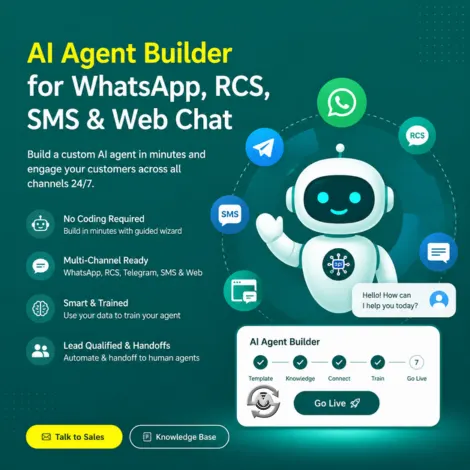
AI Agent Builder for WhatsApp, RCS, SMS & Web Chat
Build a custom AI agent in minutes and put it to work across WhatsApp Business API, RCS, Telegram, and your website, answering questions, qualifying leads, and handing off to your sales or support team the moment a human is needed.
No coding required. Pick an industry template, describe your business, connect your knowledge base, and go live with a guided 7-step wizard built for real support and sales teams.
What is AI Agent Builder?
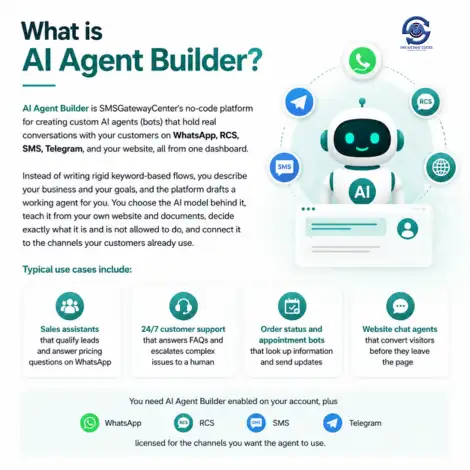
AI Agent Builder is SMSGatewayCenter's no-code platform for creating custom AI agents (bots) that hold real conversations with your customers on WhatsApp, RCS, SMS, Telegram, and your website, all from one dashboard.
Instead of writing rigid keyword-based flows, you describe your business and your goals, and the platform drafts a working agent for you. You choose the AI model behind it, teach it from your own website and documents, decide exactly what it is and is not allowed to do, and connect it to the channels your customers already use.
Typical use cases include:
- Sales assistants that qualify leads and answer pricing questions on WhatsApp
- 24/7 customer support that answers FAQs and escalates complex issues to a human
- Order status and appointment bots that look up information and send updates
- Website chat agents that convert visitors before they leave the page
You need AI Agent Builder enabled on your account, plus WhatsApp, RCS, SMS, or Telegram licensed for the channels you want the agent to use.
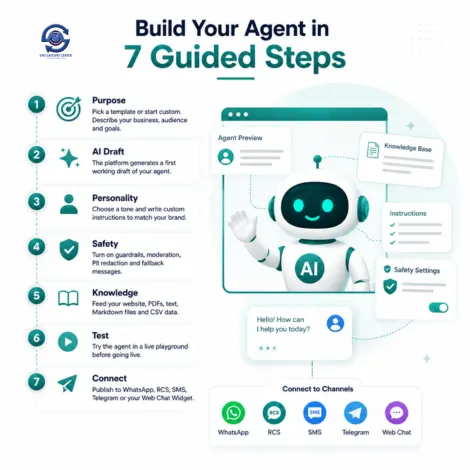
Build Your Agent in 7 Guided Steps
The Bot Wizard walks you through every decision an AI agent needs before it can talk to a real customer, no technical expertise required:
- Purpose: Pick an industry template, Customer Support, Sales Assistant, FAQ Bot, Appointments, Order Status, or start fully custom, then describe your business, audience, and goals.
- AI Draft: The platform generates a first working draft of your agent from your description.
- Personality: Choose a tone, Friendly, Professional, Support Agent, Concise, Formal, Enthusiastic, Calm, Witty, Coach, Premium, Technical, or Casual, and write custom instructions.
- Safety: Turn on guardrails, content moderation, PII redaction, topic restrictions, and set fallback messages for blocked or failed replies.
- Knowledge: Feed the agent your website, PDFs, text or Markdown files, and CSV data so it answers from your actual content.
- Test: Try the agent in a live playground before anything reaches a real customer.
- Connect: Publish the agent to WhatsApp, RCS, SMS, Telegram, or your Web Chat Widget.
Choose the AI Model Behind Your Agent
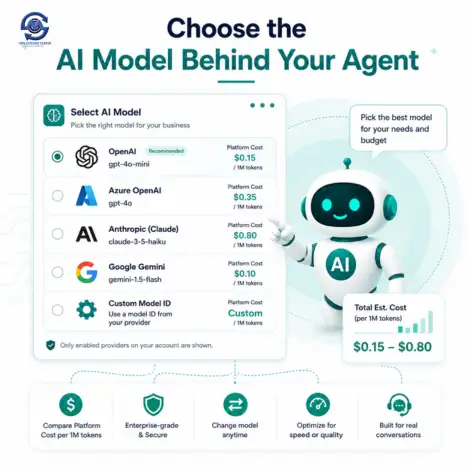
You are not locked into one AI provider. Pick the model that fits your budget and quality needs, and see platform cost per 1M tokens before you commit:
- OpenAI models, including fast, low-cost options for high-volume chat.
- Azure OpenAI for teams that need enterprise-grade hosting.
- Anthropic (Claude) models for nuanced, careful responses.
- Google Gemini models for multimodal and cost-efficient use cases.
- Custom model ID if your account has access to a specific model your provider offers.
Only providers enabled on your account are shown, and you can change the model at any time without rebuilding your agent.
Connect WhatsApp, RCS & More: Tools Your Agent Can Use
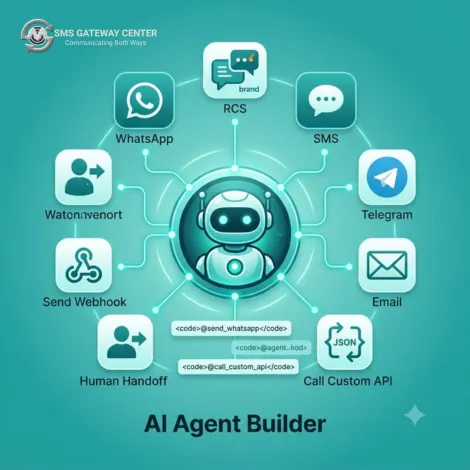
An AI agent is only useful if it can act, not just chat. Under Tools & Actions, you enable the exact capabilities each agent is allowed to use, and reference them in instructions with a simple @toolname mention:
- Send WhatsApp: Reply and proactively message using your linked WhatsApp Business API connection.
- Send RCS: Send rich, branded RCS messages using your connected RCS agent.
- Send SMS: Fall back to plain SMS using your approved templates.
- Send Telegram: Message customers on a linked Telegram bot connection.
- Send Email: Send email using your own SMTP settings.
- Call Custom API: GET or POST to your own systems, with JSON or XML body and response parsing, so the agent can look up orders, check stock, or submit a lead.
- Send Webhook: Fire a webhook so the agent can trigger workflows in your CRM or helpdesk.
- Human Handoff: Route the conversation to a named agent queue (for example, "sales") the moment the bot should not continue alone.
Only the messaging tools for products already active on your account appear, so an agent never tries to send on a channel you have not enabled.
Help Your Sales Team, Not Just Your Support Team
AI Agent Builder is built to work alongside your sales and support teams, not replace the judgment they bring to a deal or a difficult ticket:
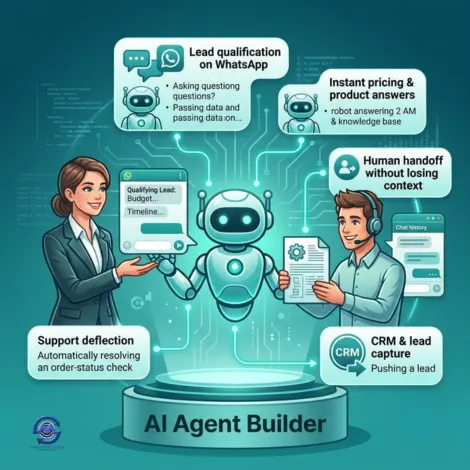
- Lead qualification on WhatsApp: The agent asks budget, timeline, and requirement questions, then hands off to sales only when a lead is ready.
- Instant pricing and product answers: Trained on your website and pricing pages, so prospects get accurate answers at 2 AM, not a "we'll get back to you."
- Human handoff without losing context: When a conversation is escalated, your agent sees the full chat history in the Live Agent Chat inbox and can take over instantly.
- CRM and lead capture: The Custom API and Webhook tools push qualified leads straight into your CRM, no manual data entry.
- Support deflection: FAQ and order-status agents resolve routine tickets automatically, freeing your team for conversations that actually need a person.
Guardrails Built In: Safety, Knowledge & Handoff
Every agent ships with configurable safety controls so you stay in control of what it says and to whom:
- Content moderation: Block harmful, abusive, or illegal requests automatically.
- PII protection: Redact phone numbers and emails in replies, and check outbound messages for leaked personal data.
- Stay on topic: Set allowed and blocked topics so the agent declines anything outside its scope.
- Prompt injection detection: Off, Standard, or Strict protection against attempts to hijack the agent's instructions.
- Hallucination guard, toxicity filter, brand tone check, and competitor mention rules for teams that need tighter enterprise controls.
- Rate limiting and session caps to control cost and prevent abuse.
Your agent's knowledge comes directly from your business, not a generic model's guesswork:
- Website crawl: Point it at your site and it indexes your pages automatically in the background.
- Documents: Upload PDFs, TXT/Markdown files, or structured CSV FAQ and product data.
- Knowledge Studio to review and refine what the agent has learned.
- Analytics and Conversation Logs to see exactly what customers are asking and how the agent responded.
Combine this with Human Handoff and every conversation your agent cannot resolve lands with the right team, with full context intact.
How to Get Started
- Enable AI Agent Builder on your account by contacting Sales or your account manager.
- Confirm channels you want the agent to use: WhatsApp, RCS, SMS, or Telegram, licensed on your account.
- Open My Bots in your panel and click Create Bot to launch the wizard.
- Describe your use case, pick a personality, add knowledge sources, and set safety rules.
- Test in the Playground, then Connect your agent to WhatsApp, RCS, SMS, Telegram, or your Web Chat Widget.
Pair this with our WhatsApp Business API, RCS Messaging, and Web Chat Widget to put your AI agent in front of customers on every channel.

Frequently Asked Questions about AI Agent Builder
No. The Bot Wizard is a guided, no-code, 7-step flow. You describe your business in plain language, and the platform drafts your agent's instructions, personality, and knowledge setup for you.
WhatsApp Business API, RCS, SMS, Telegram, and your website through the Web Chat Widget. Only the channels already licensed on your account appear as options.
OpenAI, Azure OpenAI, Anthropic (Claude), and Google Gemini, plus a custom model ID field if your account has access to a specific provider model. You can switch models at any time.
You add knowledge sources under the Knowledge tab: crawl your website, upload PDFs, TXT/Markdown files, or CSV data. The platform indexes this in the background so the agent answers from your actual content, not generic guesses.
Yes. Enable the Human Handoff tool and set a queue name, such as "sales" or "support." When the agent hands off, the conversation appears in your Live Agent Chat inbox with full context, and any team member can take over.
The Safety tab includes content moderation, PII redaction, stay-on-topic rules with allowed and blocked topics, prompt injection detection, hallucination guard, and rate limiting. You can also customize the exact message shown when a rule blocks a reply.
Yes, if you enable the relevant tool (Send WhatsApp, Send RCS, Send SMS, Send Telegram, or Send Email) and reference it in the agent's instructions using an @toolname mention, such as @send_whatsapp.
Yes. The Call Custom API tool lets your agent make GET or POST calls to your own endpoints with JSON or XML, and the Send Webhook tool can trigger workflows in your CRM, helpdesk, or automation platform.
Visit our Knowledge Base for step-by-step guides on the Bot Wizard, Tools & Actions, Knowledge sources, and Safety settings. Agentic Docs are also available in-panel for developers integrating via API.
Satisfied Clients
World's Popular Brands are some of our satisfied clients.
At SMS Gateway Center, we strongly believe no client is too big nor too small
to work with us to obtain good advantage.