
Windows Excel Add-in · Free Download
Bulk SMSExcel SMS Add-in for Microsoft Excel
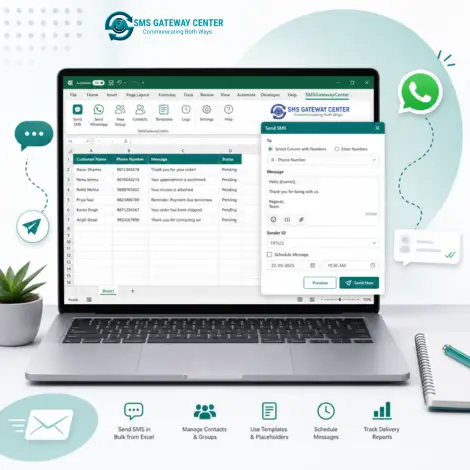
Send bulk SMS straight from Microsoft Excel with the free SMSGatewayCenter Excel SMS Add-in. A native ribbon tab gives you Send SMS, Group SMS, Sent Report, Check Balance, and Settings. Built for Windows 10/11 and Excel 64-bit. SMS only (WhatsApp is not on the ribbon).
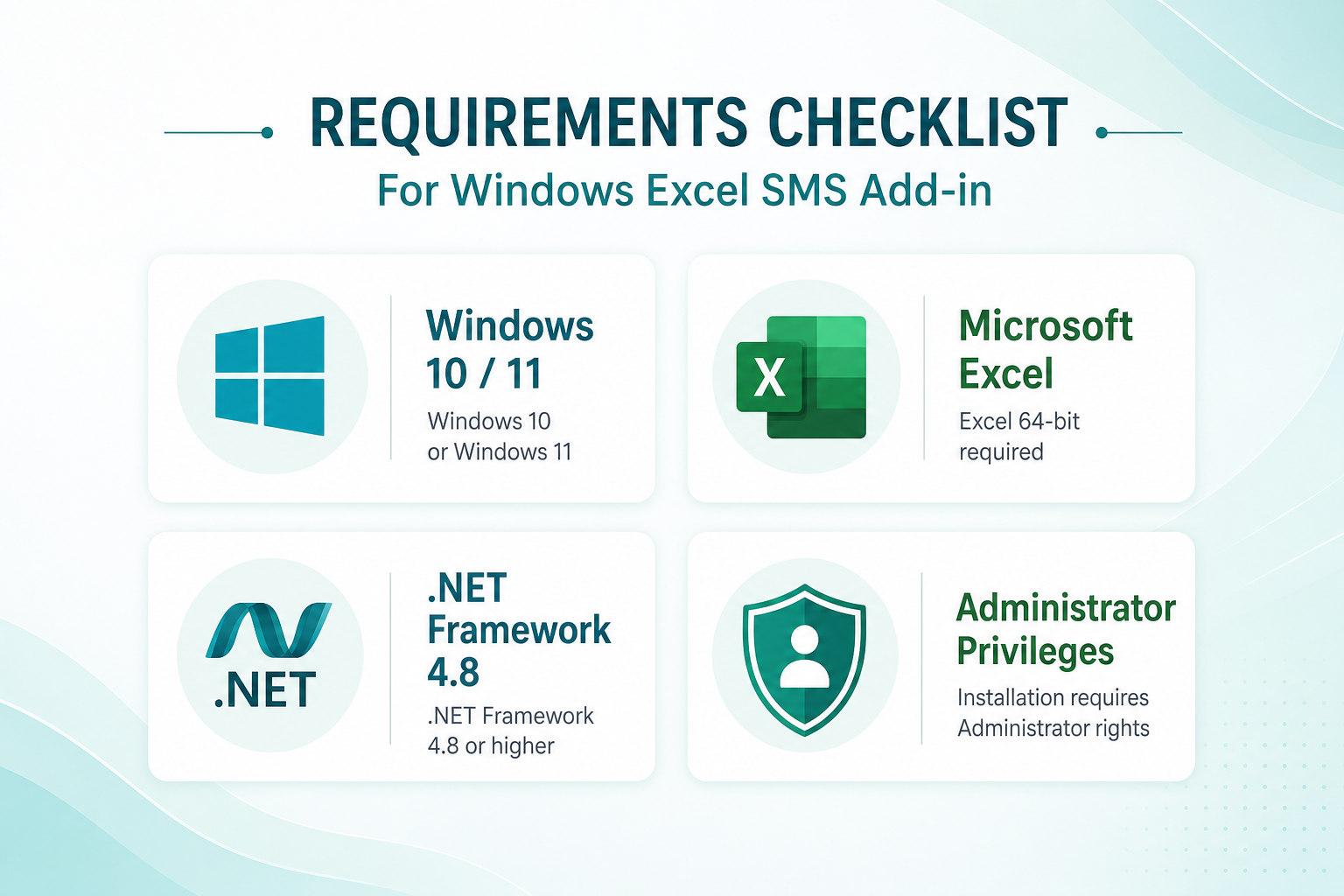
- Windows 10 / 11 · Excel 2013+ or Microsoft 365 (64-bit)
- .NET Framework 4.8 · MSI installer (run as Administrator once)
- Package:
SMSGatewayCenterExcelAddin.zip
What is the Excel SMS Add-in?
The Excel SMS Add-in is a Windows Excel add-in (.xll, Excel-DNA) that adds an SMSGatewayCenter ribbon tab to Microsoft Excel. You send SMS through the SMS Gateway Center HTTPS API from your spreadsheet. No separate desktop app is required after install.
Use it when your numbers and message variables already live in Excel: payment reminders, promotional SMS, OTPs for internal lists, or campaign lists you manage in worksheets. Credentials are stored securely under your Windows user profile (DPAPI).
Ribbon Features
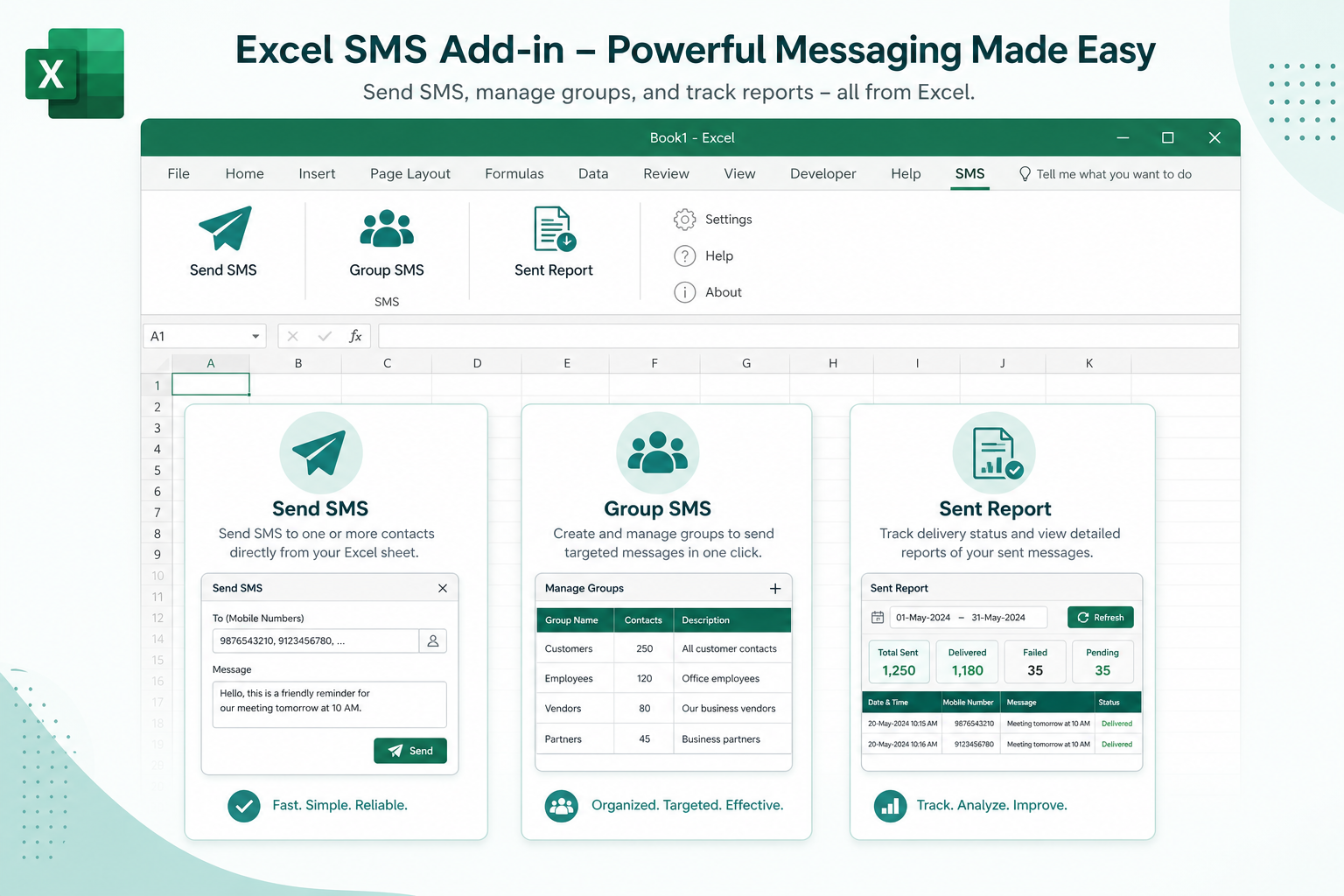
After install, open Excel and use the SMSGatewayCenter ribbon:
- SMS – Send SMS, Group SMS, Sent Report
- Admin – Check Balance, Change Password
- About – Settings, About Us
API host defaults to unify.smsgateway.center over HTTPS (TLS 1.2+). Logs are written to %LocalAppData%\ExcelSmsAddin\log.txt if you need support diagnostics.
How to Install
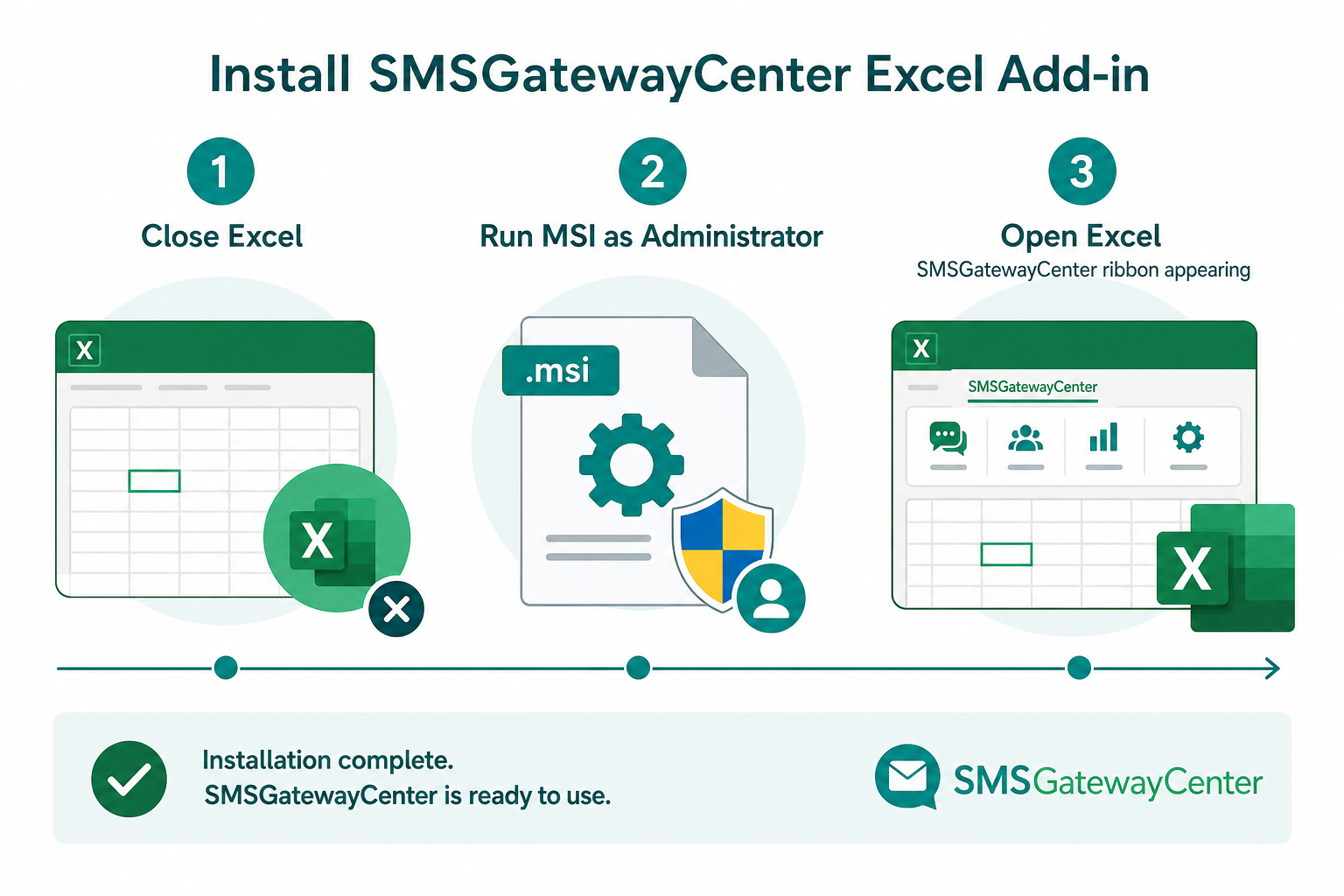
- Close Excel if it is open (the
.xllis locked while Excel loads it). - Download SMSGatewayCenterExcelAddin.zip and extract it.
- Run
ExcelSmsSender-x64.msias Administrator (UAC prompt is expected). - If Excel is still running, close it and choose Retry when the installer asks.
- Open Excel. The SMSGatewayCenter ribbon should appear. The installer trusts the publisher certificate and registers the signed add-in under Program Files.
Uninstall from Settings → Apps → Excel SMS Sender (admin may be required).
System Requirements
Operating System
Windows 10 or Windows 11
Microsoft Excel
Excel 2013+ or Microsoft 365 · 64-bit
.NET
.NET Framework 4.8
Permissions
Administrator once (UAC) for certificate trust and MSI install
Download & Start Sending
Get the free package, install the MSI, sign in with your SMSGatewayCenter account, and send personalized SMS from the columns you already manage in Excel. Need an account first? Sign up free or contact sales.
Send SMS from Excel with a signed Windows add-in. Download now.
Frequently Asked Questions
A free Windows Excel add-in (.xll, Excel-DNA) that adds an SMSGatewayCenter ribbon so you can send bulk SMS from Microsoft Excel via our HTTPS API. WhatsApp is not on the ribbon.
Windows 10 or 11, Excel 2013+ or Microsoft 365 in 64-bit, .NET Framework 4.8, and Administrator rights once during install.
Close Excel, download SMSGatewayCenterExcelAddin.zip, run ExcelSmsSender-x64.msi as Administrator, then open Excel. The SMSGatewayCenter ribbon should appear.
Send SMS, Group SMS, Sent Report, Check Balance, Change Password, Settings, and About Us.
Under HKCU\Software\ExcelSmsAddin, with password / API key protected via Windows DPAPI.
