Send a message
“Using SMSGatewayCenter, send an SMS to 919999999999 with sender ID MYBRAND letting them know their order is ready.”

The SMSGatewayCenter Claude Connector is an OAuth-secured MCP connector that lets Claude send SMS, schedule messages, check your balance, review delivery reports, search contacts, and read your templates and sender IDs, all inside a normal conversation.
No API key ever touches Claude. You approve access once from your own SMSGatewayCenter login, and can revoke it at any time.

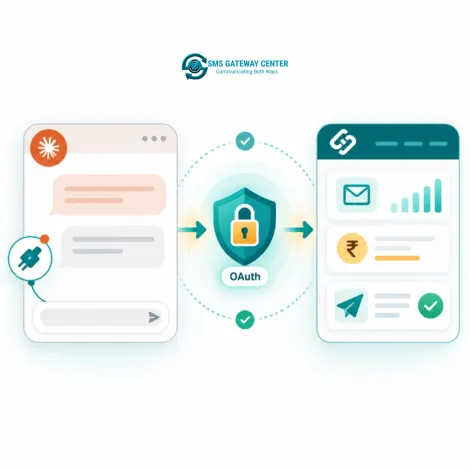
The Claude Connector is built on the Model Context Protocol (MCP), the open standard Claude uses for custom connectors. It exposes a fixed set of SMSGatewayCenter actions, called tools, that Claude can call during a conversation once you have authorized access.
Instead of switching to your panel to send a quick SMS or check whether a campaign delivered, you can ask Claude directly, and it calls the right tool on your behalf, using your own account's data and credits.
Typical use cases include:
You need a Client ID and Client Secret from the SMSGatewayCenter team to set this up, see How to Connect below.
| Tool | What It Does |
|---|---|
| Send SMS | Send a single SMS to any recipient using an approved sender ID and template. |
| Send Group SMS | Send the same message to a saved contact group. |
| Schedule SMS | Queue a message to go out at a future date and time. |
| Check Balance | Read your current account balance and credit type. |
| Delivery Reports | Pull delivery reports for a date range or recent activity. |
| Delivery Report by Transaction ID | Look up the exact delivery status for one message using its transaction UUID. |
| Search Contacts | Find saved contacts or groups by name or number. |
| Get Templates | List your DLT-approved message templates. |
| Get Sender IDs | List your approved sender IDs. |
| SMS Usage Guide | Ask Claude how to use any of the above, it can query this built-in guide for help. |
Access can be revoked at any time from Claude's connector settings, or by asking our team to revoke the OAuth app on your account.
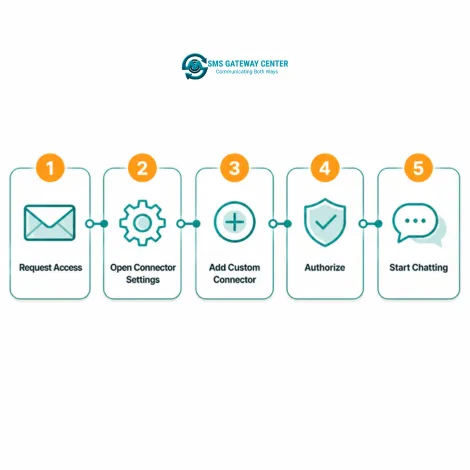
Custom connectors over remote MCP, the kind this page sets up, are available on every Claude plan, Free, Pro, Max, Team, and Enterprise. You do not need a paid plan just to connect. The one restriction is that Free plan users are limited to one custom connector active at a time, so if you already use another custom connector, you may need to remove it first.
Team and Enterprise accounts have one extra step: an Owner or Primary Owner has to add the connector to the organization first, from Organization Settings. After that, individual members on the team can each connect to it and authorize their own access.
Custom connectors work across every Claude client, claude.ai in a browser, Claude Desktop (Mac and Windows), and the Claude mobile apps (iOS and Android). Once added, the connector is available from any of these apps signed in to the same account.
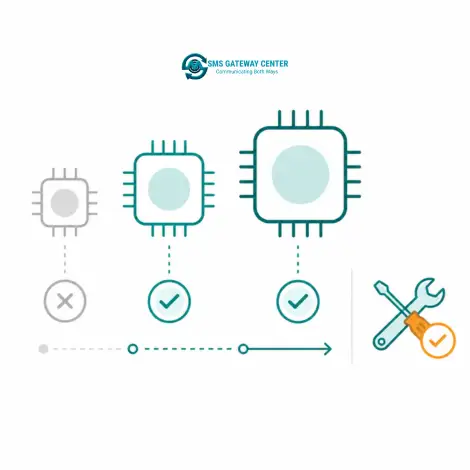
Once connected, the connector itself works with any Claude model that has tool use enabled, it is not tied to one specific model.
For the most reliable results with multi-step actions, such as checking your balance before scheduling a send, or searching a contact before messaging them, a current Claude Sonnet or Claude Opus model is a safer choice than a smaller, faster model, since chaining more than one tool call together in the right order is exactly where lighter models are more likely to skip a step.
You can switch models at any time from Claude's model picker, the connector and your authorization stay active regardless of which model you choose.
The connector uses OAuth2, the same authorization standard used by major apps you already trust. Claude receives a scoped, revocable token, never your password, never your raw API key.

It lets Claude send SMS and group SMS, schedule messages, check your account balance, look up delivery reports by date or transaction ID, search saved contacts, and read your approved templates and sender IDs, all on your behalf.
No. The connector uses OAuth2 authorization. You approve access once from your own SMSGatewayCenter login, and Claude never sees your password or API key.
Contact our team from the Contact page. We register an OAuth app for your account and share the Client ID, Client Secret, and MCP connector URL you need.
No. Custom connectors over remote MCP are available on Free, Pro, Max, Team, and Enterprise plans. Free plan users are limited to one active custom connector at a time. Team and Enterprise accounts need an Owner or Primary Owner to add the connector to the organization first, from Organization Settings, before individual members can connect to it.
All of them. Custom connectors work across claude.ai in a browser, Claude Desktop on Mac and Windows, and the Claude mobile apps on iOS and Android, once connected on one, it is available on the others under the same account.
Any Claude model with tool use enabled works, the connector is not tied to a specific model. For the most reliable multi-step tool calling, such as checking balance before scheduling a send, a current Claude Sonnet or Opus model is a safer choice than a smaller, faster model.
Yes. Remove it from Claude's connector settings at any time, or ask the SMSGatewayCenter team to revoke the OAuth app from your account.
Yes. See our ChatGPT Connector page, it uses the same underlying tools and MCP connection.
At SMS Gateway Center, we strongly believe no client is too big nor too small
to work with us to obtain good advantage.