Multi-Channel Fallback for SMS, WhatsApp, and RCS

When an important message does not deliver on the first channel, SMSGatewayCenter can try the next one for you. Set the order once, map your templates, and let failover handle OTPs, payment alerts, and reminders across SMS, WhatsApp Business API, and RCS.

Built for teams that care about delivery, not manual resends. Configure a clear journey, review message history channel by channel, and use analytics to see how often failover saves the day.

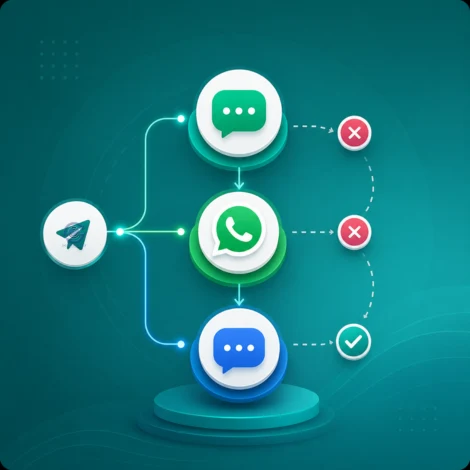
Multi-Channel Message Fallback across SMS WhatsApp and RCS

What is Multi-Channel Fallback?

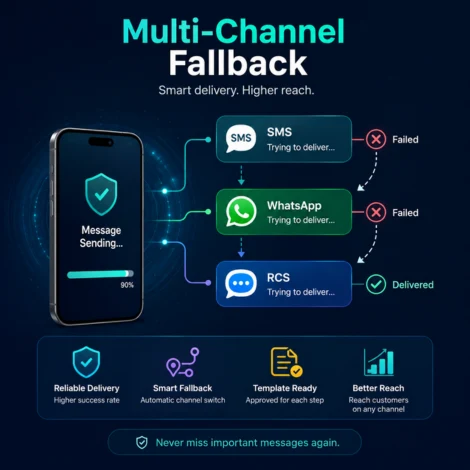
Illustration explaining Multi-Channel Fallback messaging

Multi-Channel Fallback (also called message failover) automatically moves to another channel when delivery fails on the first attempt. You choose the sequence, for example SMS, then WhatsApp, then RCS, and attach an approved template for each step.

This is not the same as SMS-only "Fallback On Generic Template," which only affects SMS template matching. Multi-Channel Fallback switches between real channels so your customer still receives the OTP or alert on another route.

Typical use cases include:

  • OTP and login verification codes
  • Payment and transaction alerts
  • Appointment and delivery updates
  • Account security notifications

You need at least two eligible channels on your account (SMS, WhatsApp, or RCS) and failover enabled by your administrator before you can create a flow.


How Multi-Channel Fallback Works

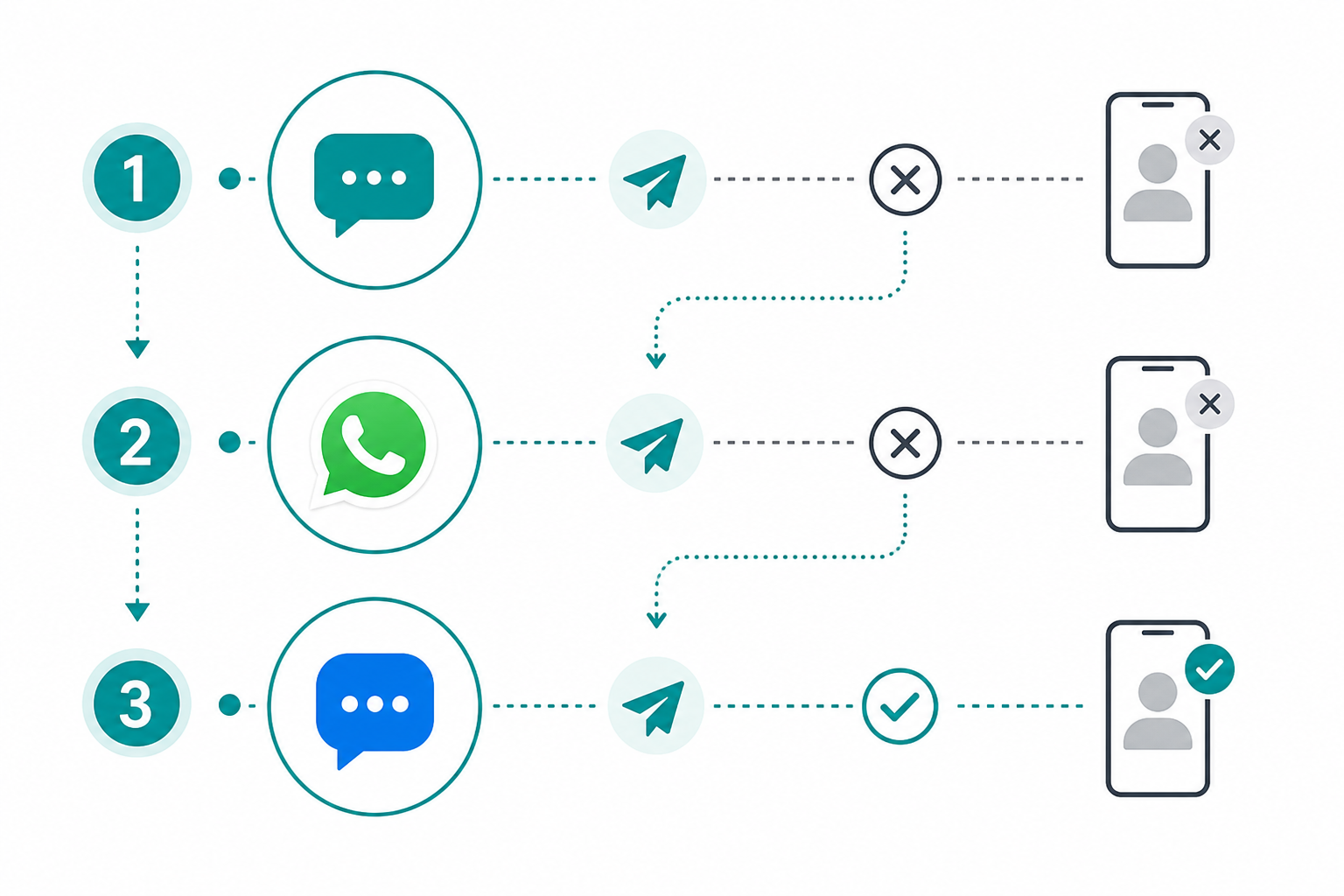
Think of it as a simple delivery ladder. The platform tries the top channel first. If that attempt fails (based on your rules), it moves to the next channel using the template you selected for that step.

  1. Select channels: Pick two or more from SMS, WhatsApp, and RCS available on your account.
  2. Set the order: Drag steps into the sequence you want. The first channel is tried first.
  3. Choose templates: Each channel needs its own approved template and, for SMS, a sender ID when required.
  4. Map variables (optional): Link placeholders across channels so the same OTP or customer name appears everywhere.
  5. Save and send: Use the flow name in your API or panel sends. Review delivery in Message History and Analytics.

You can leave trigger error codes empty to failover on any failure, or pick specific codes when you only want certain failures to start the next channel.

Flow diagram showing SMS WhatsApp and RCS failover steps

Why Businesses Choose Fallback

Stronger OTP delivery

If SMS does not reach the handset, WhatsApp or RCS can carry the same code without asking the user to request it again.

One setup, many sends

Define the journey once with templates and variable mapping. Every transactional send that uses that flow follows the same path.

Control when failover runs

Use optional trigger error codes to failover on any failure or only on selected delivery errors such as DND or timeout.

Clear reporting

Message History shows each channel attempt. Analytics summarizes how often failover assisted delivery.

Variable Mapping Across Channels

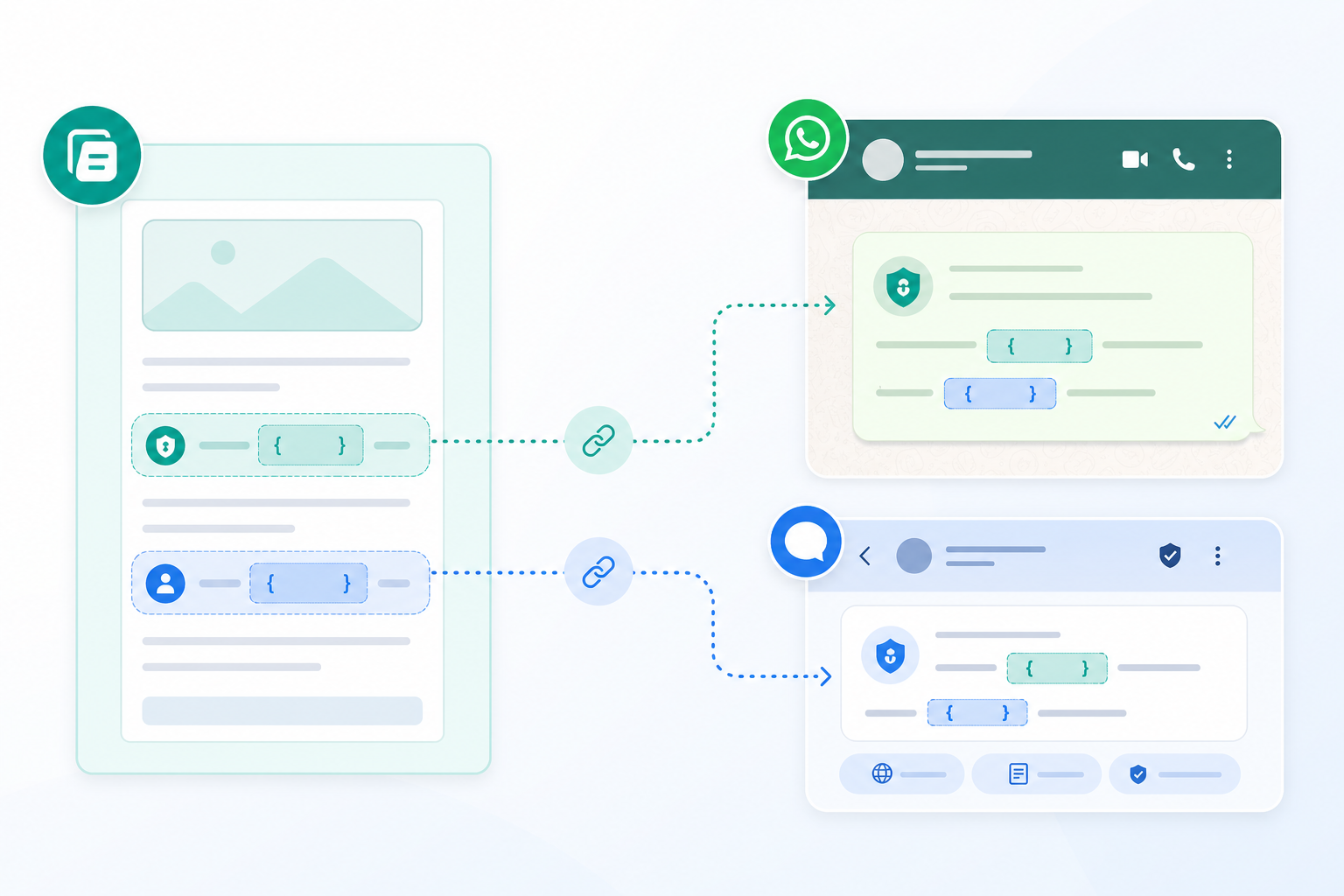
Illustration of mapping template variables across SMS WhatsApp and RCS

SMS, WhatsApp, and RCS use different placeholder styles. SMS may use fields. WhatsApp often uses 1 and 2. RCS templates follow their own variable names.

The first channel in your sequence is the source. Variable mapping tells the platform how to fill each target placeholder:

  • From source variable: Copy dynamic values like OTP, name, or order ID from the first template.
  • Static text: Insert fixed wording on a target channel, such as a security disclaimer on every send.

Example: SMS says "Your OTP is ." WhatsApp says "Your code is 1." Map 1 to the SMS OTP variable so both channels show the same code.

Mapping appears only when templates on later channels have variables to fill. Every target row must be completed before you save.


Use Cases

  • Banking and fintech OTP: SMS first, WhatsApp second, for faster verification when SMS routes are busy.
  • E-commerce order updates: Notify on SMS, failover to WhatsApp with rich template buttons.
  • Healthcare appointments: Remind patients on SMS and retry on WhatsApp if undelivered.
  • Logistics and courier: Delivery alerts that must reach the driver or customer on any available channel.
  • SaaS account security: Login and password reset codes with a backup channel for global users.
  • RCS as final step: Rich card experience when SMS and WhatsApp both fail on supported devices.

Fallback works best for transactional messages. Large promotional blasts are better handled with standard campaign tools on each channel.
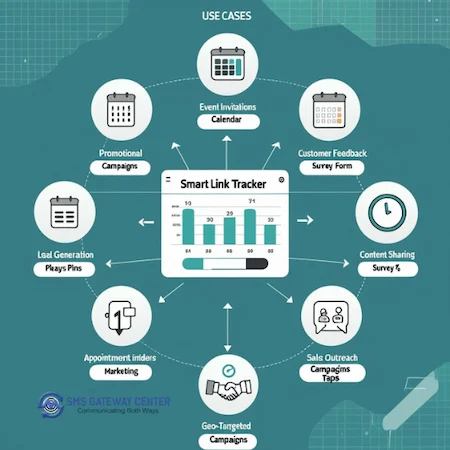
Use cases for Multi-Channel Fallback

Reporting and Analytics

After go-live, use two views in your SMSGatewayCenter panel:

Delivery Reports (Message History) shows the full journey for each mobile number: which fallback flow ran, each channel tried, delivery status, error codes, and timestamps.

Failover Analytics summarizes performance by date or by flow name: total sent, delivered, failover-assisted deliveries, and success by channel position (1st, 2nd, or 3rd step).

Together they help you prove ROI on failover and spot channels that need template or routing attention.
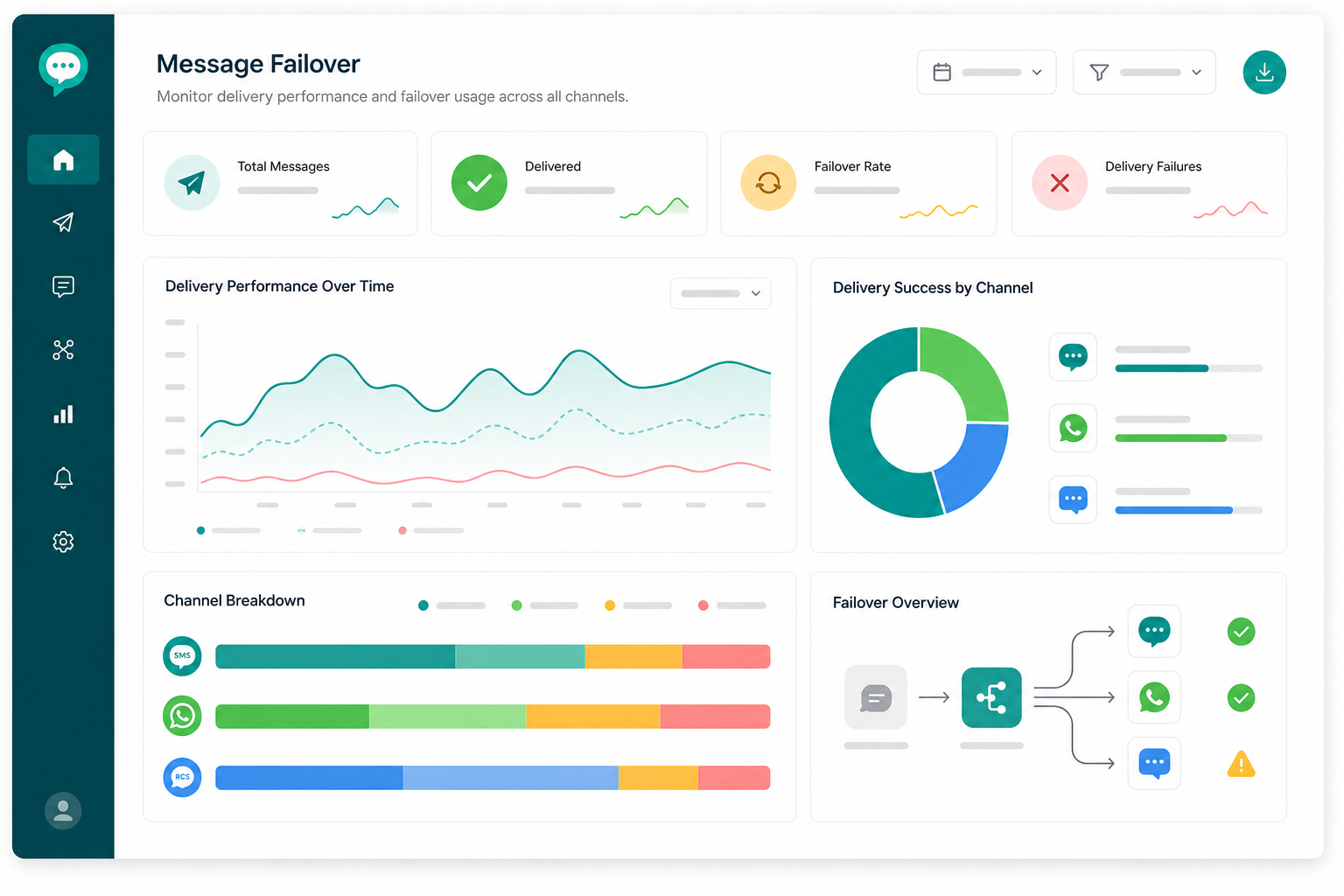
Failover analytics dashboard illustration

How to Get Started

  1. Contact Sales or your account manager to enable Failover on your user account.
  2. Confirm channels you need SMS, WhatsApp, and/or RCS licensed and allowed for your login.
  3. Prepare approved templates for each channel in the flow.
  4. Open Fallback in the user panel under Template Mapping and create your first flow.
  5. Send test messages and review Delivery Reports before production traffic.

Pair this page with our OTP SMS, WhatsApp Business API, and RCS Messaging solutions for a complete multi-channel stack.

Get started with Multi-Channel Fallback

Frequently Asked Questions about Multi-Channel Fallback

What channels does Multi-Channel Fallback support?

SMS, WhatsApp Business API, and RCS. You need at least two of these enabled on your account to create a fallback flow. Voice, email, and other products are not part of this feature.

How is this different from SMS Fallback On Generic Template?

Multi-Channel Fallback switches between SMS, WhatsApp, and RCS. Fallback On Generic Template is an SMS-only setting for template matching and does not send on WhatsApp or RCS.

Do I need a separate template for each channel?

Yes. Each step in your sequence needs its own approved template. Use variable mapping so OTPs and other dynamic fields stay consistent across channels.

What are trigger error codes?

Optional filters that control when failover runs. Leave them empty to move to the next channel on any failure. Select specific codes when you only want certain delivery errors to trigger the next step.

Can I pause a flow without deleting it?

Yes. Disable the status switch on the manage list to pause failover. Re-enable when you are ready. This is useful during template updates.

Is Fallback suitable for promotional bulk SMS?

It is designed for important transactional messages. Promotional campaigns are better sent with standard bulk tools on each channel because failover can use credits on multiple channels per recipient.

Where can I read detailed setup guides?

Visit our Knowledge Base for step-by-step Fallback articles. Logged-in users also have in-panel documentation under Documentation and Help Doc links on each Fallback screen.


Satisfied Clients

World's Popular Brands are some of our satisfied clients.

At SMS Gateway Center, we strongly believe no client is too big nor too small
to work with us to obtain good advantage.


Metro Cash & Carry Hover
Samsung Hover
Limeroad Hover
Kurlon Hover
Tata Health Hover
Indian Medical Association Hover
Bharatiya Reserve Bank Note Mudran Hover
Bharat Co-operative Bank Mumbai Ltd Hover

Testimonials

Why do Great Businesses Trust SMS Gateway Center?

K

Kurlon IT

2022-08-04

We have tied up with other SMS providers also, but SMS GatewayCenter is quite good. Good Service from the team. We are very happy with the service be it accounts related or technical issue. We always get good response.

I

INOX Air Products

2018-02-09

We have an excellent experience with SMS Gateway Center. The services and support has been of very high standard.

S

Shalabh Arora

2025-04-11

I’ve been using SMSGatewayCenter’s bulk SMS and WhatsApp services since early 2022 for my small business, and the experience has been fantastic. The platform is intuitive, and the message delivery is incredibly reliable, reaching my customers without fail. The 24/7 support team is quick to assist, and the cost-effectiveness is a big plus. It’s transformed how I connect with my audience, and I highly recommend it to other entrepreneurs! (Google Revirews)

R

Reflex

2025-04-11

We’ve been using your bulk SMS services for a few months, and the results have been phenomenal. The open rates and customer engagement have gone through the roof. Highly recommend for any business looking to scale fast! (Google Revirews)

V

Vedanth Gowda

2025-04-18

I’m Vedanth Gowda, leading a finance business, and I’ve been leveraging SMSGatewayCenter’s bulk SMS and WhatsApp tools —absolutely transformative! The platform’s speed and precision in delivering financial alerts to my clients are unmatched, giving me a competitive edge. Samrat’s expertise in tailoring notification workflows for market updates was a standout, and the robust security features instilled trust. The affordable pricing and proactive support team make it a no-brainer. Perfect for finance pros aiming to elevate client trust and efficiency! (Google Revirews)

N

Naval Bhatnagar

2025-04-12

From day one, the team at SMS GATEWAY CENTER guided us through setup, testing, and launching campaigns. Their support is A+. Whether you’re new to SMS marketing or experienced, they make it smooth. Thank you Aakash. (Google Revirews)


CTA for Reach More Customers When the First Channel Fails

Reach More Customers When the First Channel Fails

Set up Multi-Channel Fallback across SMS, WhatsApp, and RCS. Map templates once, track every step, and improve delivery on OTPs and critical alerts. Contact us to enable failover on your account.

Get in touchSign up