
WhatsApp Flow – Interactive Forms Inside the Chat
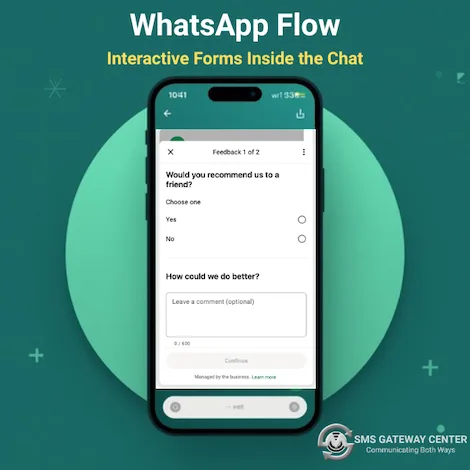
Let customers complete forms, bookings, and surveys without leaving WhatsApp. With SMSGatewayCenter's Flow Builder, you design multi-screen flows with a drag-and-drop editor: add headings, text, text inputs, dropdowns, date pickers, and images. Create and publish your flow on Meta, then send it from Workflow Builder so users open it with one tap. Up to 8 screens and 50 components per flow. No coding required. Ideal for appointments, lead capture, feedback, and catalogs. Knowledge Base.
What is WhatsApp Flow?
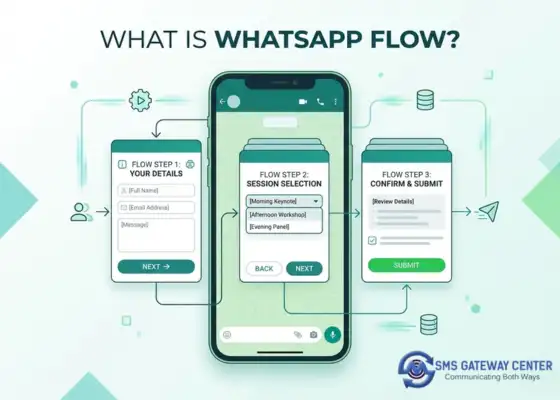
WhatsApp Flow is a Meta feature that lets businesses send interactive, multi-step forms inside a WhatsApp chat. When a user taps a flow button in a message, a flow opens inside WhatsApp with screens of text, inputs, choices, dates, or images. SMSGatewayCenter provides a Flow Builder: a drag-and-drop editor where you add screens, drag components (heading, body text, text input, dropdown, list, date, image, etc.) onto each screen, and configure labels and options. Flows are created and published on Meta from the Manage page; once approved, you can send them to users (for example via the Send Flow node in Workflow Builder).
Flows keep users inside WhatsApp for bookings, lead capture, surveys, and catalogs, with no redirect to external pages. You get structured data back (e.g. name, phone, date) that you can use in workflows or APIs.
When to Use WhatsApp Flow
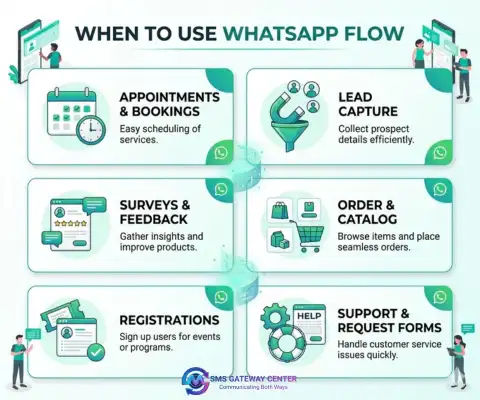
Use WhatsApp Flow whenever you need structured input from users without leaving the chat:
- Appointments & bookings – Collect date, time, and details in a few taps.
- Lead capture – Name, email, phone, and preferences in one flow.
- Surveys & feedback – Multiple choice and text answers inside WhatsApp.
- Order or catalog selection – List and dropdown components for products or options.
- Registrations & sign-ups – Simple forms with validation (e.g. email, phone).
- Support or request forms – Category, description, and contact details in one flow.
Flow Builder: Screens and Components
In SMSGatewayCenter's Flow Builder you add screens (up to 8 per flow) and place components (up to 50 per flow) on each screen. Components include:
Heading & Body
Display text and titles on each screen. Use variables for personalization where supported.
Text Input
Single-line or multi-line text from the user. Optional validation (e.g. email, phone format).
Dropdown & List
Let users pick one option from a list. Ideal for categories, products, or time slots.
Date Picker
Capture date (and optionally time) for appointments and reminders.
Image
Show an image on a screen. Useful for instructions, branding, or product previews.
Submit & Response
Flow data is sent to your endpoint or available in Workflow Builder for the next steps (e.g. API Connect, message).
Create and Publish on Meta
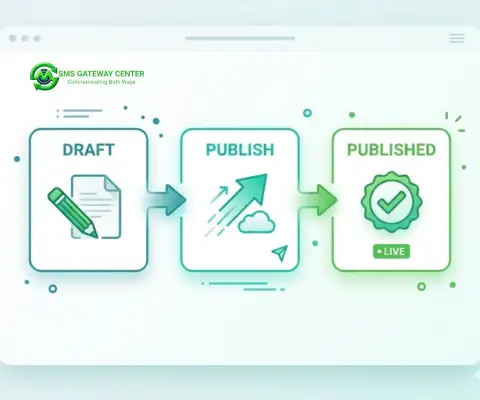
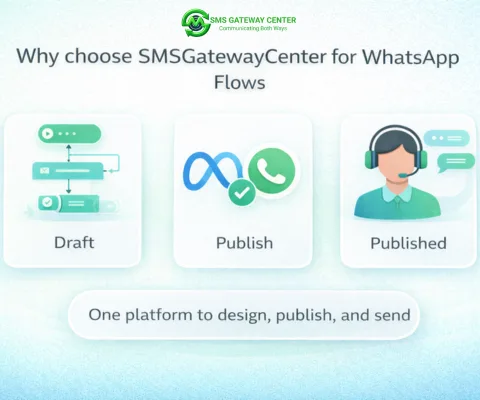
Flows live on Meta's infrastructure. In SMSGatewayCenter you design the flow in the Flow Builder, then from the Manage page you choose your WhatsApp connection and click Create on Meta to send the flow to Meta. When the flow is in DRAFT status, click Publish on Meta to submit it for approval. Once Meta approves, status becomes PUBLISHED and you can send the flow to users (e.g. via the Send Flow message type in Workflow Builder). Flow responses are stored in Flow Responses and can be used in workflows or exported.
Why Use WhatsApp Flow with SMSGatewayCenter?
SMSGatewayCenter combines Flow Builder with WhatsApp Business Solutions: template management, green tick verification, and reliable delivery. You design flows in one place, publish on Meta, and trigger them from Workflow Builder. Our support team can help you design your first flow and connect flow responses to your backend. The Knowledge Base covers limits, publishing steps, and troubleshooting.

Get Started Today
Sign up at smsgatewaycenter.com, open WhatsApp Messaging → WhatsApp Flow, and create your first flow. Use the Knowledge Base for step-by-step guides and FAQs. Need help with design or Meta approval? Contact us for a demo.
Build interactive WhatsApp forms with a drag-and-drop Flow Builder. Request a demo and see it in action.
Frequently Asked Questions about WhatsApp Flow
WhatsApp Flow is a Meta feature that lets businesses send interactive, multi-step forms inside a WhatsApp chat. Users tap a button in a message and a flow opens inside WhatsApp with screens of text, inputs, choices, dates, or images. SMSGatewayCenter provides a drag-and-drop Flow Builder to create and publish these flows.
No. SMSGatewayCenter's Flow Builder is drag-and-drop: you add screens, drag components (heading, text, inputs, choices, date, image) onto each screen, and configure labels and options. No JSON or code is required unless you use Export/Import for backup.
On the Manage page, select your WhatsApp connection and click Create on Meta to send the flow to Meta. When status is DRAFT, click Publish on Meta to submit for approval. Once Meta approves, status becomes PUBLISHED and you can send the flow to users (e.g. via the Send Flow message in Workflow Builder).
Workflow Builder is SMSGatewayCenter's tool for automated message journeys (triggers, messages, conditions, API calls). WhatsApp Flow is Meta's structured multi-screen form that opens when a user taps a flow button. You design flows in the Flow Builder, then send them to users from Workflow Builder using the Send Flow node.
SMSGatewayCenter provides in-panel documentation and a Knowledge Base at smsgatewaycenter.com/blog/kb-cat/whatsapp-flows/ with FAQs, limits, publishing steps, and troubleshooting.
