WhatsApp Workflow Automation – Build Message Journeys Without Code
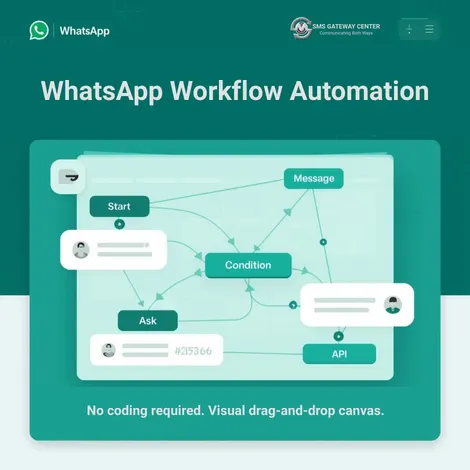
Design automated WhatsApp conversations the way you want. With SMSGatewayCenter's Workflow Builder, you create message journeys on a visual drag-and-drop canvas: add triggers, send messages, collect customer input, add conditions, and connect to your APIs. No coding required. Whether you need OTP verification, welcome sequences, support routing by keyword, or appointment reminders, one canvas brings your entire flow to life. Start with a Test Journey, then go live. Your customers get the right message at the right time, and you stay in control.
What is Workflow Builder?
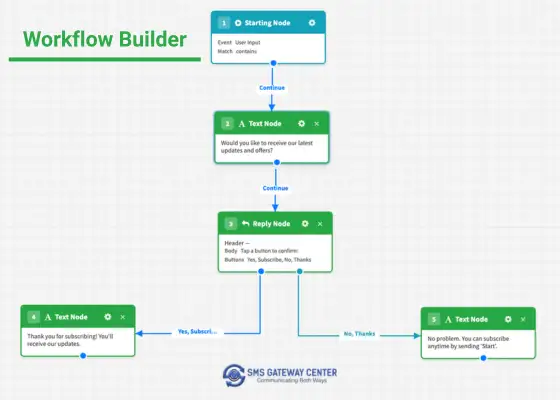
Workflow Builder is a visual tool inside WhatsApp Business Solutions from SMSGatewayCenter. You design automated WhatsApp conversations by dragging nodes onto a canvas and connecting them. There is no code to write. You choose how the journey starts (for example, when someone sends a keyword or on a schedule), add message steps (text, images, buttons, lists), collect input such as name, phone, or email, and add conditions and actions like sending a template, calling an API, or transferring to an agent. Everything is configured in one place, so your team can build and change flows quickly.
Workflows run automatically when a trigger fires, or you can use Test Journey to simulate the flow with sample data before going live. This makes it easy to power OTP verification, onboarding, support routing, reminders, and more from a single, clear interface.
When to Use WhatsApp Workflow Automation
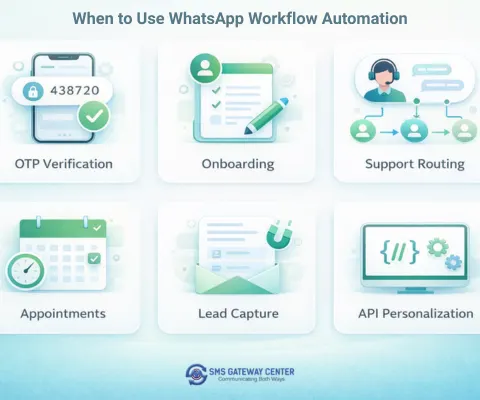
Automated WhatsApp workflows fit many everyday business needs. Use them when you want consistent, timely messages without manual follow-up:
- OTP and verification – Send a one-time password, wait for the user reply, then confirm success or ask to try again.
- Customer onboarding – Welcome new users with a short sequence of messages and optional delays between steps.
- Support routing – Let customers type a keyword (e.g. billing, technical) and route them to the right message or agent.
- Appointment reminders – Send reminders and follow-ups based on schedule or booking data.
- Lead qualification – Collect name, email, and phone via Collect Input nodes and branch based on answers.
- API-driven personalization – Call your API, then send a tailored message using the response.
Canvas, Nodes, and Triggers
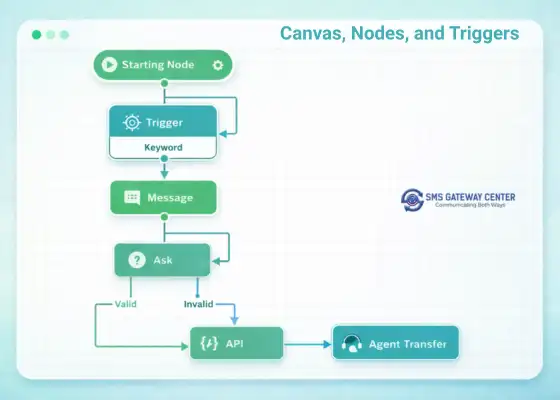
Every workflow begins at the Starting Node. From there you add and connect nodes. Triggers start the journey: for example, when a user sends a specific keyword or when a schedule runs. Message nodes send text, images, video, audio, documents, reply buttons, list menus, or approved message templates. Collect Input (Ask) nodes ask for name, phone, email, number, date, address, or free text and use Valid/Invalid ports to branch the flow. Actions include Delay (wait), Condition (keyword or custom logic), Modify Variable, API Connect (call your backend), and Agent Transfer to hand the chat to a human. Connections between nodes are made via ports, so you see the full journey at a glance.
Key Capabilities at a Glance
Workflow Config
Set reset and cancel keywords, clean localcache keyword, expiry message, and optional workflow expiry time. Required before you save so every journey behaves predictably.
Variables
Use Local, Global, and Constant variables plus built-in System and Data Profile variables. Reference them in messages and API calls with {{type:name}}.
API Connect
Call external APIs from your workflow. Configure APIs in Settings → API Management. Use Success/Failed ports and optionally store the response in a variable.
Data Profile
Store and reuse contact-level data (name, phone, email, address). Use Data Profile variables in messages and export data when needed.
Test Journey
Run the workflow with sample data before going live. Simulate the flow step by step and fix branches or copy before activating.
Export & Clone
Export a workflow as JSON or clone it from the Manage page. Reuse and share flows across teams or environments.
From Draft to Active
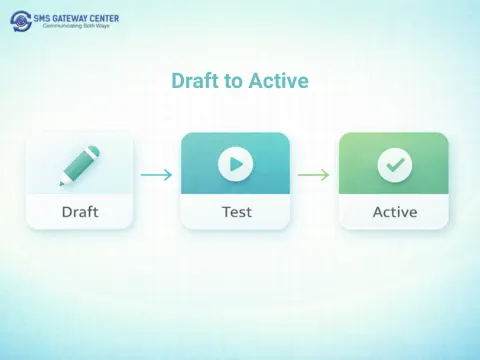
Workflows have clear statuses. Draft means you are still editing or testing. When you are ready, set the workflow to Active so it runs on its triggers. Use Inactive to pause without losing the design. You can also soft-delete workflows. Combined with WhatsApp Business API templates and our messaging infrastructure, your automated journeys stay compliant and scalable for India and beyond.
Why Build Workflows with SMSGatewayCenter?
SMSGatewayCenter brings Workflow Builder together with WhatsApp Business Solutions: green tick verification, template management, and reliable delivery. You get one platform for both one-off campaigns and automated journeys. Our support team can help you design your first flow, connect APIs, and go live. Whether you run OTP verification, support routing, or multi-step onboarding, the same canvas and the same account scale with you.
Get Started Today
Ready to automate your WhatsApp conversations? Sign up at smsgatewaycenter.com, open WhatsApp Messaging → Workflow Builder, and create your first journey. Use the Knowledge Base for step-by-step guides and examples. Need help with design or API setup? Contact us for a demo.
Build automated WhatsApp journeys with a visual, no-code Workflow Builder. Request a demo and see it in action.
Frequently Asked Questions about WhatsApp Workflow Automation
Workflow Builder is a visual tool in SMSGatewayCenter that lets you create automated WhatsApp message journeys using a drag-and-drop canvas. You add nodes (triggers, message steps, collect input, conditions, actions), connect them with ports, and configure each step. No coding is required.
No. Workflow Builder is a no-code visual builder. You design flows by dragging nodes onto the canvas and connecting them. Variables, API calls, and message templates are configured through the interface.
You can automate OTP verification, customer onboarding sequences, support routing by keyword, appointment reminders, abandoned cart follow-ups, lead qualification (collecting name, email, phone), and API-driven personalized messages.
Workflow Builder is under WhatsApp Messaging in the user panel. For step-by-step guides, visit our Workflow Builder Knowledge Base.
Yes. Use the Test Journey feature to run the workflow with sample data and see how messages and branches behave before you set the workflow to Active.