
Shopify SMS Integration – Automate Customer Communication with SMSGatewayCenter
Supercharge your Shopify store with real-time customer communication! With Shopify SMS integration from SMSGatewayCenter, you can send order confirmations, delivery updates, OTPs, abandoned cart reminders, and promotional messages directly to your customers’ mobile phones. Our SMS API seamlessly integrates with your Shopify store, ensuring faster engagement, higher conversions, and enhanced customer satisfaction. Stay compliant, reliable, and efficient with our robust SMS gateway solution for Shopify.
⭐ What is Shopify?
Shopify is one of the world’s leading e-commerce platforms that allows businesses of all sizes to create, customize, and manage online stores with ease. Whether you’re selling products, services, or subscriptions, Shopify provides an intuitive interface, powerful tools, and secure payment gateways to streamline your business operations. From inventory management to marketing automation, Shopify empowers businesses to sell both online and offline through web, mobile, social media, marketplaces, and physical stores.
⭐ What is Shopify SMS Integration with SMSGatewayCenter?
Shopify SMS Integration with SMSGatewayCenter enables your e-commerce store to automatically send SMS notifications to customers at key stages of their shopping journey. This integration helps you deliver real-time updates such as:
- 🛒 Order confirmations
- 🚚 Shipping and delivery alerts
- 💰 Payment success or failure notifications
- 🔑 OTP for secure transactions
- 🔔 Promotional offers and discounts
- 🔄 Abandoned cart recovery messages
With SMSGatewayCenter’s reliable SMS API, Shopify merchants can enhance customer communication, improve satisfaction, and boost conversions. Our integration is simple, secure, and fully compliant with DLT and TRAI guidelines in India, ensuring maximum deliverability and data privacy.
Send Text Message (SMS) Notifications instantly at every stage of the user commerce journey on the Business's Shopify store website.
Feature Highlights
The use-cases that SMS Gateway Center's Shopify store App is live with are: (not limited to)
- Order confirmation
- Order Shipment notification
- Abandoned checkout notification
- COD Order notification
- Order cancellation notification
- Feedback Collection
Requirements
- A Shopify store.
- An account with SMS Gateway Center.
Event Highlights
You can trigger SMS notifications when users make an activity on Shopify store site:
- A user adds an item to the cart and proceeds to checkout after filling in the details and abruptly ends the session or quits the checkout. OR / AND
- A user adds list of items to the cart, completes the checkout, and completes the payment. (Online Payment & COD) OR / AND
- The Order fulfillment has been initiated and the item has been shipped.
- Cancels an order via the Shopify store website
- The Shopify store triggers a message intending to seek feedback for the purchase experience from the end-user post order completion.
SMS Gateway Center captures such events from the Shopify store and sends out the above mentioned event notifications via an active integration between Shopify and SMS Gateway Center via the connector App.
🚀 How to Set Up Shopify SMS Integration with SMSGatewayCenter
To connect/install the Shopify App, follow these steps:
1. Login to your SMS Gateway Center account.
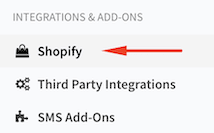
2. On the left sidebar, find INTEGRATIONS & ADD-ONS, click on Shopify menu under that.
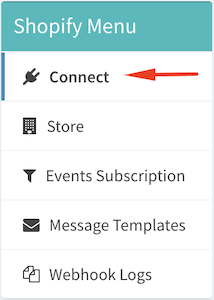
3. On the page's content sidebar, click on Connect
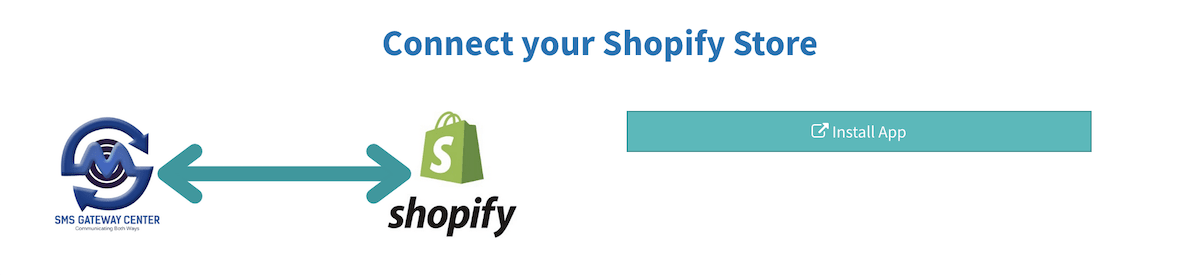
4. Click on Install App. It will redirect you to Shopify Store App section.
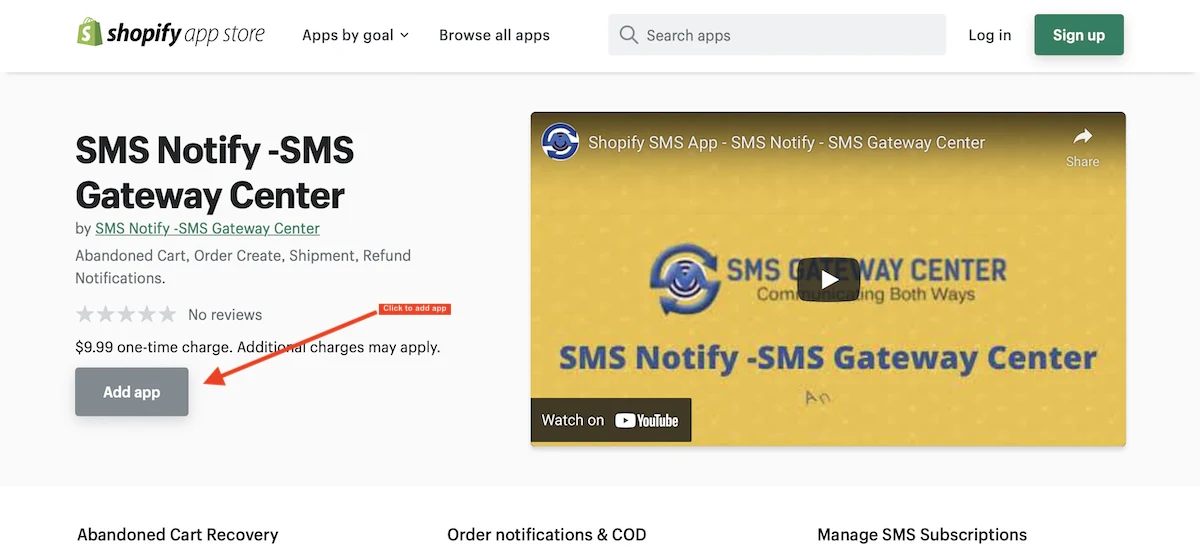
5. On Shopify app section, our App will be shown to install. Click on Add App.
6. You will be directed to your Shopify store in order to give SMS Gateway Center access to your Shopify store data.
7. Once the above steps are completed, you will automatically be redirected back to SMS Gateway Center to configure your Shopify installation.
Configure Shopify Integration
You need to configure once you complete integration part with Shopify. You will be redirected back to Store page on SMS Gateway Center portal. On this page, the store information will be listed on the fly. Now, you need to set up Events Subscription, so that SMS messages will be sent out when the event is triggered by Shopify.
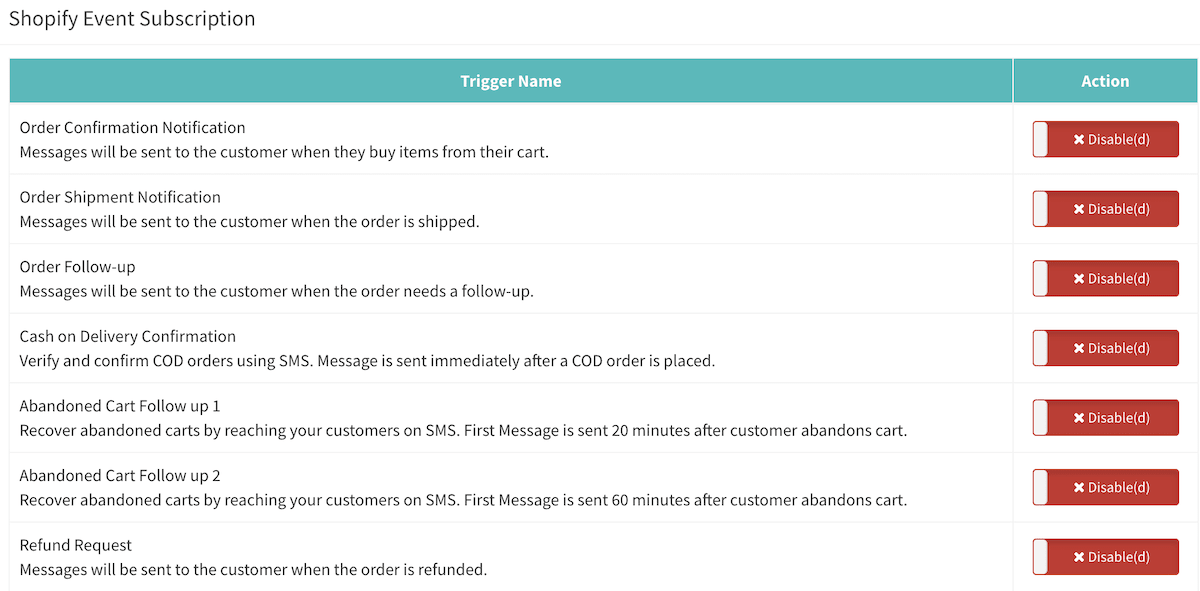
1. Shopify Events Subscription Configuration
- Click on Events Subscription menu on page's content sidebar.
- You will be shown with all connected store names. Click on the relevant store name which you want to set up events.
- You will be listed out with all events as shown from below's screenshot. Enable (toggle) the required events to send out the SMS when the event is triggered by Shopify webhook.
2. Shopify Events Message Templates Configuration
Once you enable the required events, then move on to set up your message templates based on events. So that, when the trigger data is received, our system will automatically sends out SMS to your user.
- Click on Message Templates menu on page's content sidebar.
- You will be shown with all connected store names. Click on the relevant store name which you want to set up message templates for a specific event.
Note: You must enable at least one event before setting up message template.
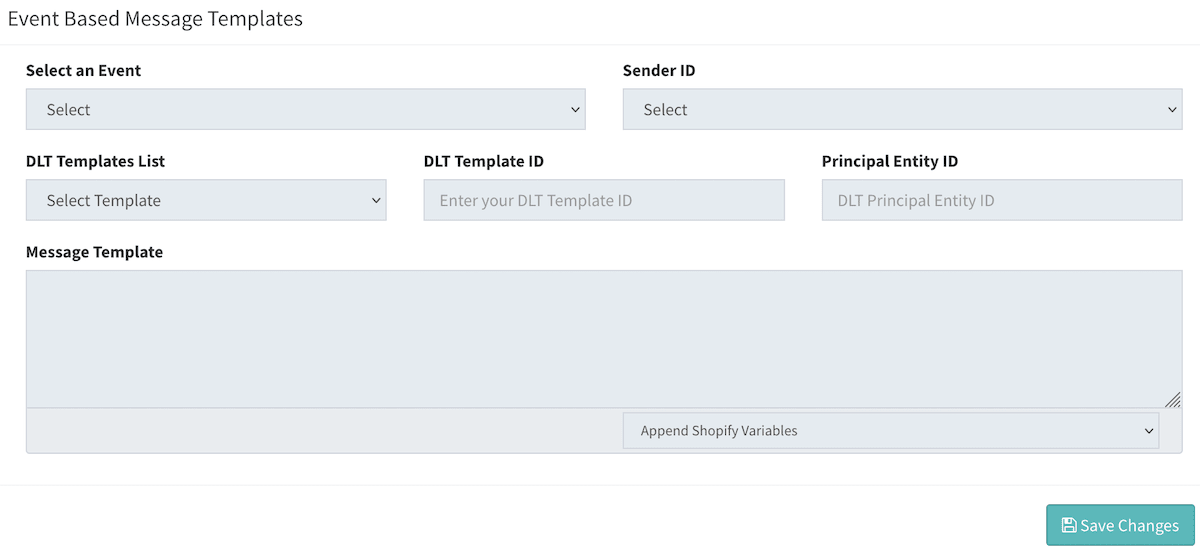
- You will be shown with a form to set up message templates as per shown in the screenshot below.
Filling the form values:
- Select an Event: Select an event to set up message template.
- Sender ID: You can assign different sender ID for each event.
- Message Template: Add your message content with Shopify variables.
Following fields should only be used for Indian customers. - DLT Templates List: All DLT Templates will be listed based on Sender ID selection. You can use the same template by replacing DLT variables with Shopify variables.
- DLT Template ID: When you select a template from above drop-down, automatically DLT Template ID will be appended or you can add it manually. But ensure to add the right DLT Template ID else message will fail.
- Principal Entity ID: System will try to fetch if its added in profile else you can add it manually.
- Click on Save Changes
- View Saved Shopify Events Message Templates
You can view all stores message templates by clicking on View Saved from the top right.
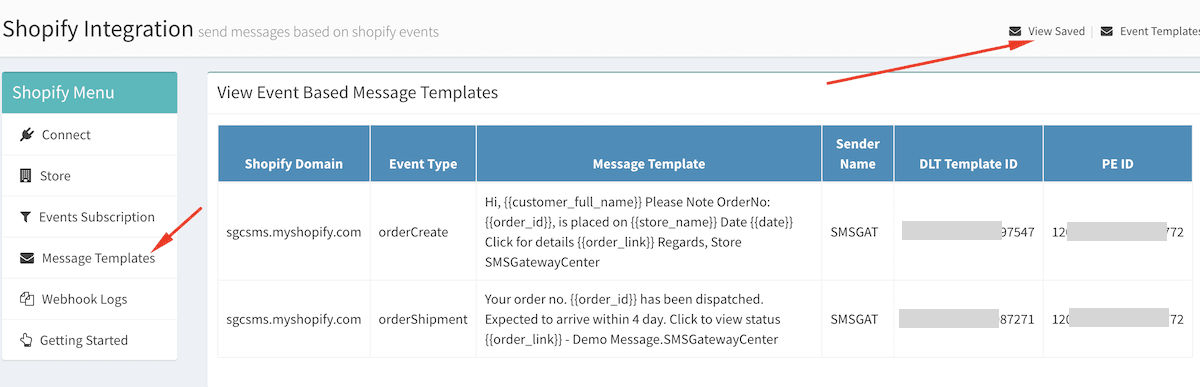
Editing Event templates would work the same as you add it for new event setup. Just Select an Event from drop-down, old saved message content will be appended in Message Template text box.
This concludes with your integration. Now, when ever your users order from your store, they will get SMS notification based on set events.
👍 Setup Complete!
If you are having difficulty, write to us at contact @ smsgatewaycenter.com for assistance.
