
Effortless SMSGatewayCenter Integration with Zoho Flow
Automate business messaging by integrating SMSGatewayCenter with Zoho Flow. Build no-code workflows across 1000+ apps and send SMS when bookings, CRM updates, forms, or payments happen. Connect once, reuse popular flows from the Zoho Flow gallery, and keep delivery reliable with DLT-compliant Bulk SMS across India.
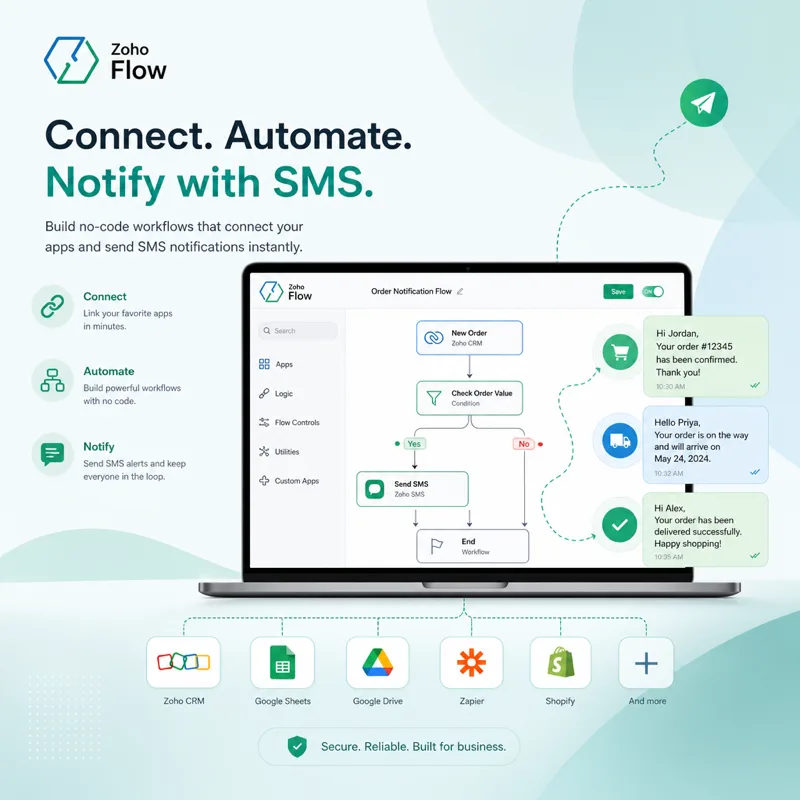
⭐ What is Zoho Flow?
Zoho Flow is a no-code integration platform that connects Zoho apps and thousands of third-party tools so your business can automate routine work without writing code.
Whether you run bookings, CRM, forms, eCommerce, or payments, Zoho Flow lets you design visual workflows: one app acts as the Trigger, and one or more apps run Actions automatically when that event happens.
SMS Gateway Center is listed in Zoho Flow so teams in India and worldwide can add Bulk SMS as an action inside those workflows and notify customers in real time.
⭐ What is Zoho Flow SMS Integration with SMS Gateway Center?
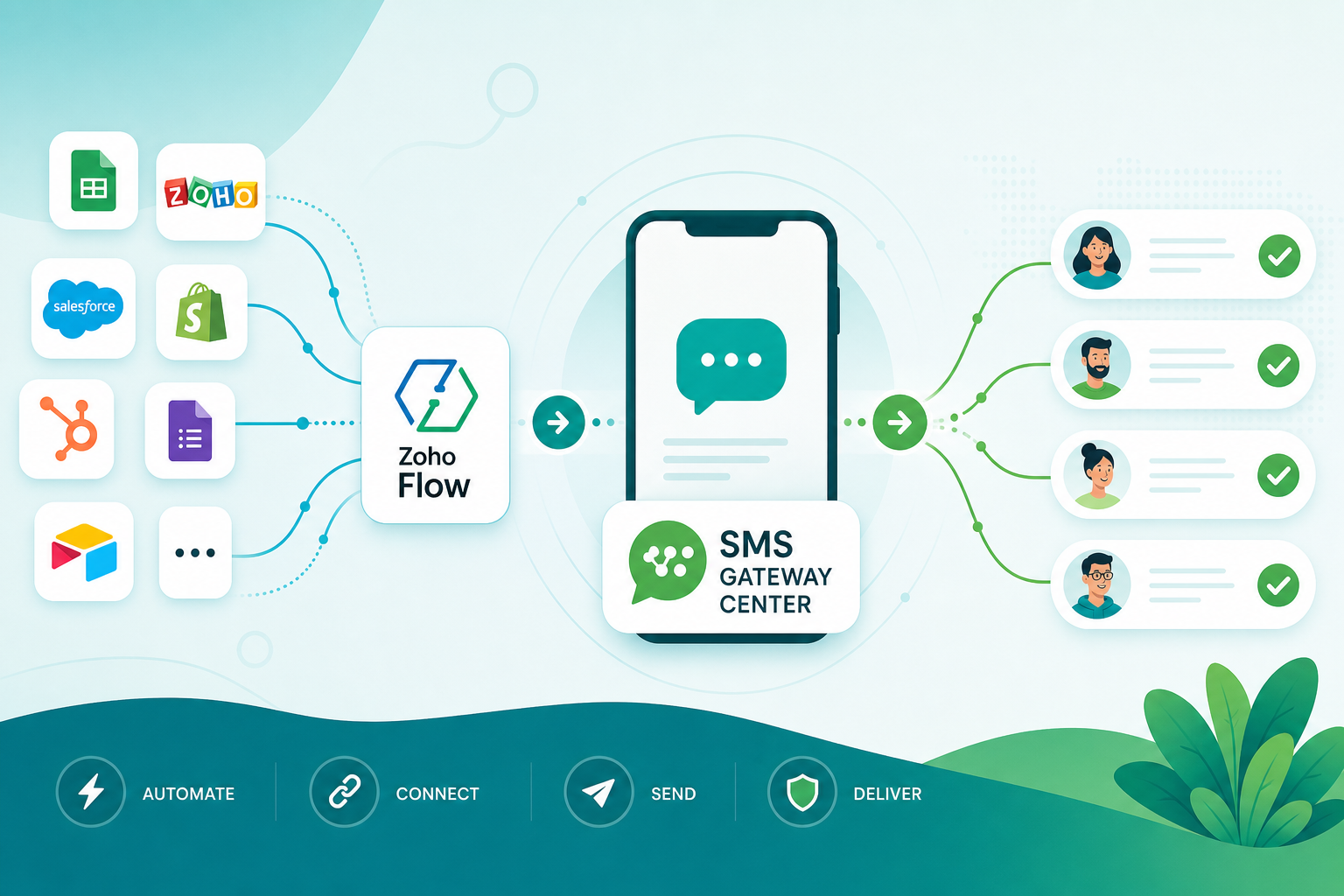
Zoho Flow SMS Integration with SMS Gateway Center lets you send automated SMS from no-code flows whenever a connected app event fires. For example, when a booking is created in Acuity Scheduling, Cal.com, or Checkfront, Zoho Flow can trigger SMSGatewayCenter to send a confirmation SMS to one recipient or a batch.
Use it for transactional alerts, appointment reminders, lead notifications, payment confirmations, and OTPs. The integration supports fast setup, high delivery rates, and full TRAI DLT compliance for Indian traffic.
Explore official SMSGatewayCenter workflows on Zoho Flow and start automating SMS in minutes.
Integrate SMS Gateway Center Bulk SMS API with Zoho Flow
Send SMS Notifications using Zoho Flow by connecting our Bulk SMS API as an action in your flows. Automate SMS for leads, purchases, booking updates, and reminders from the apps your team already uses.
Boost automation with Zoho Flow and SMS Gateway Center. Map dynamic fields into DLT-approved templates, send single or batch SMS, and keep messaging aligned with TRAI rules across India. Ideal for SaaS, clinics, hospitality, education, and service businesses that need reliable alerts without custom code.
With Zoho Flow SMS Integration, you get scalable delivery, delivery reports, competitive pricing, and support when you need help wiring credentials or templates into your first flow.
Check out DLT SMS Guide!
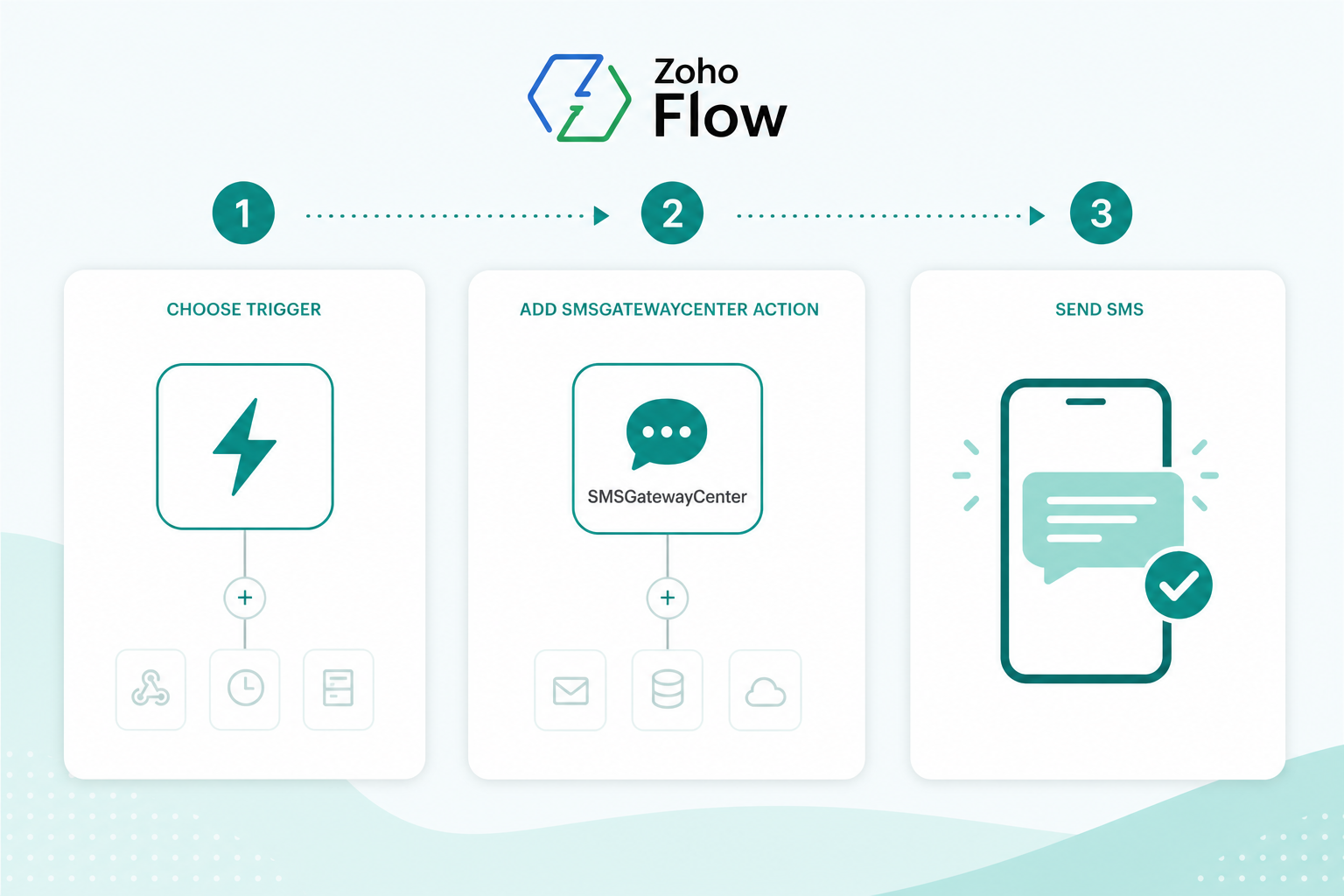
How do I Connect SMSGatewayCenter using Zoho Flow?
- Log in to your Zoho Flow account or create a new account.
- Open the builder and create a new flow, or start from a ready template.
- Choose a trigger app (for example a booking, CRM, form, or payment tool), then search for “SMS Gateway Center” as the action.
- Authenticate with your SMS Gateway Center credentials and map fields such as mobile number, Sender ID, and message content.
- Use DLT-approved templates for Indian traffic, test the flow, then switch it on for production.
- Need ideas? Browse popular ready flows on the SMSGatewayCenter Zoho Flow gallery.
You can also request assistance to set up and guide you through your Zoho Flow automations.
Already on Zoho Flow? Connect SMSGatewayCenter and send SMS notifications seamlessly. Contact us today to configure Zoho Flow SMS Gateway and get the best deals for SMS Notifications.
Zoho Flow offers popular ready workflows for SMSGatewayCenter
Use gallery templates for bookings, CRM events, and more, then activate with your SMSGatewayCenter account.
Create SMS Action
Zoho Flow supports triggers from booking tools, CRMs, forms, eCommerce, and productivity apps.
After you set the trigger, search for the “SMS Gateway Center” app and add an SMS action to notify customers or your team.
For example: when a new appointment is booked, send an SMS confirmation instantly. You can also branch flows for reminders before the visit.
Zoho Flow vs Zoho CRM SMS
Need SMS only inside Zoho CRM? See our Zoho CRM SMS Integration guide for webhook and Deluge options.
Choose Zoho Flow when you want SMSGatewayCenter connected to many Zoho and third-party apps with visual no-code flows across your stack.
Why Choose SMS Gateway Center for Zoho Flow SMS Integration?
Zoho Flow makes it easy to design cross-app workflows. When you connect Zoho Flow with SMS Gateway Center, you can automate SMS alerts, transactional messages, and reminders without developers. Our robust SMS API delivers high-speed messaging with full DLT compliance for India.
Trigger SMS on form submissions, CRM updates, payment confirmations, or booking events so customers hear from you at the right moment. This improves engagement and cuts manual follow-ups for your team.
With SMS Gateway Center + Zoho Flow, startups and enterprises get a scalable, cost-effective messaging layer that grows with their automation roadmap.

Best Practices for Zoho Flow SMS Integration
- Start with a Test Flow: Run a sample Zoho Flow using our SMS API before enabling live traffic.
- Map Dynamic Fields: Pass names, booking IDs, or OTPs into approved SMS templates for personalization.
- Monitor Delivery: Pair Zoho Flow history with SMSGatewayCenter delivery reports for end-to-end visibility.
- Respect Quiet Hours: Schedule reminder SMS for appropriate local times to improve engagement.
Whether you send booking confirmations, lead alerts, or operational SMS, Zoho Flow SMS Integration with SMS Gateway Center keeps communication fast, secure, and compliant.
Already using Zoho Flow? Connect SMSGatewayCenter as your trusted SMS provider and automate message delivery across workflows. Enjoy exclusive offers and DLT-compliant messaging when you integrate with us today!
Frequently Asked Questions about Zoho Flow SMS Integration
Zoho Flow lists SMS Gateway Center so you can build no-code workflows that send SMS when events happen in 1000+ connected apps, such as bookings, CRM updates, forms, and payments.
Visit the Zoho Flow app gallery for SMSGatewayCenter to browse popular flows and connect without writing code.
You need a Zoho Flow account, an SMSGatewayCenter account with SMS credits, and DLT-approved Sender ID and templates if you send SMS in India.
Yes. Messages sent through SMSGatewayCenter from Zoho Flow workflows use your approved DLT Entity ID, Sender ID, and templates for TRAI compliance.
Zoho CRM SMS often uses workflow webhooks inside CRM. Zoho Flow connects SMSGatewayCenter to many Zoho and third-party apps with visual no-code flows across your stack.
