As an SMS Gateway Center reseller, you understand the value of providing comprehensive solutions to your clients. But what if you could offer them something truly unique – their own branded browser extension for sending SMS directly from their browser?
Our Browser Extension Generator is a powerful reseller tool that allows you to create custom-branded Firefox and Chrome extensions for your clients, complete with your own white-labeled API credentials and branding. This feature is exclusively available to resellers and opens up new revenue streams while strengthening client relationships.
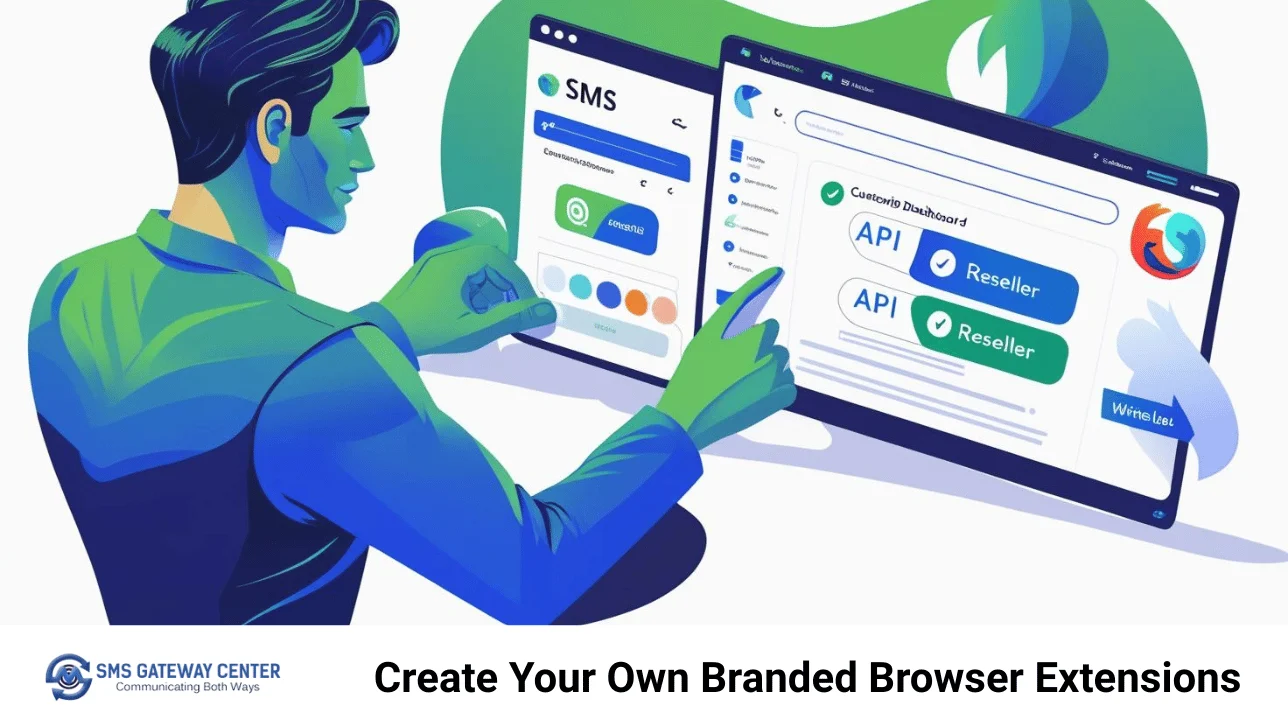
What is the Browser Extension Generator?
The Browser Extension Generator is a specialized tool designed specifically for SMS Gateway Center resellers to create custom browser extensions for Chrome and Firefox. These extensions integrate seamlessly with your white label domain API, allowing you to:
- Create custom-branded extensions with your logo and branding
- Generate both Firefox and Chrome extensions from a single interface
- Customize extension names, descriptions, and functionality
- Distribute extensions directly to your clients or publish it to directly with browsers
This tool transforms reseller’s business from a simple SMS provider into a comprehensive communication solutions partner.
Why This Feature Was Created for Resellers
1. White-Label Business Model
Resellers can now offer their clients a complete branded experience. Instead of clients seeing “SMS Gateway Center” branding, they see your company’s name and logo throughout the extension.
2. Revenue Diversification
Browser extensions represent a new service offering that can command premium pricing. Clients are willing to pay more for custom-branded solutions that enhance their workflow.
3. Client Retention
By providing custom tools that integrate seamlessly into your clients’ daily operations, you create stronger relationships and reduce churn.
4. Competitive Advantage
Most bulk SMS providers don’t offer custom browser extensions. This feature gives you a significant competitive edge in the market.
Why Use Browser Extensions for SMS & WhatsApp?
Benefits for Businesses
- Increased Productivity: Send messages without switching between applications
- Brand Consistency: Custom extensions with your company branding
- Quick Access: Instant messaging capabilities from any webpage
- Cost-Effective: No additional software or licenses required
Benefits for Individuals
- Convenience: One-click messaging from your client’s browser
- Time-Saving: Eliminate the need to log into web interfaces
- Multi-Platform Support: Works with both Chrome and Firefox
- Secure: Encrypted communication and secure authentication
Prerequisites
Before creating your browser extension, ensure you have:
- Active SMS Gateway Center Account: A valid account with SMS/WhatsApp credits
- Icon Files (Optional): PNG format icons in sizes 16×16, 32×32, 48×48, 128×128 pixels (256×256 for Firefox)
- Gecko Email (Firefox only): Email associated with your Mozilla developer account
- Stable Internet Connection: Required for extension generation and usage
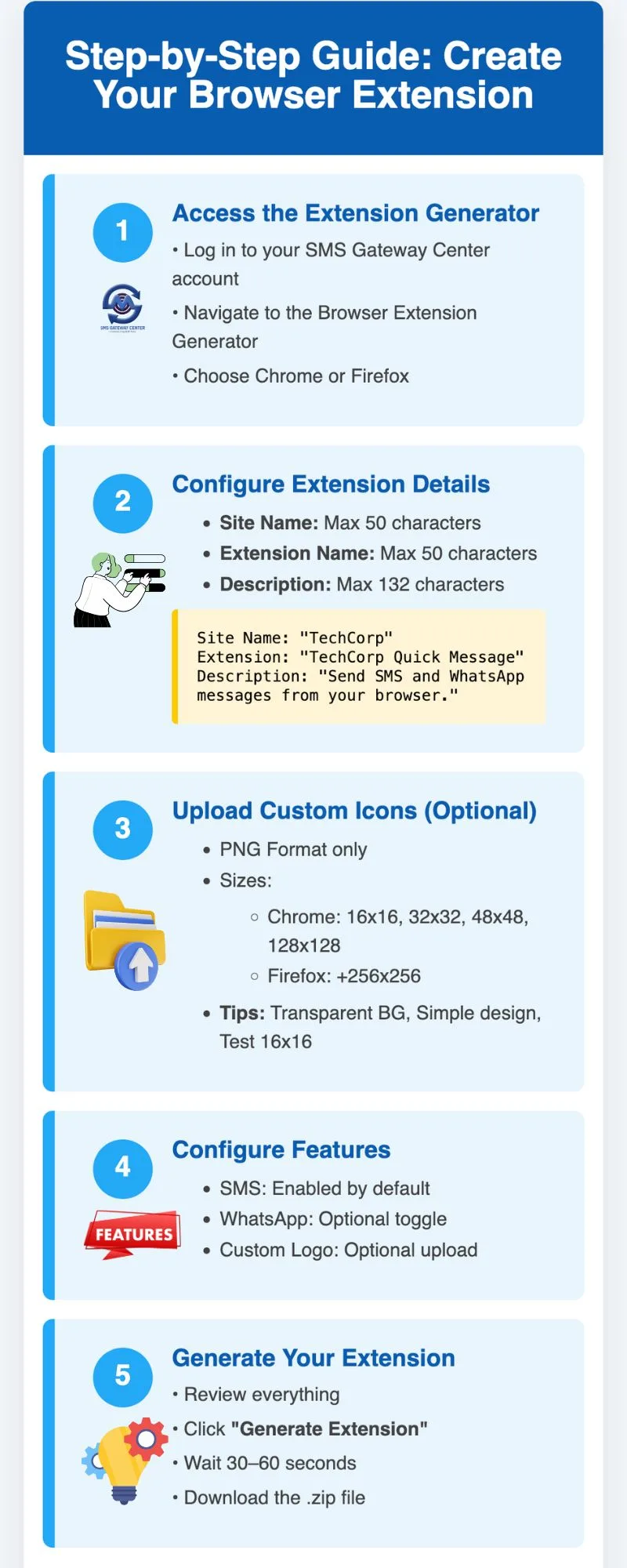
Step-by-Step Guide: Creating Your Browser Extension
Step 1: Access the Extension Generator
- Log into your SMS Gateway Center account
- Navigate to the Browser Extension Generator tool
- Select your preferred browser type (Chrome or Firefox)
Step 2: Configure Extension Details
Fill in the following information:
Basic Information:
- Site Name (max 50 characters): Your company or brand name
- Extension Name (max 50 characters): Name for your extension
- Extension Description (max 132 characters): Brief description of functionality
Example:
- Site Name: “TechCorp”
- Extension Name: “TechCorp Quick Message”
- Description: “Send SMS and WhatsApp messages directly from your browser with TechCorp’s official extension”
Step 3: Upload Custom Icons (Optional)
Icon Requirements:
- Format: PNG only
- Sizes Required:
- Chrome: 16×16, 32×32, 48×48, 128×128 pixels
- Firefox: 16×16, 32×32, 48×48, 128×128, 256×256 pixels
- File Size: Less than 1MB per icon
- Quality: Clear and recognizable at small sizes
Tips for Creating Icons:
- Use simple, recognizable designs
- Ensure good contrast for visibility
- Test how your icon looks at 16×16 pixels
- Use transparent backgrounds for better integration
Step 4: Configure Features
Enable/Disable Features:
- SMS Functionality: Enabled by default
- WhatsApp Functionality: Optional – check to enable
- Custom Logo: Upload your company logo (optional)
Step 5: Generate Your Extension
- Review all information for accuracy
- Click “Generate Extension”
- Wait for processing (usually 30-60 seconds)
- Download the generated .zip file
What This Extension Does for Your Clients
- Send SMS messages directly from your browser
- Send WhatsApp messages (optional feature)
- Access your messaging dashboard without logging in
- Streamline your communication workflow
- Maintain brand consistency with custom icons and branding
Installation Instructions for Your Clients
Firefox Extension Installation:
- Open Firefox browser
- Navigate to
about:debugging - Click “This Firefox”
- Click “Load Temporary Add-on”
- Select the
manifest.jsonfile from the extracted ZIP - The extension will appear in the toolbar
Chrome Extension Installation:
- Open Chrome browser
- Navigate to
chrome://extensions/ - Enable “Developer mode” (toggle in top right)
- Click “Load unpacked”
- Select the extracted extension folder
- The extension will appear in the toolbar
Features Your Clients Get
Core SMS Functionality:
- Bulk SMS Sending: Send messages to multiple recipients
- Sender ID Management: View all approved sender ids list
- Send WhatsApp: Send WhatsApp Business API messages to multiple recipients
- Delivery Reports: Track message delivery status
- SMS History: Download sent message history
User Experience Features:
- One-Click SMS: Send messages directly from browser
- Offline Support: Queue messages when offline
- Auto-Sync: Synchronize with your SMS Gateway Center account
- Custom Branding: Your logo and colors throughout
Business Benefits for Resellers
1. Premium Pricing Opportunities
Custom browser extensions can command 2-3x higher pricing than standard SMS services. Clients value the convenience and branding.
2. Recurring Revenue
Extensions create ongoing value, leading to longer client relationships and higher lifetime value.
3. Differentiation from Competitors
Most SMS resellers offer only basic API access. Custom extensions set you apart as a technology partner.
4. Client Expansion
Extensions often lead to increased SMS volume as clients find new use cases for the convenient browser-based tool.
Advanced Features and Customization
Branding Your Extension
Custom Icons: Upload your company logo and icons for brand consistency
Custom Colors: The extension interface can be customized with your brand colors
Company Name: Display your company name throughout the extension
Security Features
- Encrypted Communication: All data transmission is encrypted
- Secure Authentication: OAuth-based login system
Integration Capabilities
- API Integration: Connect with your existing systems
- Webhook Support: Receive notifications for message delivery
- Analytics: Track message delivery and engagement rates
Marketing Your Extension Services
Target Markets:
- Small Businesses: Local shops, service providers
- Real Estate: Agents and agencies
- Healthcare: Medical practices and clinics
- Education: Schools and training centers
- E-commerce: Online stores and marketplaces
Marketing Messages:
- “Give your team the power to send SMS directly from their browser”
- “Custom-branded SMS tools that match your company identity”
- “Increase productivity with one-click SMS from any webpage”
- “Professional SMS solutions that look like they were built just for you”
Technical Support and Maintenance
Ongoing Support:
- Extension Updates: Regular updates for browser compatibility
- Bug Fixes: Quick resolution of any technical issues
- Feature Enhancements: New features based on client feedback
- Training: Help clients maximize extension usage
Best Practices:
- Provide detailed installation guides
- Offer video tutorials for complex setups
- Create FAQ documents for common issues
- Schedule regular check-ins with clients
Success Stories and Case Studies
Real Estate Agency Success:
A real estate reseller created custom extensions for 15 agents. Each agent now sends 50+ SMS daily for property updates, resulting in 750 additional SMS messages daily and $2,250 monthly revenue increase.
Healthcare Practice Implementation:
A medical practice extension led to 200% increase in appointment reminder SMS, improving patient attendance by 35% and generating $1,500 monthly in additional SMS revenue.
Troubleshooting Common Issues
Installation Problems:
- Browser Compatibility: Ensure clients use supported browser versions
- File Permissions: Check that ZIP files are properly extracted
- Developer Mode: Verify Chrome developer mode is enabled
- Firewall Issues: Some corporate networks block extension installation
Functionality Issues:
- API Credentials: Verify reseller API credentials are correct
- Network Connectivity: Check internet connection for SMS sending
- Browser Updates: Ensure browsers are updated to latest versions
- Extension Conflicts: Disable conflicting extensions temporarily
Future Enhancements and Roadmap
Planned Features:
- Mobile App Generator: Create branded mobile apps for clients
- Advanced Analytics: Detailed usage and performance reports
- Multi-Language Support: Extensions in different languages
- API Integration: Connect with popular business tools
- Automated Updates: Seamless extension updates for clients
Technology Improvements:
- Faster Generation: Reduced processing time for extensions
- More Customization: Additional branding and feature options
- Better Security: Enhanced security for API credentials
- Cloud Storage: Secure storage for client extension files
Conclusion
The Browser Extension Generator represents a significant opportunity for SMS Gateway Center resellers to expand their business model and provide exceptional value to clients. By offering custom-branded browser extensions, you’re not just selling SMS & WhatsApp services – you’re becoming a technology partner that helps clients streamline their communication workflows.
The key to success is understanding that this tool is designed specifically for resellers who want to:
- Differentiate their services from basic SMS providers
- Increase revenue through premium-priced custom solutions
- Strengthen client relationships with valuable tools
- Scale their business with recurring revenue opportunities
Start exploring the Browser Extension Generator today and discover how custom-branded extensions can transform your reseller business and delight your clients.
Check out our Browser Extension Generator Knowledge Base for detailed guides and support.
Ready to create your first custom browser extension? Contact our reseller support team to get started with the Browser Extension Generator and unlock new revenue opportunities for your business.
This article is part of our reseller resources series. For more information about reseller tools and opportunities, visit our Reseller Portal or contact our reseller support team.