Sign up, generate an API key, send a POST request to https://unify.smsgateway.center/SMSApi/send with mobile, msg, and senderid, then listen for delivery receipts on a webhook URL. If you are sending to Indian mobile numbers, DLT registration of your entity, header, and template must be completed first, and the request must include your approved dltEntityId and dltTemplateId, or every message will fail with a template or header mismatch error, regardless of how correct your API call is otherwise.
What an SMS API Actually Does
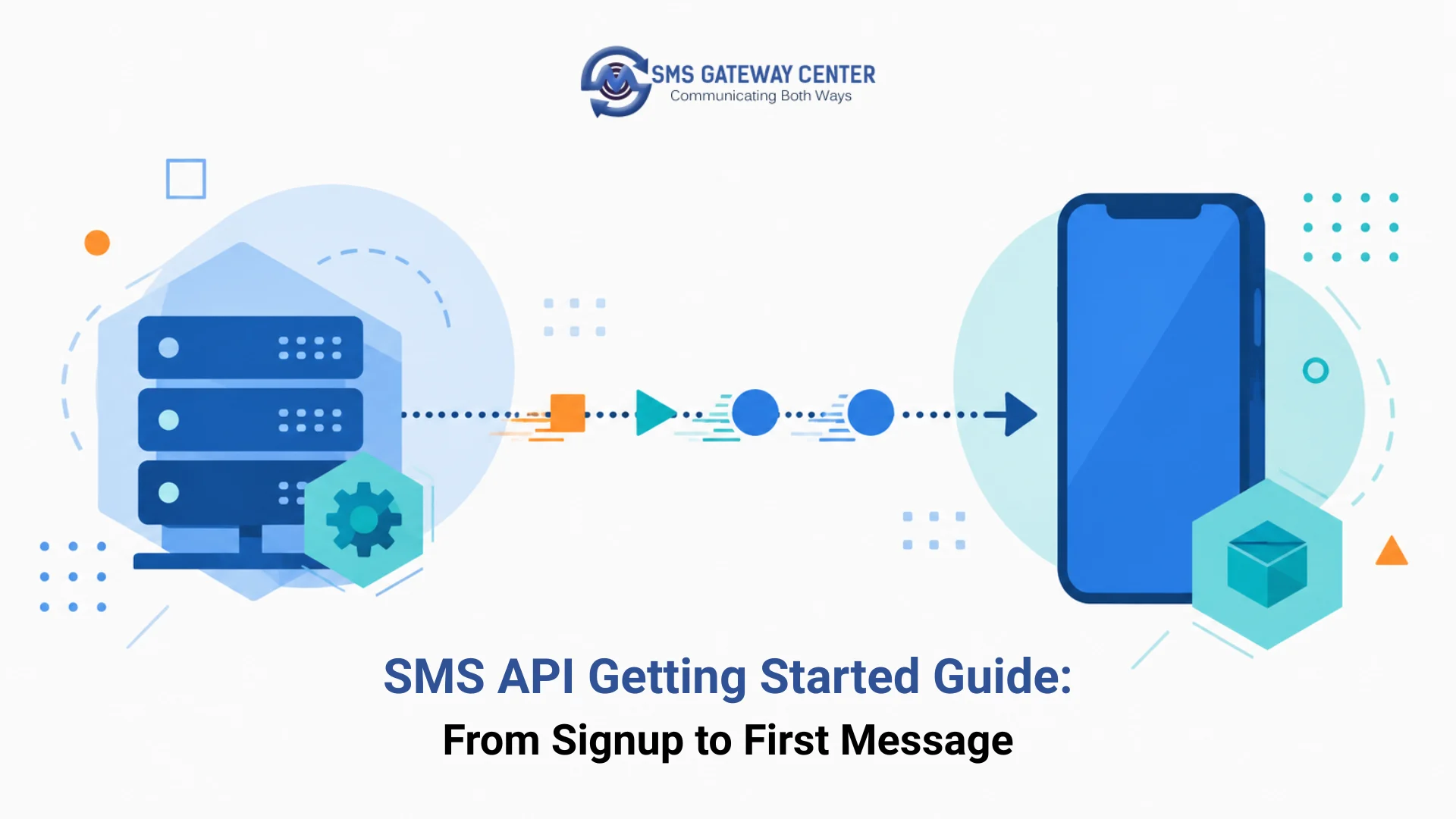
An SMS API is an HTTP interface that accepts a message request from your application and hands it to a telecom operator’s network for delivery to a handset. The API layer handles authentication, message queuing, sender ID validation, character encoding (GSM-7 vs Unicode), and delivery status tracking, so your application does not need to speak SMPP or maintain a direct carrier connection.
SMSGatewayCenter supports several developer API types for sending messages, including XML, JSON, form-encoded, and query-parameter REST requests, so pick the format that matches your stack before writing integration code.
Three request patterns are common across providers:
- Single message API: one recipient, one message, synchronous response.
- Bulk API: array of recipients or a template with a contact list, processed asynchronously.
- Templated/DLT API (India-specific): message body must match a pre-approved DLT template exactly, with variable fields substituted at send time.
How SMS API Delivery Works
If your message body needs line breaks, see how to use newline in an SMS message when sending via the HTTP SMS API, since raw \n characters are handled differently across request formats.
A message submitted to an SMS API travels through four stages: your application submits the request to the API gateway, the gateway authenticates and validates the payload (sender ID, DLT template match, number format), the message is handed to the telecom operator or SMSC (Short Message Service Center), and the operator delivers it to the handset. A delivery receipt (DLR) travels back through the same path, usually delivered to your application as a webhook callback.
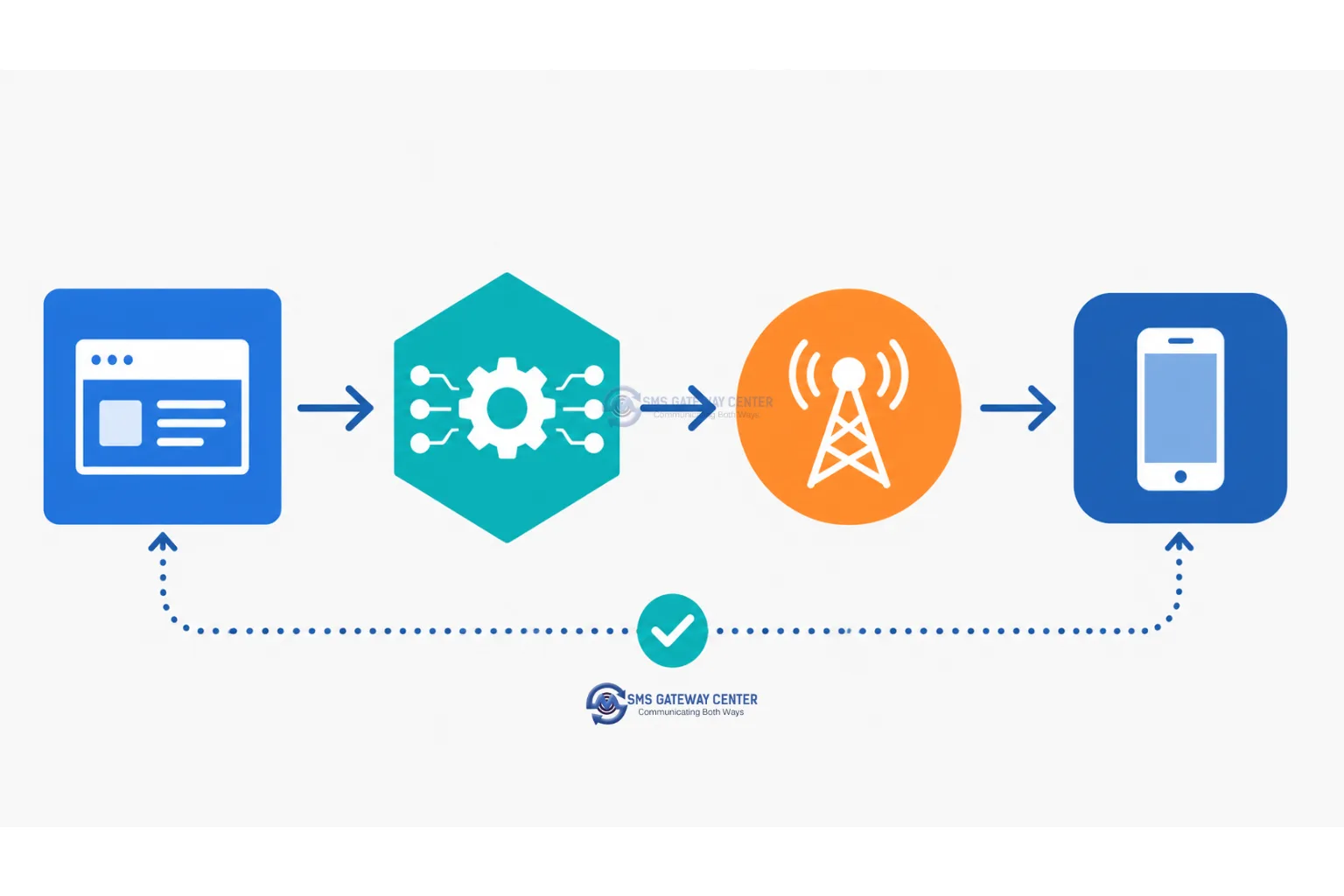
Most delivery failures happen at the validation stage, not the network stage. That is why sender ID registration and DLT template matching (for India) need to be done before you write a single line of integration code.
Authentication Methods Compared
SMSGatewayCenter’s Send SMS API (https://unify.smsgateway.center/SMSApi/send) accepts two authentication methods, and you only need one:
| Method | How it works | Best for | Weakness |
|---|---|---|---|
| userid + password | Your registered username and URL-encoded password sent as request parameters | Quick testing, scripts | Credentials travel in the request body on every call |
| apiKey (HTTP header) | A unique key from your control panel sent as the apikey header instead of userid/password | Production integrations | Must be rotated manually from the dashboard if leaked |
There is also a separate REST OAuth API for token-based authentication if your integration requires expiring tokens instead of a static key. See how to create and use your SMS Gateway Center API key for the exact dashboard steps to generate one.
Regardless of method, never hardcode credentials in client-side code or commit them to a public repository. Store them in environment variables or a secrets manager.
Send Your First SMS in 5 Steps
- Create an account and generate an API key from your provider dashboard. See how to create and use your SMS Gateway Center API key for the exact dashboard steps.
- Register your sender ID (alphanumeric or numeric, depending on country rules). For India, this step is replaced by full DLT registration, covered below.
- Choose a request format: JSON, XML, or
x-www-form-urlencoded, based on what the API supports. - Send a POST request with recipient number (E.164 format, e.g.,
+919812345678), sender ID, and message text. - Register a webhook URL to receive delivery receipts asynchronously instead of polling for status.
Code Samples: PHP, Node.js, Python, Java, cURL, Postman
These examples use SMSGatewayCenter’s actual Send SMS API endpoint and parameters, as documented on the developer API reference. The endpoint is https://unify.smsgateway.center/SMSApi/send, called with sendMethod=quick for a single or comma-separated batch send. Required parameters: userid and password (or an apikey header instead), mobile (with country code, no plus sign, e.g. 919812345678), msg, senderid, msgType (text or unicode), and output (json or plain). If you are sending to India under an approved DLT template, also pass dltEntityId and dltTemplateId. A full Postman collection is available via Download SMS Postman.
cURL
curl -X POST \
  "https://unify.smsgateway.center/SMSApi/send" \
  -H "apikey: YOUR_API_KEY" \
  -H "content-type: application/x-www-form-urlencoded" \
  -H "cache-control: no-cache" \
  -d "sendMethod=quick&mobile=919812345678&msg=Your%20OTP%20is%20482913&senderid=SENDER&msgType=text&duplicatecheck=true&output=json"
PHP
<?php
$apiKey = getenv('SMS_API_KEY');

$postFields = http_build_query([
    "sendMethod"     => "quick",
    "mobile"         => "919812345678",
    "msg"            => "Your OTP is 482913",
    "senderid"       => "SENDER",
    "msgType"        => "text",
    "duplicatecheck" => "true",
    "output"         => "json"
]);

$ch = curl_init("https://unify.smsgateway.center/SMSApi/send");
curl_setopt($ch, CURLOPT_POST, true);
curl_setopt($ch, CURLOPT_POSTFIELDS, $postFields);
curl_setopt($ch, CURLOPT_HTTPHEADER, [
    "apikey: $apiKey",
    "content-type: application/x-www-form-urlencoded",
    "cache-control: no-cache"
]);
curl_setopt($ch, CURLOPT_RETURNTRANSFER, true);

$response = curl_exec($ch);
$httpCode = curl_getinfo($ch, CURLINFO_HTTP_CODE);
curl_close($ch);

if ($httpCode !== 200) {
    error_log("SMS send failed: $response");
}

echo $response;
Node.js
const qs = require('querystring');
const https = require('https');

const payload = qs.stringify({
  sendMethod: 'quick',
  mobile: '919812345678',
  msg: 'Your OTP is 482913',
  senderid: 'SENDER',
  msgType: 'text',
  duplicatecheck: 'true',
  output: 'json'
});

const options = {
  method: 'POST',
  hostname: 'unify.smsgateway.center',
  path: '/SMSApi/send',
  headers: {
    'apikey': process.env.SMS_API_KEY,
    'content-type': 'application/x-www-form-urlencoded',
    'cache-control': 'no-cache'
  }
};

const req = https.request(options, (res) => {
  let chunks = [];
  res.on('data', (chunk) => chunks.push(chunk));
  res.on('end', () => console.log(Buffer.concat(chunks).toString()));
});

req.write(payload);
req.end();
Python
import os
import http.client
from urllib.parse import urlencode

payload = urlencode({
    "sendMethod": "quick",
    "mobile": "919812345678",
    "msg": "Your OTP is 482913",
    "senderid": "SENDER",
    "msgType": "text",
    "duplicatecheck": "true",
    "output": "json"
})

headers = {
    "apikey": os.environ["SMS_API_KEY"],
    "content-type": "application/x-www-form-urlencoded",
    "cache-control": "no-cache"
}

conn = http.client.HTTPSConnection("unify.smsgateway.center")
conn.request("POST", "/SMSApi/send", payload, headers)
res = conn.getresponse()
print(res.read().decode("utf-8"))
Java
import java.net.URI;
import java.net.http.HttpClient;
import java.net.http.HttpRequest;
import java.net.http.HttpResponse;
import java.net.URLEncoder;
import java.nio.charset.StandardCharsets;

public class SendSms {
    public static void main(String[] args) throws Exception {
        String apiKey = System.getenv("SMS_API_KEY");
        String body = "sendMethod=quick"
                + "&mobile=919812345678"
                + "&msg=" + URLEncoder.encode("Your OTP is 482913", StandardCharsets.UTF_8)
                + "&senderid=SENDER"
                + "&msgType=text"
                + "&duplicatecheck=true"
                + "&output=json";

        HttpClient client = HttpClient.newHttpClient();
        HttpRequest request = HttpRequest.newBuilder()
                .uri(URI.create("https://unify.smsgateway.center/SMSApi/send"))
                .header("apikey", apiKey)
                .header("content-type", "application/x-www-form-urlencoded")
                .POST(HttpRequest.BodyPublishers.ofString(body))
                .build();

        HttpResponse<String> response = client.send(request, HttpResponse.BodyHandlers.ofString());

        if (response.statusCode() != 200) {
            System.err.println("SMS send failed: " + response.body());
        } else {
            System.out.println(response.body());
        }
    }
}
Postman
- Method:
POST, URL:https://unify.smsgateway.center/SMSApi/send - Headers:
apikey: {{apiKey}},content-type: application/x-www-form-urlencoded - Body (x-www-form-urlencoded):
sendMethod=quickmobile=919812345678msg=Your OTP is 482913senderid=SENDERmsgType=textduplicatecheck=trueoutput=json
- Save
apiKeyas a Postman environment variable rather than pasting it into the request directly, so collections can be shared without leaking credentials. SMSGatewayCenter also publishes a ready-made SMS Postman collection you can import instead of building this by hand.
For batch sends to multiple numbers with individually different message bodies (rather than one message to a comma-separated list), use the JSON or XML request format instead of form-encoding, and the DLT-specific dltEntityId / dltTemplateId fields when sending to India under an approved template. See Send SMS (Group) for the multi-recipient, multi-message variant.
Delivery Receipts and Webhooks
A delivery receipt confirms whether a message reached the handset, was queued, or failed, and why. Set up a webhook endpoint on your server that accepts POST callbacks from the API provider, then match incoming DLRs to your original message using the message ID returned in the send response. Do not rely on polling a status endpoint as your primary mechanism; webhooks are faster and reduce unnecessary API calls that count against your rate limit.
At minimum, your webhook handler should log the message ID, final status (delivered, failed, expired, rejected), timestamp, and failure reason code, so failures can be triaged without contacting support for every incident.
Rate Limits and Throughput
Every SMS API enforces a request rate limit, typically expressed as requests per second per API key. Bulk sends that exceed this limit get throttled or rejected with a 429-style error rather than silently queued, so integrations need backoff logic, not just a raw loop.
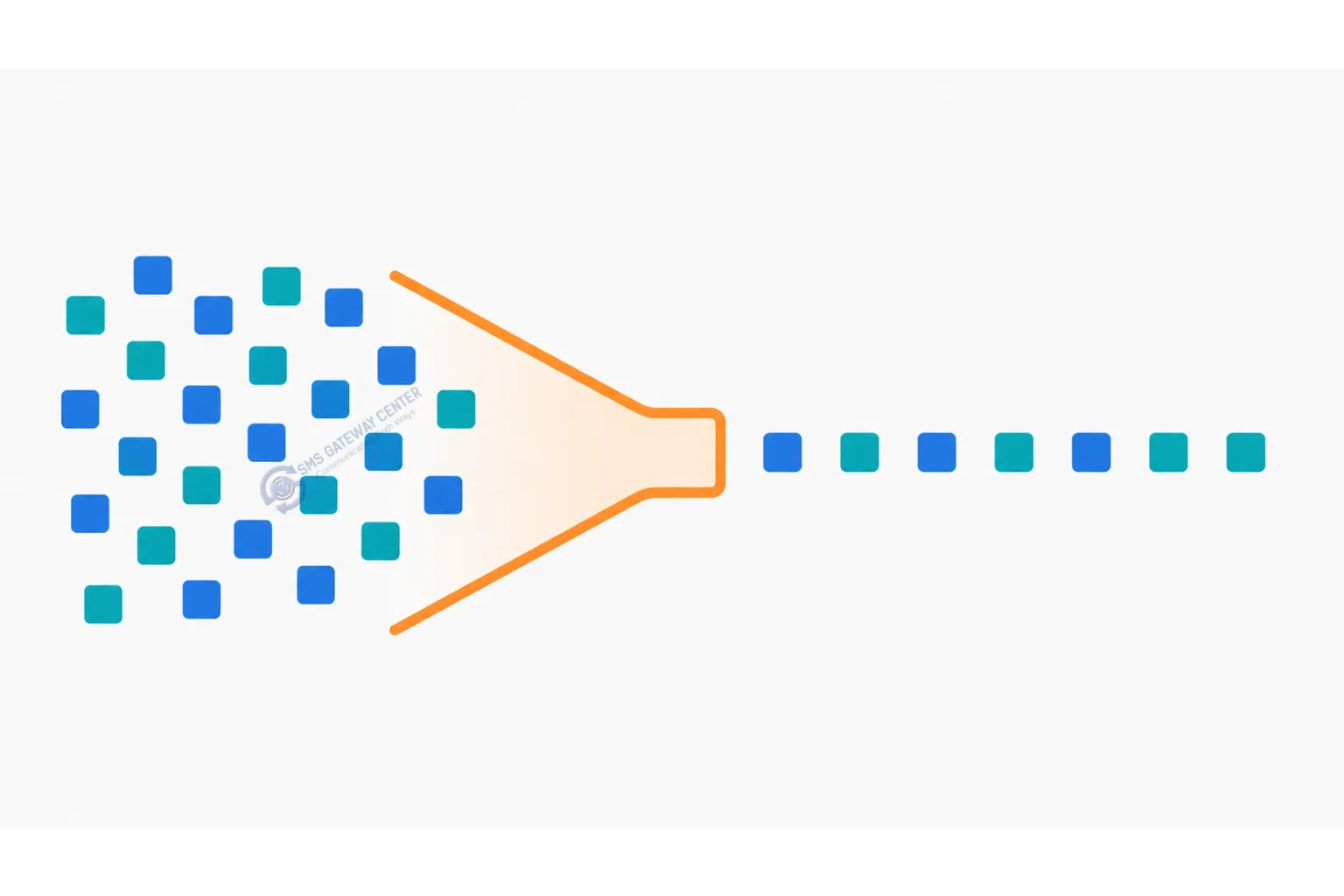
Basic backoff pattern (language-agnostic): on a rate-limit error, wait an exponentially increasing interval (for example 1s, 2s, 4s, 8s) before retrying, and cap total retries to avoid a request pile-up during an outage.
Error Handling and Retry Basics
Not all failures should be retried. SMSGatewayCenter’s full API response error code list and delivery error code list document every code your integration can receive at the API-acceptance stage versus the carrier-delivery stage, and checking both is the fastest way to tell whether a failure is retryable. A network timeout or 5xx server error is usually safe to retry with backoff. A 4xx error caused by an invalid number, unregistered sender ID, or DLT template mismatch will fail identically on every retry and should be logged and surfaced to a human instead of retried in a loop.
| Failure type | Retry? | Typical cause |
|---|---|---|
| Timeout / connection error | Yes, with backoff | Network instability |
| 5xx server error | Yes, with backoff | Provider-side issue |
| 429 rate limit | Yes, with backoff | Sending too fast |
| Invalid number format | No | Missing country code, wrong length |
| Unregistered sender ID | No | Sender ID not approved |
| DLT template mismatch | No | Message body does not match approved template |
DLT Registration for India (What You Must Do Before Sending)
If any of your traffic goes to Indian mobile numbers, DLT (Distributed Ledger Technology) registration with TRAI is mandatory before your API calls will succeed, independent of whether your code is correct. Skipping this step is the single most common reason a “getting started” integration fails silently for teams building for the Indian market.
DLT setup involves three registrations, done in sequence:
- Entity registration: register your business as a Principal Entity (PE) with one of the DLT operator platforms.
- Header registration: register your sender ID (numeric or alphanumeric header) under your entity.
- Template registration: register the exact message content template you intend to send, including variable placeholders. Your API call’s message body must match this template exactly, including punctuation and spacing, or the message is rejected.
Once approved, your entity ID and template ID are passed directly in the API request as dltEntityId and dltTemplateId, alongside senderid, so the platform can validate your message against the registered template before it reaches the operator. SMSGatewayCenter’s DLT Registration Guide and PE-TM Binding Chain process walk through entity and template linking in more detail.
SMS API vs SMPP: Which Connection Method to Use
| Factor | SMS API (HTTP) | SMPP |
|---|---|---|
| Setup complexity | Low, REST calls | Higher, persistent binary socket connection |
| Best for | Low to medium volume, transactional and OTP traffic | High-volume, sustained throughput senders |
| Throughput ceiling | Rate-limited per request | Higher sustained throughput per bind |
| Integration effort | Minutes to hours | Days, requires SMPP client library |
| Real-time DLR handling | Webhook-based | Native async DLR PDUs over the same connection |
Decision matrix: choose the HTTP SMS API if you are sending under a few hundred thousand messages a month, need to ship fast, or your team has no telecom protocol experience. Choose SMPP if you are sustaining high throughput (hundreds of messages per second) and can maintain a persistent connection with proper bind management. If your integration also needs to route between SMS and chat apps, see the WhatsApp Business API vs SMS API comparison for when to use each channel, and connecting your SMS API to a CRM if you’re wiring this into HubSpot, Salesforce, or Zoho.
Common Mistakes When Getting Started
- Sending numbers without a country code, causing silent delivery failures.
- Skipping DLT registration for India traffic and assuming the API error is a bug in the integration code.
- Polling a status endpoint in a tight loop instead of using webhooks, which burns through rate limits.
- Retrying 4xx validation errors as if they were transient, instead of fixing the request.
- Storing API keys in client-side JavaScript or version control.
FAQs
What is the minimum information needed to send an SMS through an API? A destination number in E.164 format, an approved sender ID, message text, and a valid API key or auth token.
Do I need DLT registration to test an integration? For Indian numbers, yes. Test messages to Indian handsets follow the same DLT rules as production traffic; there is no bypass for testing.
What format should the destination number be in? E.164 international format, including the country code, e.g., +919812345678 for an Indian number.
How do I know if a message was actually delivered, not just accepted by the API? Check the delivery receipt (DLR), not just the HTTP response of the send request. A 200 response only confirms the API accepted the request, not that the handset received it.
Should I use SMS API or SMPP to get started? Start with the HTTP SMS API unless you already know you need sustained high-throughput sending; it requires less setup and no persistent connection management.
“Get your API key and send a test message from your SMSGatewayCenter dashboard.”