What Is an SMS API?
An SMS API is a programmable HTTPS endpoint. Your application makes a request – usually a POST with a JSON or form-encoded body – containing the recipient number, sender ID, and message text. The provider’s platform handles carrier selection, retries, delivery status callbacks (via webhook), and compliance logic behind that single endpoint. There’s no persistent connection to manage: each message is its own request/response cycle, authenticated with an API key or bearer token.
This is why HTTP APIs dominate for transactional use cases – OTPs, order confirmations, appointment reminders – where a developer needs to go from zero to a working integration in under a day, in any language that can make an HTTP call.
What Is SMPP?
SMPP (Short Message Peer-to-Peer) is an open protocol, maintained by the SMS Forum, purpose-built for exchanging SMS traffic between an External Short Messaging Entity (ESME – your system) and a Short Message Service Centre (SMSC). Instead of one request per message, your system opens a single TCP socket and “binds” to the SMSC, then streams PDUs (Protocol Data Units) – submit_sm, deliver_sm, and so on – over that one connection for as long as it stays open.
Because the connection is already established, SMPP connectivity avoids the overhead of opening and closing a socket for every message, which is what makes it capable of much higher sustained throughput than a request-per-message HTTP model.
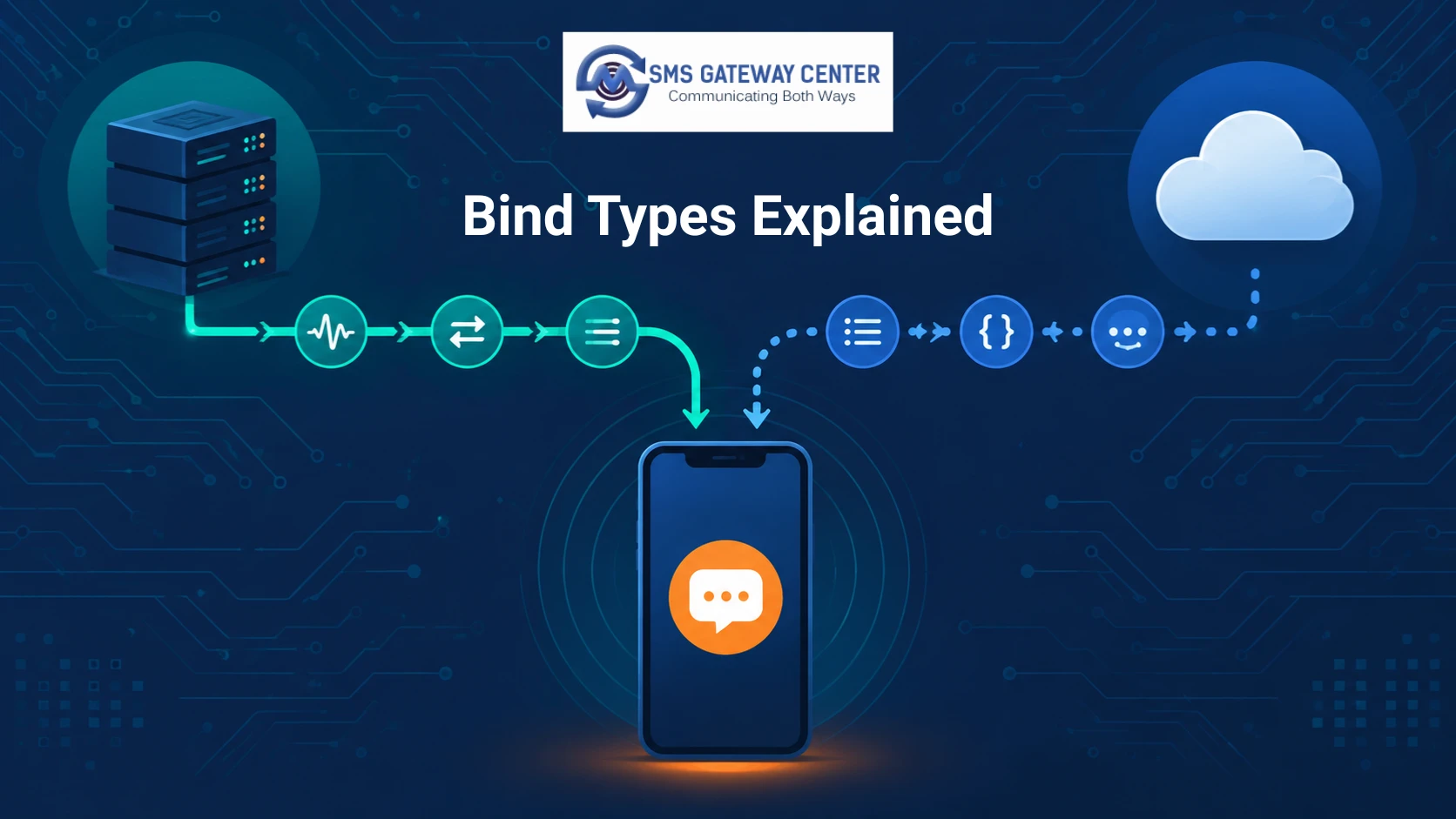
Bind Types Explained: Transmitter, Receiver, Transceiver
When your system connects to an SMSC over SMPP, it opens one of three bind types:
- bind_transmitter – the connection can only submit outbound messages (submit_sm). It cannot receive inbound messages or delivery receipts on this bind.
- bind_receiver – the connection can only receive inbound messages and delivery receipts (deliver_sm). It cannot submit outbound messages.
- bind_transceiver – a single connection that can both submit and receive on the same socket. This is the most commonly used bind in production because it avoids managing two separate connections.
// Minimal SMPP bind_transceiver PDU concept (pseudo-structure, not a full client)
command_id     = 0x00000009   // bind_transceiver
system_id      = "your_username"
password       = "your_password"
system_type    = ""
interface_version = 0x34      // SMPP v3.4
addr_ton       = 0
addr_npi       = 0
address_range  = ""
In practice you won’t hand-roll PDUs – you’ll use a library. Example using Node.js’s smpp package:
const smpp = require('smpp');

const session = smpp.connect('smpp://your-smsc-host:2775', () => {
  session.bind_transceiver({
    system_id: 'your_username',
    password: 'your_password',
  }, (pdu) => {
    if (pdu.command_status === 0) {
      console.log('Bound successfully');
      session.submit_sm({
        source_addr: 'SGCTEST',
        destination_addr: '91XXXXXXXXXX',
        short_message: 'Hello from SMPP',
      });
    }
  });
});
Throughput & Latency: SMPP vs HTTP API
| Factor | HTTP SMS API | SMPP |
|---|---|---|
| Typical throughput per connection | Tens to low hundreds of messages/sec, bound by request/response overhead | Commonly several hundred to 1,000+ messages/sec on a single bind, provider-dependent |
| Connection model | New/pooled HTTPS requests per message | One persistent TCP session, streamed |
| Latency per message | Higher – full HTTP handshake/response cycle | Lower – no per-message connection overhead |
| Best suited for | Transactional, moderate volume, bursty traffic | Sustained high-volume bulk/enterprise traffic |
Exact throughput numbers vary by provider, plan, and route.
Integration: Code Examples
cURL (HTTP API)
curl -X POST https://unify.smsgateway.center/SMSApi/send \
  -H "Authorization: Bearer YOUR_API_KEY" \
  -H "Content-Type: application/json" \
  -d '{
        "mobile": "91XXXXXXXXXX",
        "senderid": "SGCNTR",
        "message": "Your OTP is 482913",
        "dltTemplateId": "YOUR_DLT_TEMPLATE_ID"
      }'
PHP (HTTP API)
<?php
$ch = curl_init('https://unify.smsgateway.center/SMSApi/send');
curl_setopt_array($ch, [
    CURLOPT_POST => true,
    CURLOPT_RETURNTRANSFER => true,
    CURLOPT_HTTPHEADER => [
        'Authorization: Bearer YOUR_API_KEY',
        'Content-Type: application/json',
    ],
    CURLOPT_POSTFIELDS => json_encode([
        'mobile' => '91XXXXXXXXXX',
        'senderid' => 'SGCNTR',
        'message' => 'Your OTP is 482913',
        'dltTemplateId' => 'YOUR_DLT_TEMPLATE_ID',
    ]),
]);
$response = curl_exec($ch);
curl_close($ch);
echo $response;
Python (HTTP API)
import requests

response = requests.post(
    "https://unify.smsgateway.center/SMSApi/send",
    headers={"Authorization": "Bearer YOUR_API_KEY"},
    json={
        "mobile": "91XXXXXXXXXX",
        "senderid": "SGCNTR",
        "message": "Your OTP is 482913",
        "dltTemplateId": "YOUR_DLT_TEMPLATE_ID",
    },
)
print(response.json())
Java (HTTP API)
HttpClient client = HttpClient.newHttpClient();
HttpRequest request = HttpRequest.newBuilder()
    .uri(URI.create("https://unify.smsgateway.center/SMSApi/send"))
    .header("Authorization", "Bearer YOUR_API_KEY")
    .header("Content-Type", "application/json")
    .POST(HttpRequest.BodyPublishers.ofString(
        "{\"mobile\":\"91XXXXXXXXXX\",\"senderid\":\"SGCNTR\",\"message\":\"Your OTP is 482913\",\"dltTemplateId\":\"YOUR_DLT_TEMPLATE_ID\"}"
    ))
    .build();
HttpResponse<String> response = client.send(request, HttpResponse.BodyHandlers.ofString());
Postman Method: POST · URL: https://unify.smsgateway.center/SMSApi/send · Headers: Authorization: Bearer {{api_key/sesion_token}}, Content-Type: application/json · Body (raw JSON): same payload as the cURL example above.
Python (SMPP, via smpplib)
import smpplib.client
import smpplib.consts

client = smpplib.client.Client('your-smsc-host', 2775)
client.connect()
client.bind_transceiver(system_id='your_username', password='your_password')
client.send_message(
    source_addr_ton=smpplib.consts.SMPP_TON_INTL,
    source_addr='SGCTEST',
    dest_addr_ton=smpplib.consts.SMPP_TON_INTL,
    destination_addr='91XXXXXXXXXX',
    short_message=b'Hello from SMPP',
)
Cost & Total Cost of Ownership
Per-message pricing on an SMPP bind can look cheaper on the invoice, but it isn’t the full cost. SMPP typically involves a monthly bind/connection fee, and your team owns building and maintaining retry logic, reconnect handling, and DLR (delivery receipt) parsing. An HTTP API usually bundles retries, delivery tracking, and route failover into the per-message price, trading a slightly higher unit cost for less engineering overhead.
DLT Compliance: How Template Registration Interacts With Each Protocol
India’s TRAI DLT (Distributed Ledger Technology) regulations require every commercial SMS template and the sender’s entity ID to be registered before sending. This requirement applies at the message-content level, not the transport protocol – so both an HTTP API call and an SMPP submit_sm PDU need a valid, registered DLT template ID and entity ID attached to the request.
The practical difference is where that ID gets validated: HTTP APIs typically validate the DLT template ID synchronously in the request/response cycle, returning an immediate rejection if it’s invalid. On an SMPP bind, invalid DLT data is more commonly rejected asynchronously via the delivery receipt rather than at submission time, since submit_sm’s response only confirms the SMSC accepted the PDU for processing – not that DLT validation passed.
Decision Matrix
| Your situation | Recommended |
|---|---|
| Sending OTPs/transactional alerts, need to launch fast | HTTP SMS API |
| Volume under ~5,000–10,000 messages/day, small dev team | HTTP SMS API |
| Sustained bulk sending, hundreds+ messages/sec | SMPP |
| Legacy on-prem system that already speaks SMPP | SMPP |
| Need deep control over routing, failover, DLR format | SMPP |
| Want compliance/retry/failover handled for you | HTTP SMS API |
| Telecom aggregator or enterprise with dedicated messaging infra team | SMPP |
Pros and Cons
HTTP SMS API Pros: fast to integrate, works in any language, provider handles retries/failover, easier for small teams. Cons: lower per-connection throughput ceiling, less granular control over routing.
SMPP Pros: high sustained throughput on a single connection, fine-grained control over routing/DLR, standard for carrier-grade traffic. Cons: steeper integration effort, requires connection/session management (reconnects, keepalive), typically needs dedicated engineering time.
FAQs
Is SMPP faster than an HTTP SMS API? SMPP can sustain higher message-per-second throughput on a single connection because it avoids repeated connection setup, which matters most at high volume. At low-to-moderate volume the difference is negligible.
Can I switch from SMPP to an HTTP API later, or vice versa? Yes – the DLT template registration and sender ID requirements stay the same; only the transport layer and integration code change.
Do I need DLT registration for both SMPP and HTTP API sending? Yes. DLT registration applies to the message template and entity, not the transport protocol, so it’s required either way for commercial SMS to Indian numbers.
How many messages per second can SMPP handle? It depends on the provider and bind configuration; industry figures commonly cited range from a few hundred to 1,000 to 5000+ messages per second per connection.
Which one should a small startup use? An HTTP SMS API, in almost all cases – it’s faster to integrate and doesn’t require managing persistent connections.
Related Articles
Understanding SMS Gateway Architecture: A Technical Overview
API Rate Limiting and Throttling: Best Practices for SMS Services
How to Benefit from HTTP API SMS?
Conclusion
Neither protocol is universally “better” — they’re built for different volume profiles and engineering realities. Start with the decision matrix above: if you’re optimizing for time-to-launch and moderate volume, the HTTP SMS API wins. If you’re operating at sustained high volume with the engineering capacity to manage a persistent connection, SMPP is the right tool.
Not sure which fits your volume? Talk to SMSGatewayCenter Experts