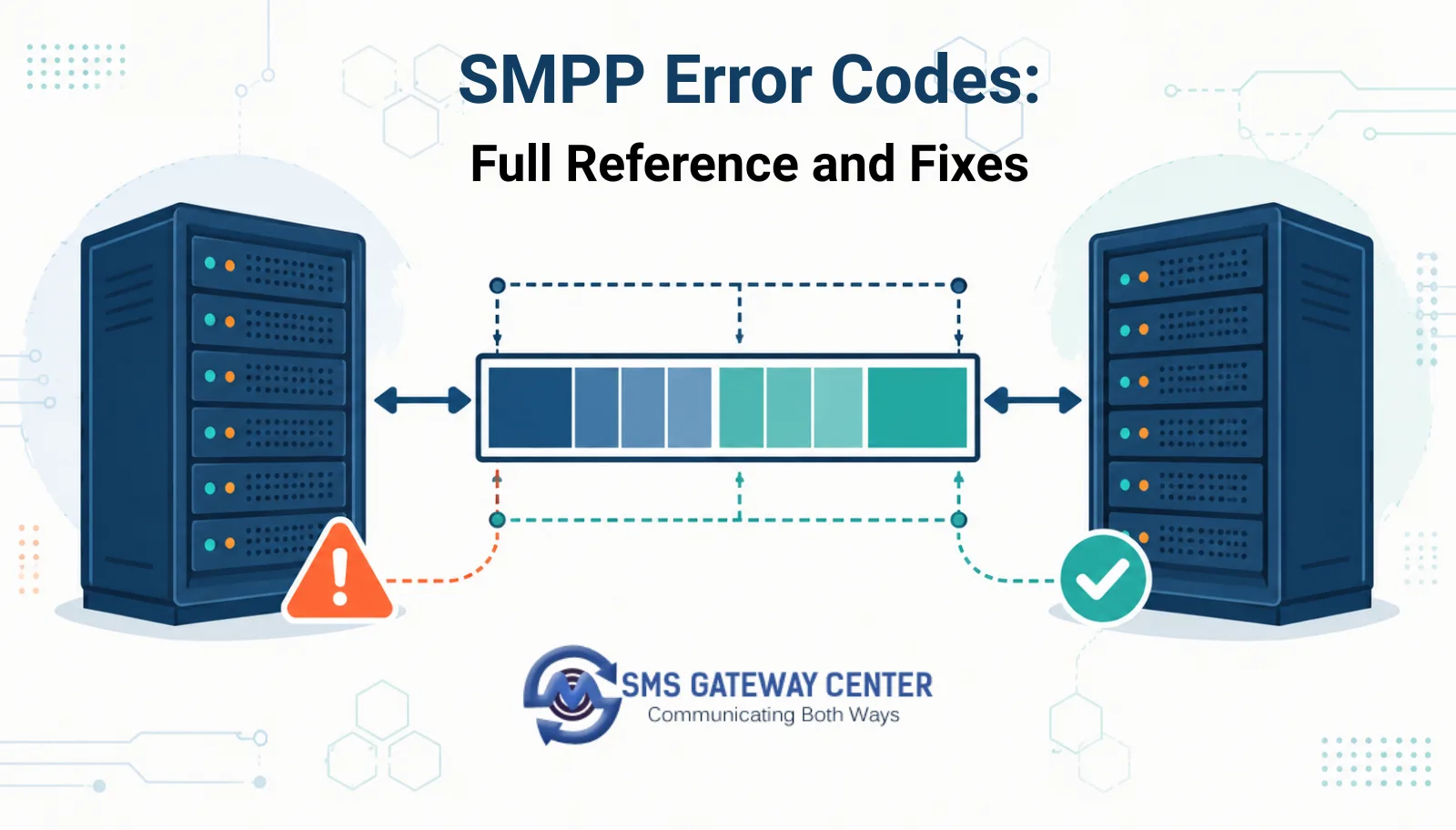
An SMPP error is a numeric value returned in command_status, where 0x00000000 means success and anything else maps to a defined failure reason from the SMPP specification, ranging from ESME_RINVMSGLEN (message too long) to ESME_RTHROTTLED (rate limit exceeded). Most integration problems trace back to five recurring codes: invalid destination address, message length, throttling, invalid bind status, and system errors from the SMSC side. Once you know which one you are hitting, the fix is almost always a one-line change to how you format the request or pace your submissions.
What an SMPP Error Code Actually Is
SMPP (Short Message Peer-to-Peer) is a binary protocol, not a REST API, so its errors do not arrive as HTTP status codes or JSON error objects. They arrive inside the command_status field of a response PDU, such as a bind_transceiver_resp, submit_sm_resp, or submit_multi_resp. A value of 0x00000000 (decimal 0) means the operation succeeded. Any other value is an error code defined either by the SMPP specification itself (the standard range) or by the specific SMSC vendor (the vendor-specific range above 0x0400).
If you have already read the SMS API guide for getting started, note that this is a separate error space from the HTTP API’s own response codes. The two only start to look similar once you get into delivery reports, which both connection types funnel through the same underlying delivery pipeline.
How SMPP Error Codes Work
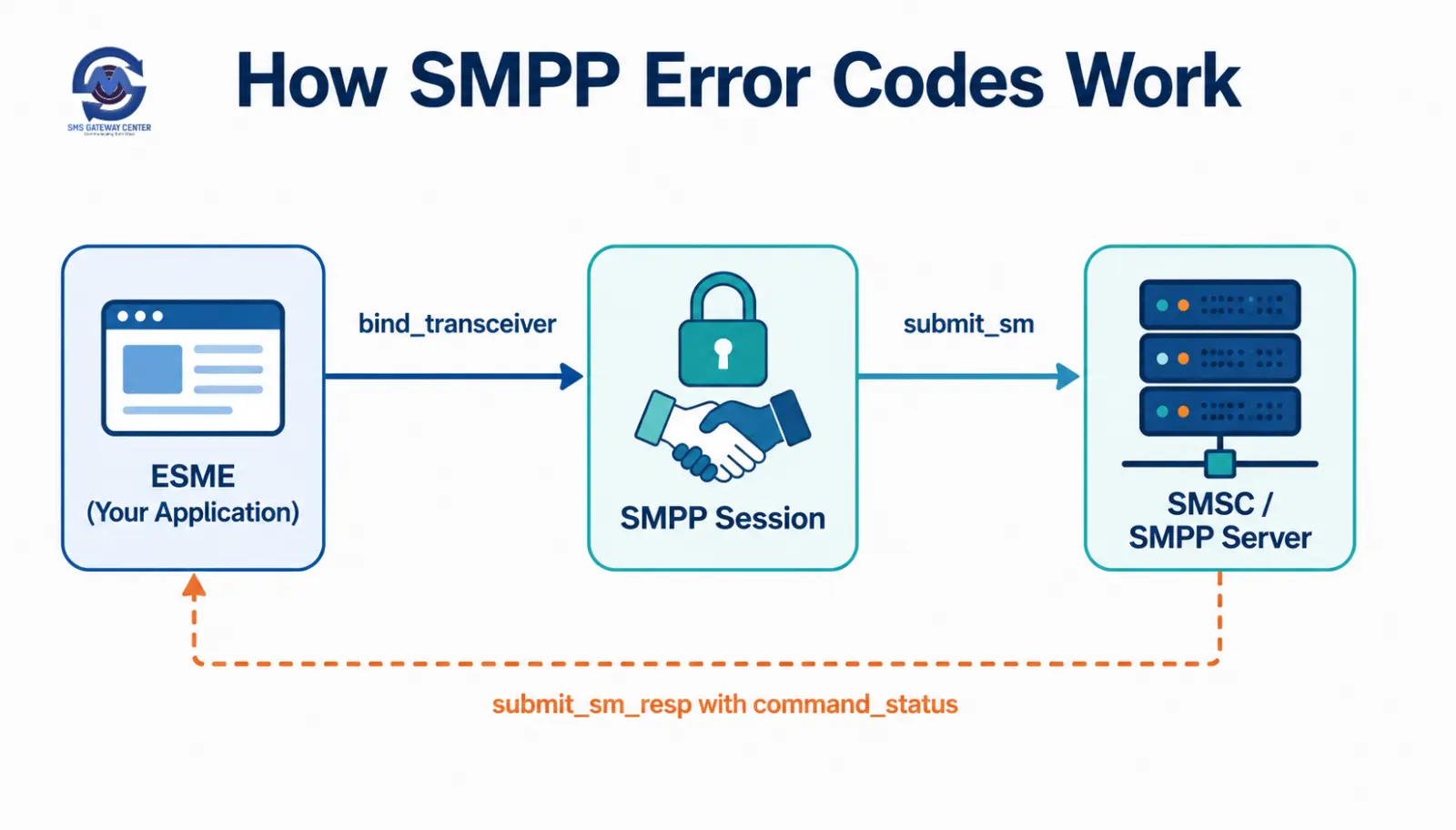
An SMPP session starts with a bind request (bind_transmitter, bind_receiver, or bind_transceiver) that authenticates your system_id and password against the SMSC. If that fails, you get a bind-level error before you ever submit a message. Once bound, each submit_sm request you send returns a submit_sm_resp with its own command_status, which tells you whether the SMSC accepted the message for further processing, not whether it was delivered to the handset. Delivery status is a separate, later event, delivered either as a delivery receipt PDU or through your gateway’s HTTP delivery report endpoint.
This two-stage structure, submission status versus delivery status, is exactly the same distinction that trips people up on the HTTP side, covered in more depth in what the different statuses in delivery reports mean.
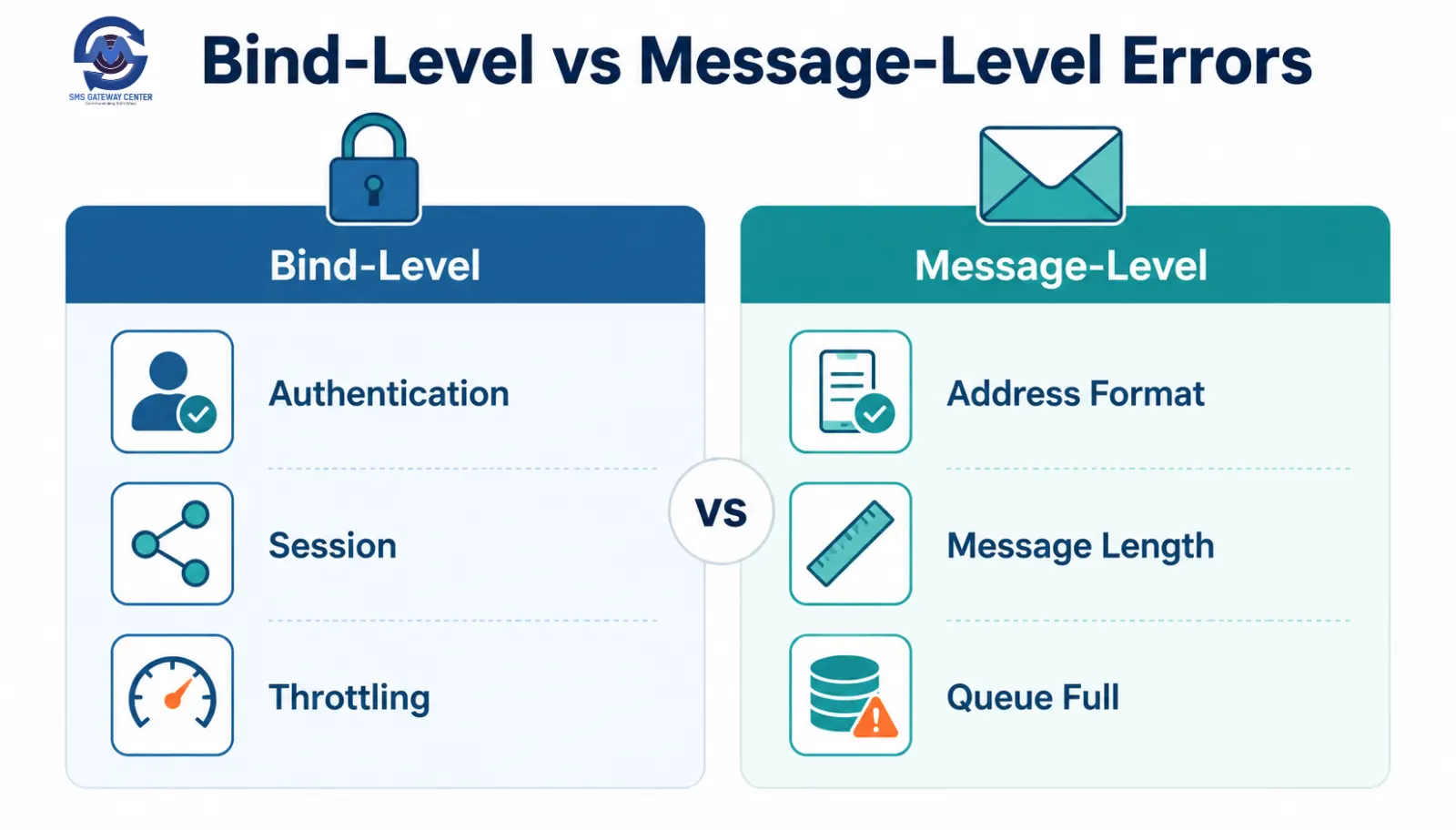
Bind-Level vs Message-Level Errors
| Error category | Occurs during | Typical codes | What it tells you |
|---|---|---|---|
| Bind-level | bind_transmitter / bind_receiver / bind_transceiver | ESME_RINVSYSID, ESME_RINVPASWD, ESME_RALYBND | Your session never opened, credentials or bind type are wrong |
| Message-level | submit_sm / submit_multi | ESME_RINVDSTADR, ESME_RINVMSGLEN, ESME_RTHROTTLED | The session is fine, this specific message was rejected |
| System-level | Any PDU exchange | ESME_RSYSERR, ESME_RMSGQFUL | The SMSC itself is degraded or overloaded, not your request |
Bind-level errors mean nothing gets through until you fix the session. Message-level errors mean the connection is healthy and only the flagged message needs correction. System-level errors usually mean back off and retry rather than change your code.
Full SMPP Command Status Reference Table
| Code (hex) | Name | Cause | Fix |
|---|---|---|---|
| 0x00000000 | ESME_ROK | Success | No action needed |
| 0x00000001 | ESME_RINVMSGLEN | Message length is invalid | Check encoding; unicode messages have a shorter per-segment limit than GSM 7-bit |
| 0x00000002 | ESME_RINVCMDLEN | Command length is invalid | Usually a client library bug in PDU construction, update the SMPP library |
| 0x00000003 | ESME_RINVCMDID | Unknown or unsupported command ID | Confirm your library is sending a PDU type the SMSC supports |
| 0x00000004 | ESME_RINVBNDSTS | PDU sent before a successful bind, or bind type mismatch | Confirm bind completed and use bind_transceiver if you need to both send and receive |
| 0x00000005 | ESME_RALYBND | Already bound with this system_id | Close the stale session before rebinding, or reuse the existing session |
| 0x00000008 | ESME_RSYSERR | Generic system error on the SMSC | Retry with backoff, if persistent contact your provider |
| 0x0000000A | ESME_RINVSRCADR | Invalid source address (sender ID) format | Match sender ID format and length rules for the destination country |
| 0x0000000B | ESME_RINVDSTADR | Invalid destination address | Check country code prefix and total digit length of the recipient number |
| 0x0000000D | ESME_RINVSYSID | Invalid system_id during bind | Verify the system_id matches what was provisioned for your account |
| 0x0000000F | ESME_RINVPASWD | Invalid password during bind | Verify password, check for expired or rotated credentials |
| 0x00000014 | ESME_RMSGQFUL | Message queue is full | Slow down submission rate, implement client-side throttling |
| 0x00000045 | ESME_RTHROTTLED | Rate limit exceeded | Reduce requests per second to match your account’s contracted TPS (transactions per second) |
| 0x00000058 | ESME_RINVOPTPARSTREAM | Invalid optional parameter stream | Check TLV (tag-length-value) formatting in optional parameters |
| 0x00000064 | ESME_RINVDLNAME | Invalid distribution list name | Confirm the list name exists and is correctly referenced in submit_multi |
| 0x000000FE | ESME_RUNKNOWNERR | Unknown error | Log the full PDU and escalate to your SMPP provider with the raw bytes |
This table covers the SMPP v3.4 standard codes most integrators encounter. Anything at 0x0400 or above is vendor-specific and requires checking that provider’s own documentation, since the standard spec deliberately leaves that range open for custom use.
The Five Errors That Cause Most Support Tickets
ESME_RTHROTTLED: by far the most common. Teams write a loop that submits messages as fast as the socket allows, exceed their contracted transactions-per-second, and start seeing rejections mid-batch. The fix is a client-side rate limiter matched to your actual allocated TPS, not a retry loop that hammers the same limit again immediately.
ESME_RINVDSTADR: usually a formatting problem, a missing country code, or a fixed-line number submitted to a mobile-only route, not an SMSC bug.
ESME_RMSGQFUL: the SMSC’s internal queue is full, typically during a traffic spike. This is not your error to fix directly, it needs a backoff-and-retry strategy: pause, wait an exponentially increasing interval, and resubmit rather than resending immediately in a loop.
ESME_RINVBNDSTS: you tried to submit or receive on a session that never completed its bind, or you bound as transmitter when you also need to receive delivery receipts, which requires transceiver.
ESME_RSYSERR: a catch-all from the SMSC side. If it is intermittent, retry with backoff. If it is constant, it usually means account-side configuration, contact your provider rather than continuing to retry client-side.
How SMPP Errors Map to Delivery Error Codes
A submit_sm_resp with ESME_ROK only means the SMSC accepted the message into its queue, not that the handset received it. Delivery status arrives separately, and if you are running SMPP through SMSGatewayCenter’s SMPP connectivity service, you can also cross-reference outcomes against the same delivery error code list the HTTP API uses, retrievable from:
POST https://unify.smsgateway.center/SMSApi/info/deliverycodes
This returns a JSON list of delivery outcome codes, including a peId, identifier, status, and cause for each, for example an identifier of SUCCESS with status DELIVERED, versus other identifiers mapping to specific failure causes such as an invalid number or an operator-level rejection. If you are seeing message accepted at the SMPP layer but never delivered, check this endpoint before assuming your integration is broken, since the failure is very often on the operator side, not yours. This is also the point where DLT-related rejections surface for Indian traffic, covered separately in why am I seeing the error DLT rejected.
Similarly, if you are working with the HTTP send API rather than a raw SMPP bind, request-side rejections use the separate API error code list:
POST https://unify.smsgateway.center/SMSApi/info/responsecodes
Debugging Workflow: From Error Code to Fix
- Log the raw
command_statusvalue from every_respPDU, not just a boolean success flag. - Identify whether the failing PDU is a bind operation or a submit operation, since that immediately narrows the cause to session versus message.
- Check the reference table above for the specific code.
- For message-level errors, inspect the exact request that failed, not a summary, since formatting issues are usually visible in the raw destination address or message body.
- For system-level or throttling errors, check your submission rate against your contracted TPS before assuming an SMSC-side outage.
- If the issue is intermittent and unresolved after these steps, escalate with the raw PDU bytes, not just the decoded error name, since vendor-specific extensions in the 0x0400+ range need the provider’s own lookup table.
Code Samples: Catching and Logging command_status
Node.js (using the smpp package)
const smpp = require('smpp');

const session = new smpp.Session({
  host: 'your-smpp-host',
  port: 2775
});

session.bind_transceiver({
  system_id: 'your_system_id',
  password: 'your_password'
}, (pdu) => {
  if (pdu.command_status !== 0) {
    console.error(`Bind failed with command_status: 0x${pdu.command_status.toString(16)}`);
    return;
  }

  session.submit_sm({
    source_addr: 'SENDER',
    destination_addr: '919999999999',
    short_message: 'Hello World'
  }, (submitPdu) => {
    if (submitPdu.command_status !== 0) {
      console.error(`Submit failed with command_status: 0x${submitPdu.command_status.toString(16)}`);
    } else {
      console.log('Message accepted, message_id:', submitPdu.message_id);
    }
  });
});
Python (using smpplib)
import smpplib.client
import smpplib.consts

client = smpplib.client.Client('your-smpp-host', 2775)

def status_handler(pdu):
    if pdu.status != smpplib.consts.SMPP_ESME_ROK:
        print(f"Error: command_status={pdu.status} name={pdu.status_str()}")
    else:
        print("Success")

client.set_message_sent_handler(status_handler)
client.connect()
client.bind_transceiver(system_id='your_system_id', password='your_password')
client.send_message(
    source_addr='SENDER',
    destination_addr='919999999999',
    short_message='Hello World'
)
Java (using jSMPP)
import org.jsmpp.session.SMPPSession;
import org.jsmpp.bean.*;

SMPPSession session = new SMPPSession();
try {
    session.connectAndBind("your-smpp-host", 2775,
        new BindParameter(BindType.BIND_TRX, "your_system_id", "your_password", null,
        TypeOfNumber.UNKNOWN, NumberingPlanIndicator.UNKNOWN, null));

    String messageId = session.submitShortMessage("CMT", TypeOfNumber.UNKNOWN,
        NumberingPlanIndicator.UNKNOWN, "SENDER",
        TypeOfNumber.INTERNATIONAL, NumberingPlanIndicator.ISDN, "919999999999",
        new ESMClass(), (byte) 0, (byte) 1, null, null,
        new RegisteredDelivery(SMSCDeliveryReceipt.SUCCESS_FAILURE),
        (byte) 0, new GeneralDataCoding(), (byte) 0, "Hello World".getBytes());

    System.out.println("Message submitted, id: " + messageId);
} catch (Exception e) {
    System.err.println("SMPP error: " + e.getMessage());
}
Comparison: SMPP Errors vs HTTP API Errors
| Factor | SMPP command_status | HTTP API error codes |
|---|---|---|
| Format | 4-byte numeric field in a binary PDU | Numeric code in a JSON or plain-text response |
| Reference | SMPP v3.4/v5.0 specification, standard range plus vendor-specific | Provider-specific list, see the API error code list |
| Session state | Distinguishes bind-level vs message-level failures | No persistent session, every request is self-contained |
| Best debugging tool | Raw PDU logging | Response body inspection and status field |
| Delivery status | Separate delivery receipt PDU or DLR pull | Separate delivery report endpoint using transactionId |
FAQs
Is command_status the same as a delivery status? No. command_status on a submit_sm_resp only confirms the SMSC accepted the request. Actual delivery to the handset is reported separately through a delivery receipt.
What is the difference between ESME_RTHROTTLED and ESME_RMSGQFUL? ESME_RTHROTTLED means you personally exceeded your allowed rate. ESME_RMSGQFUL means the SMSC’s overall queue is full, which can happen even if you are within your own rate limit, usually during high network load.
Why does my session get ESME_RALYBND? You attempted to bind again with the same system_id while a previous session was still active. Close the old session or reuse it instead of opening a duplicate.
Do vendor-specific error codes above 0x0400 mean something is broken? Not necessarily. They are provider-defined extensions to the base spec and need to be looked up against that specific SMSC vendor’s documentation, they are not part of the universal standard.
How do I know if an SMPP error is retryable? Bind and message-format errors (invalid address, invalid password) are not retryable until you fix the underlying issue. Throttling and queue-full errors are retryable with backoff. System errors depend on whether they are transient or persistent.
If you are still debugging SMPP integration issues manually, set up SMPP connectivity with a provider that gives you both raw SMPP access and an HTTP-based delivery and error code lookup, so you are not stuck parsing PDU bytes alone.