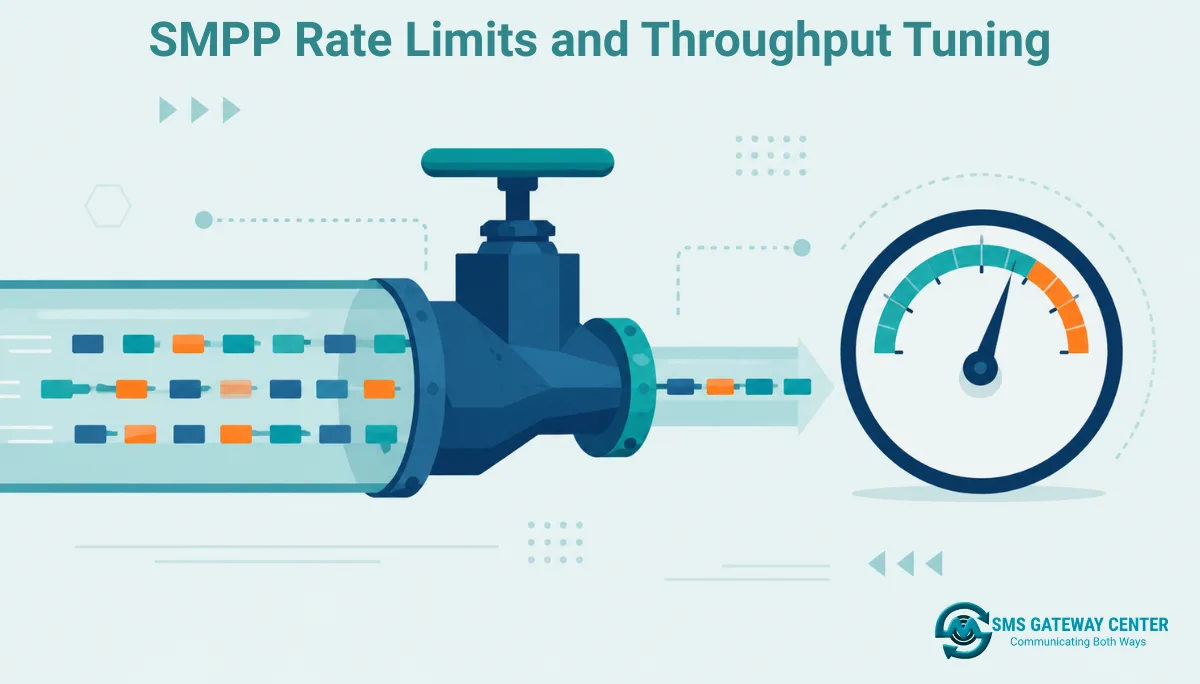
Throughput on an SMPP bind is bounded by window size ÷ round-trip latency. A window size of 1 with 50ms latency caps you at about 20 messages per second no matter how fast your code submits requests. Raising window size increases theoretical throughput but also raises client-side memory and CPU cost for tracking outstanding PDUs, and it does nothing if the actual bottleneck is your assigned account rate limit. If you submit faster than your allowed TPS, the SMSC returns error 0x00000058 (ESME_RTHROTTLED), and the correct response is exponential backoff, not immediate retry. For India-bound traffic, throughput headroom is also gated by DLT registration and Sender ID/Template approval, which caps what you can send at the compliance layer before throughput tuning even becomes relevant.
What Actually Limits SMPP Throughput
There are three independent ceilings, and raising one does nothing if another is lower.
Network latency and window size determine your theoretical maximum message rate for a single bind, independent of what your account is allowed to send.
Account-level rate limit (TPS) is the number your provider assigns to your system_id, enforced regardless of how your window size is configured. This is a business/contractual limit, not a protocol limit.
Downstream operator capacity is the ceiling the mobile network operator itself enforces on inbound SMPP traffic, which can be lower than your provider-assigned TPS during peak hours or on specific routes.
Tuning throughput means identifying which of these three is actually your bottleneck before changing anything, since raising window size when your account TPS is the real constraint just produces more throttling errors, not more delivered messages.
Window Size: The Core Throughput Lever
Window size is the maximum number of outstanding (unacknowledged) submit_sm PDUs your SMPP client is allowed to have in flight at once. At the SMPP protocol’s default window size of 1, your client sends one message, waits for the submit_sm_resp, then sends the next. This is why default-configuration SMPP integrations often perform worse than a comparable HTTP API integration doing parallel requests.
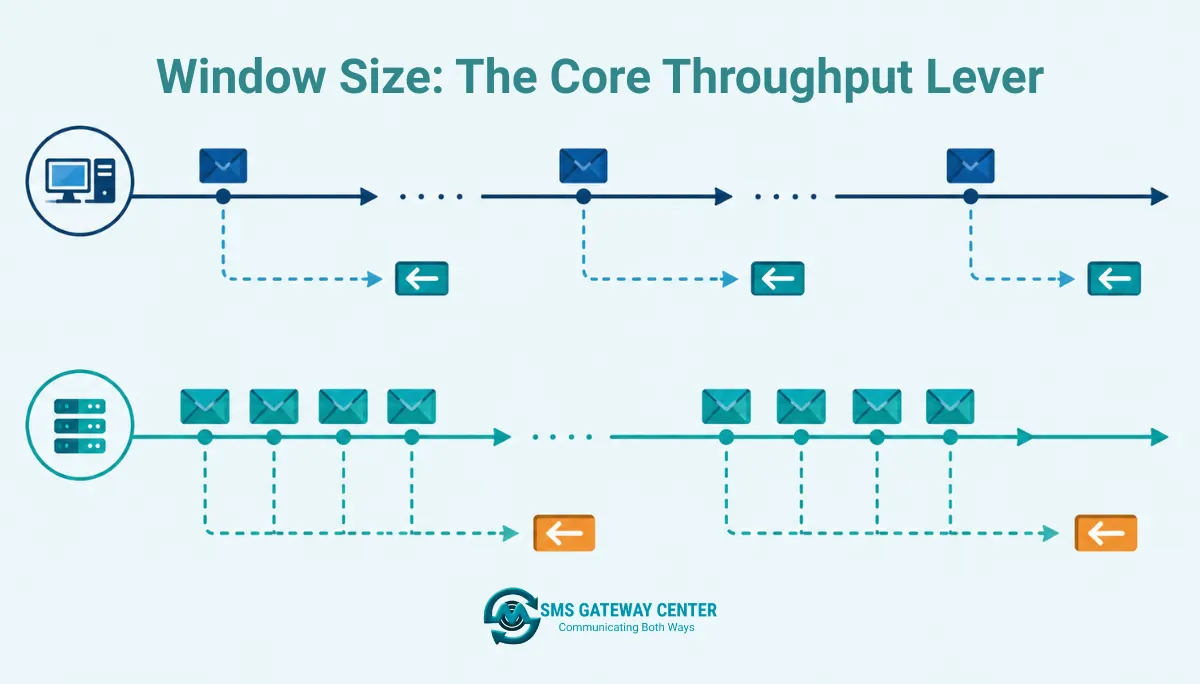
The relationship is straightforward: theoretical max throughput ≈ window size ÷ round-trip latency. At 50ms round-trip latency and window size 1, you’re capped near 20 messages per second. Raise the window to 10 and the same connection can theoretically sustain around 200 messages per second, assuming nothing else is constraining it.
The tradeoff is that a larger window means your client must track more outstanding requests, correctly matching each submit_sm_resp back to its original request, and handle timeouts and retries for PDUs that never get acknowledged. An oversized window on a client that can’t process responses fast enough just produces a backlog of unacknowledged state, which defeats the purpose. Most SMPP client libraries expose this as a configurable windowSize or maxWindowSize parameter at bind time.
TPS Explained and How to Calculate It
TPS (transactions per second) is the rate limit assigned to your SMPP account, independent of window size. If your provider assigns you a TPS of 20, that is your ceiling regardless of whether your window size theoretically supports 200 messages per second.
To calculate the throughput you actually need, work backward from your delivery window: if you need to send 500,000 messages within a 2-hour campaign window, that’s roughly 69 messages per second sustained, which tells you the TPS tier you need to request from your provider before you start tuning window size or connection pooling to hit it. For scaling considerations specific to sustained enterprise volume, SMSGatewayCenter’s SMPP connectivity overview covers connection setup for dedicated, higher-throughput binds, and current SMS pricing is the place to confirm what TPS tier applies to your account, since this figure is account- and plan-specific rather than a fixed protocol value.
What Happens When You Exceed the Limit
When you submit faster than your assigned TPS, the SMSC responds with command_status 0x00000058, defined in the SMPP specification as ESME_RTHROTTLED. This is not a message failure, it’s a flow-control signal: the message was rejected before entering the delivery pipeline, and the correct client behavior is to slow down, not to immediately resubmit at the same rate.
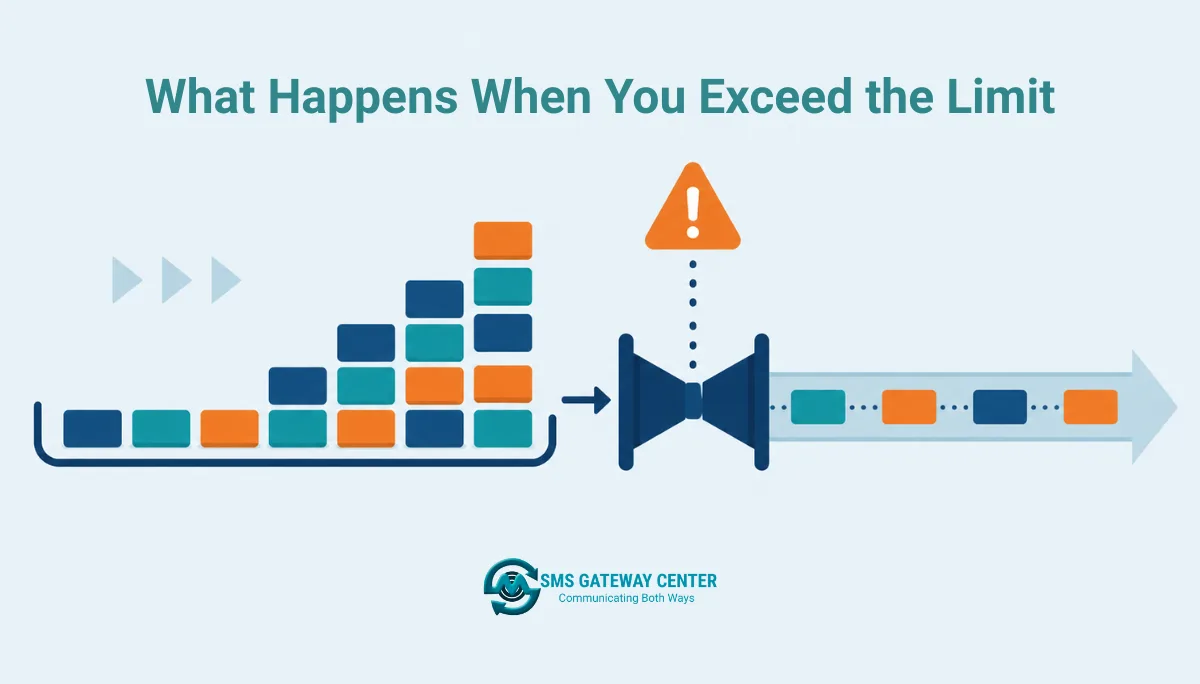
A naive retry loop that resubmits immediately on 0x00000058 makes the problem worse, since it adds retry traffic on top of an already-exceeded rate, increasing the proportion of throttled responses. The correct pattern is exponential backoff with jitter: on the first throttle response, pause briefly and reduce your submission rate; if throttling continues, increase the pause interval. Persistent throttling despite backoff usually means your assigned TPS tier is genuinely too low for your campaign volume, which is an account/plan conversation with your provider, not a code fix.
Tuning Your Bind for Sustained Throughput
- Confirm your assigned TPS with your provider. This is the hard ceiling; don’t tune past it.
- Calculate the window size needed to hit that TPS given your measured round-trip latency. Window size ≈ TPS × latency (in seconds).
- Implement client-side rate limiting (a token bucket or leaky bucket) so your application never submits faster than your assigned TPS, independent of window size.
- Handle
0x00000058explicitly with exponential backoff rather than a generic retry-on-any-error handler. - Monitor outstanding PDU count so a slow-processing client doesn’t silently fill its window and stall.
- Use multiple binds or a connection pool if a single connection’s window size and TPS allocation aren’t enough for your volume, rather than pushing one connection past its designed limits.
Code Samples
These samples show client-side rate limiting and throttle handling using the SMPP client-server model described in SMSGatewayCenter’s SMPP connectivity documentation, which requires a System ID, password, server address, and port issued after signup, with a bind type of Transmitter, Receiver, or Transceiver. Replace connection values with your assigned credentials.
Node.js (using node-smpp with basic rate limiting)
const smpp = require('smpp');

const session = smpp.connect({
  url: 'smpp://YOUR_SMPP_SERVER:YOUR_PORT',
  auto_enquire_link_period: 10000
});

const TARGET_TPS = 20; // confirm your actual assigned TPS with your provider
const intervalMs = 1000 / TARGET_TPS;

session.bind_transceiver({
  system_id: 'YOUR_SYSTEM_ID',
  password: 'YOUR_PASSWORD'
}, (pdu) => {
  if (pdu.command_status === 0) {
    console.log('Bind successful');
    let queue = [/* array of { destination, message } */];

    const sendNext = () => {
      if (queue.length === 0) return;
      const { destination, message } = queue.shift();

      session.submit_sm({
        destination_addr: destination,
        short_message: message
      }, (submitPdu) => {
        if (submitPdu.command_status === 0x00000058) {
          console.warn('Throttled. Backing off.');
          queue.unshift({ destination, message });
          setTimeout(sendNext, intervalMs * 4); // backoff
        } else if (submitPdu.command_status !== 0) {
          console.error('Submit failed:', submitPdu.command_status);
        }
      });

      setTimeout(sendNext, intervalMs);
    };

    sendNext();
  }
});
PHP (conceptual rate-limited loop)
<?php
$targetTps = 20; // confirm your actual assigned TPS
$intervalMicroseconds = (int)(1000000 / $targetTps);

foreach ($messageQueue as $message) {
    $response = $smppClient->sendSMS($message['destination'], $message['text']);

    if ($response->commandStatus === 0x00000058) {
        // ESME_RTHROTTLED: back off before retrying
        usleep($intervalMicroseconds * 4);
        array_unshift($messageQueue, $message);
        continue;
    }

    usleep($intervalMicroseconds);
}
Python (token bucket pattern)
import time

class TokenBucket:
    def __init__(self, tps):
        self.tps = tps
        self.tokens = tps
        self.last_check = time.time()

    def consume(self):
        now = time.time()
        elapsed = now - self.last_check
        self.tokens = min(self.tps, self.tokens + elapsed * self.tps)
        self.last_check = now
        if self.tokens >= 1:
            self.tokens -= 1
            return True
        return False

bucket = TokenBucket(tps=20)  # confirm your actual assigned TPS

for msg in message_queue:
    while not bucket.consume():
        time.sleep(0.05)
    response = smpp_client.submit_sm(msg["destination"], msg["text"])
    if response.command_status == 0x00000058:
        time.sleep(0.5)  # backoff on throttle
Java (conceptual, using jsmpp-style client)
int targetTps = 20; // confirm your actual assigned TPS
long intervalMs = 1000L / targetTps;

for (Message msg : messageQueue) {
    SubmitSmResult result = session.submitShortMessage(
            "CMT", TypeOfNumber.INTERNATIONAL, NumberingPlanIndicator.ISDN,
            "SENDER", TypeOfNumber.INTERNATIONAL, NumberingPlanIndicator.ISDN,
            msg.getDestination(), new ESMClass(), (byte) 0, (byte) 1,
            null, null, new RegisteredDelivery(0), (byte) 0,
            new GeneralDataCoding(), (byte) 0, msg.getText().getBytes());

    if (result.getCommandStatus() == 0x00000058) {
        Thread.sleep(intervalMs * 4); // backoff
    } else {
        Thread.sleep(intervalMs);
    }
}
Bind Type and Connection Strategy
SMPP defines three bind types, and picking the right one affects how you should think about throughput allocation.
Transmitter binds are outbound-only, used purely for sending. Receiver binds are inbound-only, used for receiving delivery receipts or two-way SMS replies. Transceiver binds handle both directions over a single connection. A transceiver bind is simpler to manage but means your inbound delivery receipt traffic shares the same connection’s resources as your outbound submission traffic; for very high-volume sending, splitting into separate transmitter and receiver binds can isolate throughput so a burst of inbound delivery receipts doesn’t compete with outbound submission capacity on the same socket.
Rate Limiting Table: Symptoms and Fixes
| Symptom | Likely Cause | Fix |
|---|---|---|
| Throughput plateaus far below expected TPS | Window size left at default (1) | Raise window size to match latency × target TPS |
Frequent 0x00000058 responses | Submitting faster than assigned account TPS | Implement client-side token bucket rate limiting |
| Retries make throttling worse | Immediate retry on throttle instead of backoff | Add exponential backoff with jitter on throttle responses |
| Connection stalls under load | Window filled with unacknowledged PDUs, client not processing responses fast enough | Reduce window size or fix response-handling bottleneck |
| Inconsistent throughput at different times of day | Downstream operator capacity varies by peak hours | Coordinate campaign timing with provider, spread sends across a longer window |
| High CPU usage under high window size | Oversized window forcing excessive concurrent state tracking | Right-size window rather than maximizing it |
SMPP Throughput vs HTTP API Throughput
| Factor | SMPP | HTTP API |
|---|---|---|
| Throughput ceiling | Governed by window size, latency, and account TPS on a persistent bind | Governed by concurrent request limits and account rate limits per request |
| Connection model | Persistent TCP socket, stays bound | Stateless, new request per send (or connection reuse via keep-alive) |
| Best suited for | Sustained, high-volume, latency-sensitive campaigns | Transactional, event-triggered, lower/medium volume sends |
| Tuning complexity | Higher, requires understanding window size and PDU flow control | Lower, mostly bound by simple request-rate limiting |
| Two-way messaging | Native support via Receiver/Transceiver binds | Requires separate webhook infrastructure |
Teams starting out are usually better served by the HTTP SMS API covered in SMSGatewayCenter’s SMS API getting started guide, and should only move to SMPP once volume and latency requirements justify the added tuning complexity described in this article.
Common Mistakes When Tuning Throughput
Raising window size without confirming account TPS first. A larger window against a low TPS allocation just produces more throttle errors faster.
Treating 0x00000058 like a generic error and retrying immediately. This compounds the throttling instead of resolving it.
Running one bind for both high-volume submission and receiving delivery receipts without considering whether splitting into separate transmitter/receiver binds would isolate throughput better under load.
Not accounting for DLT approval limits when tuning for India traffic. Throughput tuning at the SMPP layer means nothing if messages are being rejected upstream for missing dltEntityId/dltTemplateId, a point covered in the SMS API getting started guide.
Testing throughput tuning only in a low-latency lab environment. Round-trip latency on your actual production network path to the SMSC may be significantly higher, which changes the window size math entirely.
FAQs
What is the default SMPP window size and why does it limit throughput? The protocol default is 1, meaning your client waits for each submit_sm_resp before sending the next PDU. This caps throughput to roughly the inverse of round-trip latency until you explicitly configure a larger window.
What does SMPP error 0x00000058 mean? It is ESME_RTHROTTLED, returned when you submit messages faster than your account’s assigned TPS. The correct response is to reduce your send rate with backoff, not retry immediately.
How do I know what TPS I’m allowed? This is assigned per account/plan by your SMPP provider and is not a fixed protocol constant.
Should I use a Transceiver bind or separate Transmitter and Receiver binds? A single Transceiver bind is simpler for moderate volume. For very high sustained outbound volume with heavy inbound delivery receipt traffic, separate binds can prevent the two directions from competing for the same connection’s resources.
Does raising window size always increase throughput? No. It raises your theoretical ceiling only if latency and account TPS are not the binding constraint. If your account TPS is the bottleneck, a larger window just produces more throttled responses.
Is SMPP always faster than the HTTP SMS API? Not inherently. SMPP’s advantage is a persistent connection and finer-grained flow control suited to high sustained volume. For lower or bursty volume, a properly rate-limited HTTP API integration can perform comparably with far less tuning complexity.
Need Help Choosing the Right TPS Tier?
Talk to SMSGatewayCenter‘s team to confirm the TPS tier and window size configuration appropriate for your expected send volume before your first production campaign.