If you’re looking to build a robust WhatsApp Business API integration for your application, understanding webhooks is essential. This comprehensive guide will walk you through webhook setup, configuration, event handling, error management, and security best practices.
What Are WhatsApp Business API Webhooks?
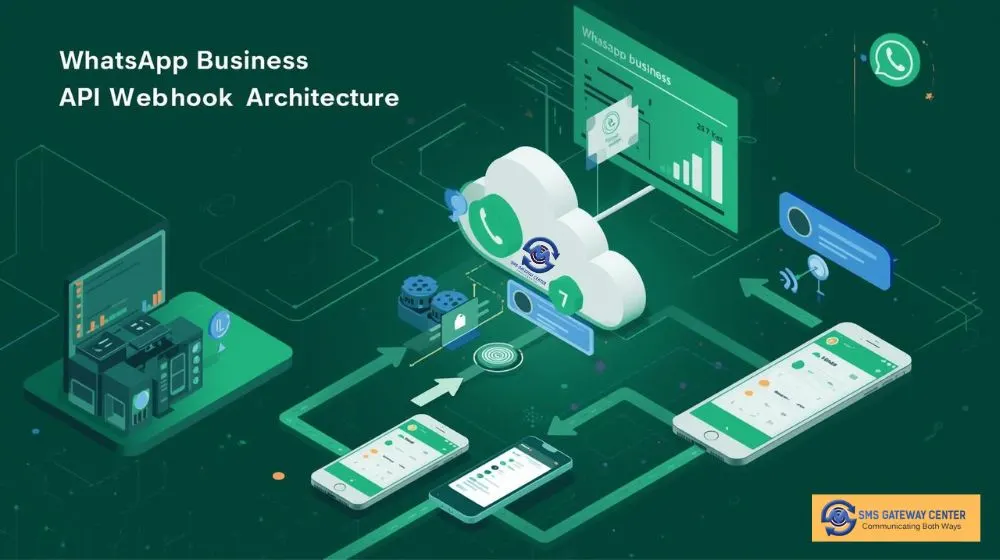
Webhooks are automated HTTP callbacks that enable real-time, event-driven communication between your application and the WhatsApp Business API platform. Instead of your system repeatedly checking for updates (polling), webhooks allow the WhatsApp platform to proactively push data to your server whenever specific events occur.
How Webhooks Work
The webhook workflow follows a straightforward pattern:
- Event Trigger: An event occurs on the WhatsApp platform (message delivered, message read, incoming customer reply)
- Webhook Registration: Your application provides a callback URL endpoint where data should be sent
- Payload Delivery: The WhatsApp platform sends an HTTP POST request with event data to your endpoint
- Processing: Your application receives and processes the webhook payload, triggering appropriate business logic
This real-time communication eliminates delays, reduces server load, and enables immediate response to customer interactions.
Types of WhatsApp Webhooks
1. Delivery Receipt (DLR) Webhooks
Delivery Receipt webhooks provide real-time status updates about messages you’ve sent through the WhatsApp Business API. These webhooks notify you when:
- Messages are successfully sent to WhatsApp servers
- Messages are delivered to the recipient’s device
- Messages are read by the recipient
- Messages fail to deliver with error codes
Key Parameters for DLR Webhooks:
transactionId– Unique identifier for your message transactionmessageId– WhatsApp message identifiermobileNo– Recipient’s mobile number with country codeerrorCode– Error code if delivery failedreceivedTime– Timestamp when WhatsApp received the messagedoneDate– Timestamp when message was deliveredreadTime– Timestamp when recipient read the messagestatus– Current message status (sent, delivered, read, failed)wabaNumber– WhatsApp Business Account number
2. Mobile Originated (MO) Webhooks
MO webhooks capture incoming messages from customers, enabling two-way conversational experiences. When a customer replies to your WhatsApp message or initiates a conversation, the MO webhook delivers:
- Customer message content
- Sender’s mobile number
- Message timestamp
- Media attachments (images, videos, documents)
- Message type (text, media, location, contact)
This real-time message reception is crucial for building customer support chatbots, order tracking systems, and interactive marketing campaigns.
Setting Up WhatsApp Webhooks: Step-by-Step Configuration
Prerequisites
Before configuring webhooks, ensure you have:
- An active WhatsApp Business API account
- A publicly accessible HTTPS endpoint (webhooks require SSL/TLS encryption)
- Server infrastructure to process incoming webhook requests
- Authentication credentials for webhook security
Configuration Steps
Step 1: Create Your Webhook Endpoint
Your webhook endpoint must be a publicly accessible URL that can receive POST requests. Here’s a basic PHP example:
<?php
// WhatsApp Webhook Handler
// Verify webhook token for security
$webhookToken = $_GET['wt'] ?? '';
$expectedToken = 'your_secure_webhook_token_here';

if($webhookToken !== $expectedToken) {
    http_response_code(403);
    die('Unauthorized request');
}

// Log incoming data
$requestData = file_get_contents('php://input');
$webhookData = json_decode($requestData, true);

// Log for debugging
error_log('WhatsApp Webhook Received: ' . $requestData);

// Process webhook data
if(isset($webhookData['messageId'])) {
    $messageId = $webhookData['messageId'];
    $status = $webhookData['status'];
    $mobileNo = $webhookData['mobileNo'];

    // Update your database with delivery status
    updateMessageStatus($messageId, $status);
}

// Return 200 OK response
http_response_code(200);
echo json_encode(['success' => true]);
?>
Step 2: Configure Webhook in Your Dashboard
When setting up webhooks through your SMS Gateway Center dashboard, you’ll need to specify:
Product Selection: Choose “WhatsApp” from available products
Server Send Method: Select your preferred HTTP method
- POST (recommended for sending data)
- GET (for simple status updates)
- JSON (structured data format)
- XML (alternative structured format)
Webhook Report Type:
- DLR (Delivery Report) – For outbound message tracking
- MO (Mobile Originated) – For incoming customer messages
WABA Number Selection: Choose your WhatsApp Business Account number from the dropdown
Webhook URL Endpoint: Enter your public HTTPS URL
https://yourdomain.com/webhooks/whatsapp?wt=your_secure_tokenStep 3: Configure Webhook Parameters
Map the WhatsApp event data to your custom parameter names:
Required Parameters:
{
    "transactionId": "your_transaction_param",
    "messageId": "your_message_id_param",
    "errorCode": "your_error_code_param",
    "mobileNo": "your_mobile_param",
    "receivedTime": "your_received_time_param",
    "doneDate": "your_delivered_time_param"
}
WhatsApp-Specific Parameters:
{
    "readTime": "your_read_time_param",
    "status": "your_status_param",
    "wabaNumber": "your_waba_number_param",
    "waMsgId": "whatsapp_message_id",
    "conversationId": "conversation_identifier",
    "billingModel": "billing_category",
    "category": "message_category"
}
Step 4: Add Custom Parameters (Optional)
Enhance your webhook with custom parameters for additional tracking:
{
    "campaignId": "your_campaign_identifier",
    "customerId": "your_customer_id",
    "orderNumber": "order_reference",
    "source": "mobile_app"
}
Step 5: Configure Custom Headers
Add authentication headers or API keys:
{
    "Authorization": "Bearer your_api_token",
    "X-API-Key": "your_secret_key",
    "Content-Type": "application/json"
}
Step 6: Test Your Webhook
Always test your webhook configuration before going live:
- Click the “Test Webhook” button in your dashboard
- Review the test payload sent to your endpoint
- Verify your server receives and processes the data correctly
- Check the HTTP response code (200 OK indicates success)
- Review webhook logs for any errors
Event Handling: Processing Webhook Data
Understanding Webhook Payloads
When WhatsApp triggers a webhook, you’ll receive a JSON payload with comprehensive event information. Here’s an example DLR webhook payload:
{
    "transactionId": "TXN123456789",
    "messageId": "wamid.HBgNMTIzNDU2Nzg5MBUCABEYEjlCN0U4RjBGODcyMDM2NURE",
    "mobileNo": "919876543210",
    "errorCode": "000",
    "receivedTime": "1710428400",
    "doneDate": "1710428405",
    "readTime": "1710428420",
    "status": "READ",
    "wabaNumber": "919123456780",
    "waMsgId": "wamid.HBgNMTIzNDU2Nzg5MBUCABEYEjlCN0U4RjBGODcyMDM2NURE",
    "conversationId": "conv_abc123xyz",
    "billingModel": "CBP",
    "category": "MARKETING"
}
Processing Different Event Types
Message Sent:
if($status === 'SENT') {
    // Update UI to show message sent
    updateMessageStatus($messageId, 'sent');
    logEvent('whatsapp_message_sent', $transactionId);
}
Message Delivered:
if($status === 'DELIVERED') {
    // Trigger follow-up actions
    updateMessageStatus($messageId, 'delivered');
    calculateDeliveryTime($receivedTime, $doneDate);
}
Message Read:
if($status === 'READ') {
    // Customer engaged - trigger next step
    updateMessageStatus($messageId, 'read');
    triggerFollowUpMessage($mobileNo, $readTime);
}
Message Failed:
if($status === 'FAILED') {
    // Handle delivery failure
    $errorMessage = getErrorMessage($errorCode);
    logError('whatsapp_delivery_failed', [
        'messageId' => $messageId,
        'errorCode' => $errorCode,
        'errorMessage' => $errorMessage
    ]);
    // Attempt retry or use alternative channel
    retryMessageDelivery($messageId);
}
Handling Incoming Messages (MO)
For Mobile Originated webhooks, process customer replies:
// MO Webhook Handler
$incomingPayload = json_decode(file_get_contents('php://input'), true);

$customerNumber = $incomingPayload['mobileNo'];
$messageContent = $incomingPayload['message'];
$messageType = $incomingPayload['type']; // text, image, video, document
$timestamp = $incomingPayload['timestamp'];

// Store incoming message
saveIncomingMessage($customerNumber, $messageContent, $timestamp);

// Trigger automated response or route to agent
if(isKeywordMatch($messageContent)) {
    sendAutomatedResponse($customerNumber);
} else {
    routeToCustomerSupport($customerNumber, $messageContent);
}
Error Management and Handling
Common Webhook Errors
1. HTTP 403 Forbidden
- Cause: Invalid webhook token or authentication failure
- Solution: Verify your webhook token matches configuration
2. HTTP 404 Not Found
- Cause: Webhook endpoint URL is incorrect or inaccessible
- Solution: Verify URL is publicly accessible and HTTPS enabled
3. HTTP 500 Internal Server Error
- Cause: Your server-side code has an error
- Solution: Review application logs, add try-catch blocks
4. Timeout Errors
- Cause: Your webhook processing takes too long (> 30 seconds)
- Solution: Process webhooks asynchronously using queues
Implementing Robust Error Handling
<?php
try {
    // Validate webhook data
    if(!isset($_REQUEST['wt'])) {
        throw new Exception('Webhook token missing');
    }

    $webhookToken = $_REQUEST['wt'];
    $expectedToken = getenv('WEBHOOK_TOKEN');

    if($webhookToken !== $expectedToken) {
        http_response_code(403);
        logSecurityEvent('invalid_webhook_token', $_SERVER['REMOTE_ADDR']);
        throw new Exception('Invalid webhook token');
    }

    // Parse incoming data
    $payload = file_get_contents('php://input');

    if(empty($payload)) {
        throw new Exception('Empty webhook payload');
    }

    $data = json_decode($payload, true);

    if(json_last_error() !== JSON_ERROR_NONE) {
        throw new Exception('Invalid JSON: ' . json_last_error_msg());
    }

    // Log incoming webhook
    logWebhook('whatsapp_webhook_received', $data);

    // Process webhook asynchronously
    queueWebhookProcessing($data);

    // Return success response immediately
    http_response_code(200);
    echo json_encode(['status' => 'success', 'message' => 'Webhook received']);

} catch(Exception $e) {
    // Log error with full context
    logError('webhook_processing_error', [
        'error' => $e->getMessage(),
        'trace' => $e->getTraceAsString(),
        'request_data' => $_REQUEST,
        'ip_address' => $_SERVER['REMOTE_ADDR']
    ]);

    // Return appropriate error response
    http_response_code(400);
    echo json_encode(['status' => 'error', 'message' => $e->getMessage()]);
}
?>
Implementing Retry Logic
WhatsApp will retry webhook delivery if your endpoint returns an error:
function processWebhookWithRetry($data, $maxRetries = 3) {
    $retryCount = 0;

    while($retryCount < $maxRetries) {
        try {
            // Process webhook data
            $result = processWebhookData($data);

            if($result) {
                return true;
            }

            throw new Exception('Processing failed');

        } catch(Exception $e) {
            $retryCount++;

            if($retryCount >= $maxRetries) {
                // Log permanent failure
                logPermanentFailure('webhook_max_retries', $data, $e);
                return false;
            }

            // Exponential backoff
            sleep(pow(2, $retryCount));
        }
    }
}
Security Best Practices
1. Implement Webhook Token Validation
Always validate incoming webhook requests using a secure token:
<?php
$webhookToken = $_GET['wt'] ?? '';
$expectedToken = getenv('WEBHOOK_SECRET_TOKEN');

// Use constant-time comparison to prevent timing attacks
if(!hash_equals($expectedToken, $webhookToken)) {
    http_response_code(403);
    logSecurityViolation('invalid_token', $_SERVER['REMOTE_ADDR']);
    die('Unauthorized');
}
?>
2. Use HTTPS Only
Never accept webhook requests over plain HTTP. Configure your server to:
- Require TLS 1.2 or higher
- Use valid SSL certificates (Let’s Encrypt is free)
- Redirect HTTP to HTTPS
3. Validate Request Origin
Verify requests come from legitimate WhatsApp servers:
$allowedIPs = [
    '31.13.64.0/24',
    '31.13.65.0/24',
    '31.13.66.0/24',
    '31.13.67.0/24',
    // Add WhatsApp server IP ranges
];

$clientIP = $_SERVER['REMOTE_ADDR'];

if(!isIPAllowed($clientIP, $allowedIPs)) {
    http_response_code(403);
    logSecurityEvent('unauthorized_ip', $clientIP);
    die('Access denied');
}
4. Implement Rate Limiting
Protect your webhook endpoint from abuse:
function checkRateLimit($identifier, $maxRequests = 100, $timeWindow = 60) {
    $redis = new Redis();
    $redis->connect('127.0.0.1', 6379);

    $key = "webhook_rate_limit:{$identifier}";
    $requests = $redis->incr($key);

    if($requests === 1) {
        $redis->expire($key, $timeWindow);
    }

    if($requests > $maxRequests) {
        http_response_code(429);
        die('Rate limit exceeded');
    }

    return true;
}

// Apply rate limit by IP
checkRateLimit($_SERVER['REMOTE_ADDR']);
5. Sanitize and Validate Input Data
Never trust incoming webhook data blindly:
function sanitizeWebhookData($data) {
    $clean = [];

    // Sanitize mobile number
    if(isset($data['mobileNo'])) {
        $clean['mobileNo'] = preg_replace('/[^0-9]/', '', $data['mobileNo']);
    }

    // Sanitize message ID
    if(isset($data['messageId'])) {
        $clean['messageId'] = filter_var(
            $data['messageId'],
            FILTER_SANITIZE_STRING
        );
    }

    // Validate status values
    $allowedStatuses = ['SENT', 'DELIVERED', 'READ', 'FAILED'];
    if(isset($data['status']) && in_array($data['status'], $allowedStatuses)) {
        $clean['status'] = $data['status'];
    }

    return $clean;
}
6. Implement Comprehensive Logging
Log all webhook activity for security auditing:
function logWebhookActivity($event, $data) {
    $logEntry = [
        'timestamp' => date('Y-m-d H:i:s'),
        'event' => $event,
        'ip_address' => $_SERVER['REMOTE_ADDR'],
        'user_agent' => $_SERVER['HTTP_USER_AGENT'] ?? 'unknown',
        'data' => $data,
        'request_id' => uniqid('webhook_', true)
    ];

    // Log to file
    error_log(json_encode($logEntry), 3, '/var/log/whatsapp-webhooks.log');

    // Log to database for analysis
    saveToDatabase('webhook_logs', $logEntry);

    // Alert on suspicious activity
    if(isSuspiciousActivity($logEntry)) {
        sendSecurityAlert($logEntry);
    }
}
Advanced Webhook Implementation Patterns
Asynchronous Processing with Queues
For high-volume webhook traffic, process webhooks asynchronously:
// Webhook receiver (responds immediately)
$payload = file_get_contents('php://input');

// Add to Redis queue
$redis = new Redis();
$redis->connect('127.0.0.1', 6379);
$redis->rPush('whatsapp_webhooks', $payload);

// Return 200 OK immediately
http_response_code(200);
echo json_encode(['queued' => true]);

// Worker process (runs separately)
while(true) {
    $payload = $redis->blPop('whatsapp_webhooks', 0)[1];
    processWebhookPayload(json_decode($payload, true));
}
Webhook Signature Verification
Implement cryptographic signature verification:
function verifyWebhookSignature($payload, $signature, $secret) {
    $expectedSignature = hash_hmac('sha256', $payload, $secret);

    return hash_equals($expectedSignature, $signature);
}

$payload = file_get_contents('php://input');
$signature = $_SERVER['HTTP_X_WEBHOOK_SIGNATURE'] ?? '';
$secret = getenv('WEBHOOK_SECRET');

if(!verifyWebhookSignature($payload, $signature, $secret)) {
    http_response_code(403);
    die('Invalid signature');
}
Database Schema for Webhook Logs
Store webhook history for analytics and debugging:
CREATE TABLE whatsapp_webhook_logs (
    id BIGINT AUTO_INCREMENT PRIMARY KEY,
    message_id VARCHAR(255) NOT NULL,
    transaction_id VARCHAR(255),
    mobile_no VARCHAR(20) NOT NULL,
    status ENUM('SENT', 'DELIVERED', 'READ', 'FAILED') NOT NULL,
    error_code VARCHAR(10),
    received_time TIMESTAMP,
    delivered_time TIMESTAMP,
    read_time TIMESTAMP,
    waba_number VARCHAR(20),
    conversation_id VARCHAR(255),
    billing_model VARCHAR(50),
    category VARCHAR(50),
    raw_payload JSON,
    created_at TIMESTAMP DEFAULT CURRENT_TIMESTAMP,
    INDEX idx_message_id (message_id),
    INDEX idx_mobile_no (mobile_no),
    INDEX idx_status (status),
    INDEX idx_created_at (created_at)
);
Testing Your Webhook Integration
Local Testing with ngrok
Before deploying to production, test webhooks locally:
- Install ngrok: Download from https://ngrok.com
- Start your local server:
php -S localhost:8000 - Create public tunnel:
ngrok http 8000 - Use ngrok URL: Copy the HTTPS URL and configure it in your SMS Gateway Center dashboard
Creating Test Payloads
Simulate webhook events for development:
// Test DLR webhook
$testPayload = [
    'transactionId' => 'TEST_' . time(),
    'messageId' => 'test_message_' . uniqid(),
    'mobileNo' => '919876543210',
    'errorCode' => '000',
    'status' => 'DELIVERED',
    'receivedTime' => time() - 10,
    'doneDate' => time(),
    'wabaNumber' => '919123456780'
];

// Send to your webhook endpoint
$ch = curl_init('https://your-domain.com/webhook?wt=your_token');
curl_setopt($ch, CURLOPT_POST, 1);
curl_setopt($ch, CURLOPT_POSTFIELDS, json_encode($testPayload));
curl_setopt($ch, CURLOPT_HTTPHEADER, ['Content-Type: application/json']);
curl_setopt($ch, CURLOPT_RETURNTRANSFER, true);
$response = curl_exec($ch);
curl_close($ch);

echo "Test Response: " . $response;
Monitoring and Debugging
Webhook Health Monitoring
Track webhook performance metrics:
function trackWebhookMetrics($webhookData, $processingTime) {
    $metrics = [
        'timestamp' => microtime(true),
        'processing_time_ms' => $processingTime * 1000,
        'status' => $webhookData['status'],
        'error_code' => $webhookData['errorCode'] ?? null
    ];

    // Send to monitoring service
    sendToInfluxDB('whatsapp_webhooks', $metrics);

    // Alert on slow processing
    if($processingTime > 5.0) {
        alertSlowProcessing($webhookData, $processingTime);
    }
}
Common Debugging Scenarios
Webhooks Not Arriving:
- Verify webhook URL is publicly accessible
- Check firewall rules and security groups
- Ensure SSL certificate is valid
- Review webhook configuration in dashboard
Duplicate Webhooks:
- Implement idempotency using message IDs
- Store processed webhook IDs in cache/database
function isWebhookProcessed($messageId) {
    $redis = new Redis();
    $redis->connect('127.0.0.1', 6379);

    $key = "processed_webhook:{$messageId}";

    if($redis->exists($key)) {
        return true;
    }

    // Mark as processed (expire after 7 days)
    $redis->setex($key, 604800, 1);
    return false;
}
Best Practices Summary
✅ Always use HTTPS for webhook endpoints
✅ Implement webhook token validation to prevent unauthorized access
✅ Respond with HTTP 200 within 5 seconds to avoid retries
✅ Process webhooks asynchronously using queues for scalability
✅ Log all webhook activity for debugging and compliance
✅ Implement idempotency to handle duplicate webhooks
✅ Sanitize and validate all incoming data
✅ Monitor webhook performance and set up alerts
✅ Test thoroughly before production deployment
✅ Handle errors gracefully with retry logic
Conclusion
Implementing WhatsApp Business API webhooks is essential for building real-time, responsive customer communication systems. By following the configuration steps, security best practices, and error handling strategies outlined in this guide, you’ll create a robust webhook integration that scales with your business needs.
Whether you’re building a customer support chatbot, order notification system, or marketing automation platform, webhooks provide the real-time intelligence needed to deliver exceptional customer experiences.
Ready to implement WhatsApp webhooks in your application? Get started with SMS Gateway Center’s WhatsApp Business API today and unlock the power of real-time messaging.
Additional Resources
- WhatsApp Business API Documentation
- SMS Gateway Center API Guides
- Two-Way SMS Integration
- Bulk SMS Services
- Banking & Finance WhatsApp Business API: Secure Customer Communication
- API Rate Limiting and Throttling: Best Practices for SMS Services
- Understanding SMS Gateway Architecture: A Technical Overview
Need help with your WhatsApp webhook integration? Contact our technical support team for expert assistance and personalized implementation guidance.