Table of Contents
- The Short Answer
- TL;DR
- Two Different Failures That Both Look Like Rejection
- The Master Rejection Reason Table
- Variables: The Single Largest Cause of Rejection
- Category Misclassification
- Header and Sender ID Mismatch
- URLs, Shortlinks and Whitelisting
- Special Characters, Unicode and Emoji
- Length, Segments and Why Rejection Is Also a Cost Problem
- Duplicate and Near-Duplicate Templates
- Language and Script Registration
- Consent Templates Are Not Content Templates
- Approved but Mismatched: Status Code 188
- Creating Templates Programmatically
- Pre-Send Validation: Catching Mismatch Before the Operator Does
- Rendering DLT Variables Without Corrupting Them
- Symptom to Cause to Fix: Debug Table
- How to Resubmit a Rejected Template Without Getting Rejected Again
- Building a Template Registry You Can Actually Audit
- Pre-Submission Checklist
- Ten Mistakes That Keep Costing Teams Approvals
- FAQs
The Short Answer
A DLT content template is rejected when its declared structure does not match its actual content: the wrong category for the message intent, variables used as content rather than as placeholders, a header that is not bound to the entity submitting it, an unwhitelisted URL or callback number, characters the portal will not accept, or a body that already exists under another template ID. Every one of these is a rule check, not a judgement call, which means every one of them has a deterministic fix. Fix the rule and resubmit. There is no penalty for resubmission and no cap on attempts.
The rejection you can see on the portal is the easy one. The expensive one is the template that gets approved and then still fails at send time, because your outgoing message no longer matches the approved body character for character. That failure surfaces as statusCode 188, message template mismatch, and it is preventable with a single API call in your deployment pipeline.
TL;DR
- Registration rejection and send-time mismatch are two different failures. Registration rejection happens on the DLT portal before any message exists. Mismatch happens on an approved template at scrubbing time. Fixing one does not fix the other.
- Variable misuse causes more rejections than everything else combined. Use
{#var#}exactly, never a variant, never as the entire message, never back to back, and never to carry content that changes the meaning or category of the message. - Category and content must agree. Promotional wording inside a service or transactional template is rejected on sight, and it is the most common category failure.
- The header you select must already be approved and bound to the same principal entity. A header approved for a different entity or in a different category will not attach.
- Punctuation, spacing and case matter at scrubbing time even when they were accepted at registration. Validate the rendered message, not the template string, before you send.
- Validate with
POST https://unify.smsgateway.center/SMSApi/validateTemplatein CI, not in production. A mismatch caught in a pull request costs nothing. A mismatch caught in production costs a failed campaign and, since billing fires at submission, it can still cost credits. - Templates can be created programmatically with
POST https://unify.smsgateway.center/SMSApi/template/create, which returnsTemplate created successfully and given for approval. Approval still happens on the portal side. - A template that is 11 characters over a segment boundary costs a second credit on every single message until you re-register a shorter one. Rejection is a compliance problem. Template length is a billing problem. Solve both at design time.
Two Different Failures That Both Look Like Rejection
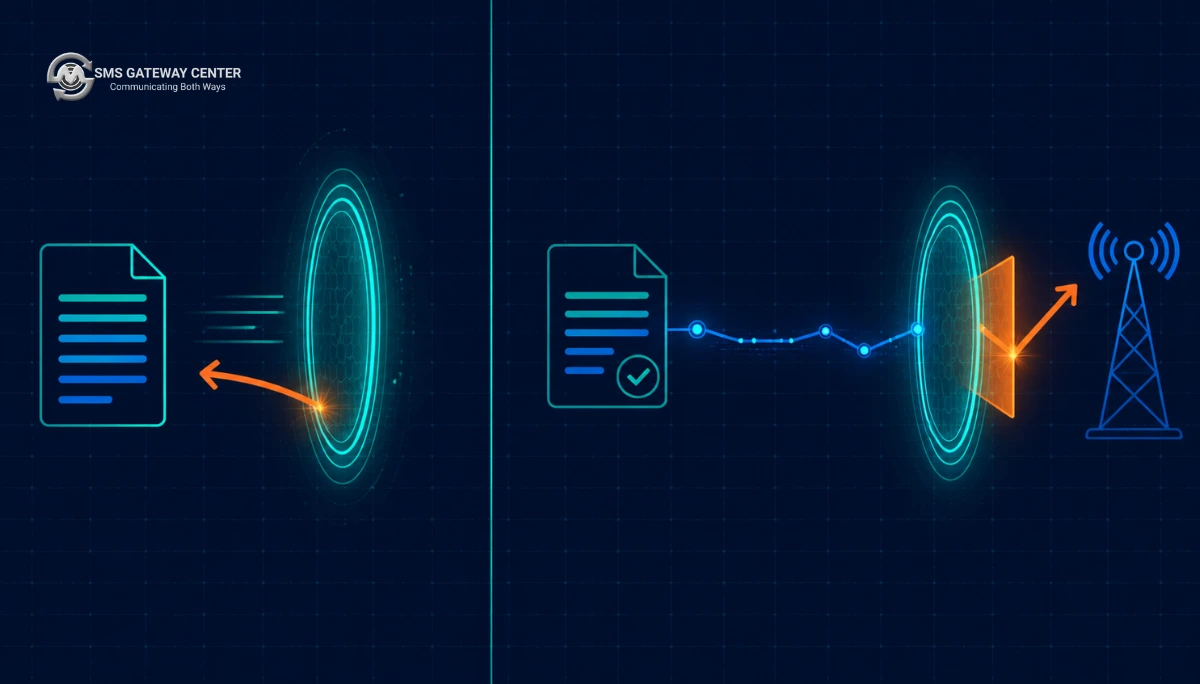
Teams conflate these constantly, and the conflation wastes days. They are structurally different events at different points in the message lifecycle.
Failure A: registration rejection. You submit a content template on your operator’s DLT portal. A reviewer or an automated rule check evaluates it against the TCCCPR framework and the portal’s own content policy. It comes back rejected with a reason string. No message has been sent. No credits have moved. Nothing is broken in your code. The fix is entirely in the template text and its declared metadata.
Failure B: send-time mismatch. You have an approved template and a valid dltTemplateId. You call the send API. The message reaches the operator’s scrubbing layer, which compares the rendered message body against the registered template associated with that ID. If they do not reconcile, the message is dropped and you get a compliance failure rather than a delivery failure. In SMSGatewayCenter’s delivery reporting this presents as a template check failure, and in the pre-send validation API it presents as statusCode 188.
The distinction matters because the diagnostics differ. For Failure A, the portal tells you why. For Failure B, the portal has already said yes, so the only signal you get is a rejected message and a status code. You have to reconstruct what your code actually sent, which is why logging the fully rendered message body, not just the template ID and the variable array, is a hard requirement in any India-facing messaging stack.
The rest of this guide handles Failure A first, because a clean template registration removes most of the surface area for Failure B.
The Master Rejection Reason Table
This is the centrepiece. Find your rejection reason in the left column, apply the fix in the right column, resubmit.
| # | Rejection reason | What the portal is actually checking | The fix |
|---|---|---|---|
| 1 | Invalid variable format | The placeholder token does not match the accepted {#var#} form | Replace every placeholder with the literal string {#var#}. No numbering, no naming, no spaces inside the braces. {#var1#}, {# var #}, {{var}}, %s, ${name} and [name] are all rejected. |
| 2 | Excessive variables | The ratio of variable placeholders to fixed text is high enough that the template could carry arbitrary content | Reduce variables to the values that genuinely change per recipient. Move anything static into fixed text. If a variable exists only to carry a product name that never changes, hardcode it. |
| 3 | Variable-only or near variable-only content | The template has no meaningful fixed content, so it cannot be scrubbed against | Add real fixed wording that establishes the message purpose. A template that reads {#var#} {#var#} {#var#} is a blank cheque and is always rejected. |
| 4 | Adjacent variables | Two placeholders sit next to each other with no separating fixed text | Insert fixed text between them, even a single word or a punctuation-plus-space separator. Adjacent variables make the boundary between values undecidable at scrubbing time. |
| 5 | Variable at the very start or very end | The scrubber cannot anchor the template if the boundary is a wildcard | Anchor both ends with fixed text. Start with your brand or the message purpose, end with your brand or a closing phrase. |
| 6 | Promotional content in a Service or Transactional category | Marketing language, offers, discounts, calls to action or incentives inside a non-promotional category | Either strip the promotional language and keep the category, or move the template to the Promotional category and accept the promotional sending window and DND filtering that comes with it. |
| 7 | Category mismatch, Service Implicit versus Service Explicit | The message content implies a consent basis that does not match the declared category | Map intent to category properly. See the category section below. A shipping update is Service Implicit. A curated recommendation to an opted-in customer is Service Explicit. |
| 8 | Transactional category misuse | Transactional is reserved for a narrow class of one-time-password and account-critical traffic for registered financial entities | Do not register order confirmations or delivery alerts as Transactional. Use Service Implicit. If you genuinely need Transactional, confirm your entity type is eligible on the portal before submitting. |
| 9 | Header not approved or not bound | The selected sender ID is not approved for this principal entity, or not approved for this category | Register and get the header approved first, in the same category. See Header and Sender ID Mismatch. |
| 10 | Header mismatch with content | The header is a brand identity that does not appear anywhere in the fixed text | Include your brand name in the fixed content of the template. This is the cheapest fix in the entire list and it prevents a surprising number of rejections. |
| 11 | Unregistered or unwhitelisted URL | The template contains a link whose domain has not been submitted for whitelisting | Whitelist the exact domain, including the shortlink domain if you use one, before submitting a template that contains it. |
| 12 | Shortener domain in template | Public URL shorteners are generally not accepted because the destination is unverifiable | Use a branded short domain you control and whitelist it. Do not use a public shortener. |
| 13 | URL inside a variable | The template hides a link behind a placeholder, defeating URL review | Put the domain in fixed text and only the path or token in the variable, for example example.com/t/{#var#}. |
| 14 | Unregistered callback number | A phone number appears in the template but is not on the entity’s approved list | Register the number on the portal first, or remove it and direct users to a registered support channel. |
| 15 | Disallowed special characters | Characters or symbols the portal does not accept in template bodies | Remove emoji and decorative symbols. Keep punctuation minimal and conventional. See Special Characters. |
| 16 | Emoji in template | Emoji are frequently blocked outright and also force the message into Unicode encoding | Remove them. If you truly need them, verify acceptance for your category on your portal before designing around them. |
| 17 | Spelling and grammar errors | Reviewers reject templates with obvious errors because the template becomes the permanent, immutable message body | Proofread before submission. You cannot edit an approved template; you can only register a new one and migrate. |
| 18 | Duplicate template | An identical or near-identical body already exists under another template ID for the same entity | Search your existing approved templates first. If a duplicate exists, reuse its ID instead of registering a new one. See Duplicates. |
| 19 | Language or script not registered | The template body is in a language or script not enabled for the entity, or mixes scripts unexpectedly | Register each language variant as its own template. Do not assume a single template covers a transliterated version. |
| 20 | Mixed script within one template | Latin and a regional script interleaved in a way the portal does not accept | Split into two templates, one per script, each with its own ID. |
| 21 | Excessive length | The body exceeds the portal’s accepted character ceiling for a single template | Shorten. Long bodies are also a per-message billing cost. See Length and Segments. |
| 22 | Consent scope contains variables | Variables were used inside a consent template, where they are not applicable | Remove all variables from consent templates. Variables belong to content templates only. See Consent Templates. |
| 23 | Content does not match declared entity business | The template describes a service outside the entity’s registered business activity | Align the template with your registered business scope, or update your entity record before resubmitting. |
| 24 | Prohibited or restricted content | Content in a category the regulator restricts | Do not resubmit variations. Restructure the offering or the message purpose entirely. |
If your rejection reason string does not map cleanly onto a row above, it is almost always a variant of row 1, 6 or 9. Check those three first.
Variables: The Single Largest Cause of Rejection
If you fix nothing else in this article, fix your variables. Across every DLT support queue this is the dominant failure mode, and it fails for reasons that have nothing to do with your wording.
The exact token
The accepted placeholder is the literal seven-character string {#var#}. That is an opening brace, a hash, the lowercase letters var, a hash, a closing brace. Every deviation is a rejection:
{#var#}     correct
{#VAR#}     rejected, case
{#var1#}    rejected, numbering is not part of the token
{# var #}   rejected, whitespace inside the braces
{#var}      rejected, missing closing hash
{{var}}     rejected, wrong syntax entirely
{name}      rejected
%s          rejected
${amount}   rejected
[OTP]       rejected
Variables are positional. The first {#var#} in the template maps to your first value, the second to your second, and so on. There is no name binding and there is no reordering. This has direct consequences for how you render them in code, covered in Rendering DLT Variables.
The character budget per variable
Portal convention treats one variable as consuming a fixed allowance of thirty characters when the template’s total length is computed at registration. SMSGatewayCenter’s own DLT SMS message content template registration guide documents this behaviour on the Airtel portal: you choose the number of variables based on the message length you need, because each one consumes budget whether or not you fill it.
Two practical consequences follow.
First, a template with six variables has already spent a large chunk of its allowance before you write a single word of fixed text. If your template is being rejected for length and you cannot see why, count the variables.
Second, and more expensively, the thirty-character allowance is a registration-time accounting figure and has nothing to do with what you are billed at send time. Billing is computed on the actual rendered message. A variable that resolves to a six-character order ID does not cost thirty characters of credit. But it did cost you thirty characters of registration budget, which may have forced you to shorten fixed text you actually needed.
Why variable-heavy templates get rejected
The regulator’s concern is straightforward: a template that is mostly placeholders is not a template, it is an open channel. The scrubbing layer exists to verify that the message a subscriber receives matches something a principal entity registered and took responsibility for. If eighty percent of the body is variable, that verification is meaningless.
So the rules that follow are all versions of the same principle:
- No variable-only templates.
{#var#}alone, or{#var#} {#var#}, is always rejected. - No adjacent variables.
{#var#}{#var#}and{#var#} {#var#}are both problematic. Put fixed text between them.Order {#var#} for {#var#} is confirmedis fine.{#var#} {#var#} is confirmedis not. - Anchor both ends. Starting or ending the template with a variable leaves the scrubber without a fixed boundary to match against. Lead with your brand or the message purpose and close with your brand.
- Do not let a variable change the message category. If a variable could plausibly carry a promotional offer inside a service template, the template is doing something the category does not permit, regardless of what you actually put in it in production.
Good and bad variable structure, side by side
| Rejected | Why | Approved version |
|---|---|---|
{#var#} | Variable only, no fixed content | Your ACME verification code is {#var#}. Do not share it with anyone. ACME |
Hi {#var#} {#var#} | Adjacent variables, no anchor, no purpose | Hi {#var#}, your ACME order {#var#} has been confirmed. ACME |
{#var#} is your OTP | Leading variable | Your ACME login OTP is {#var#}. Valid for 10 minutes. ACME |
Dear customer, {#var#} | Trailing variable carries the entire payload | Dear customer, your ACME statement for {#var#} is now available in the app. ACME |
Order update: {#var#} | The variable carries the whole message body | Order update: your ACME order {#var#} has shipped and will arrive by {#var#}. Track it in the ACME app. ACME |
Note what the approved column has in common. Fixed text at both ends, the brand name present in the body, and each variable carrying exactly one data value with fixed text describing what that value means.
Category Misclassification
The second largest cause. Four categories exist, and they are not interchangeable. Choosing the wrong one gets the template rejected at registration, and choosing a category your content does not support gets it rejected even when the wording looks harmless to you.
| Category | Consent basis | What belongs here | Sending window | DND treatment |
|---|---|---|---|---|
| Promotional | No prior relationship required, but recipients on the preference registry are filtered | Offers, discounts, campaigns, product announcements, anything with a commercial call to action | Restricted daytime window | Filtered against the customer preference registry |
| Service Implicit | An existing customer relationship creates implied consent | Order confirmations, shipping updates, appointment reminders, payment receipts, account alerts, service notifications | Full day | Delivered to registry-listed numbers |
| Service Explicit | Recipient has given explicit, recorded consent through a registered consent template | Content that goes beyond the immediate transaction: recommendations, curated updates, opted-in newsletters, offers to consented customers | Full day | Delivered to consented recipients |
| Transactional | Narrow, entity-restricted | One-time passwords and account-critical traffic for eligible registered entities such as banks and financial institutions | Full day | Delivered |
SMSGatewayCenter maintains dedicated explainers on the two service categories that are worth reading before you classify anything: Service Implicit SMS and Service Explicit SMS. The distinction between them is a consent-record distinction, not a content distinction, and that is the part teams get wrong.
The three category mistakes that cause almost all category rejections
One: promotional wording inside a service template. This is the big one. A shipping notification that ends with Shop more at acme.com and get 10% off is a promotional message wearing a service template’s clothes. The presence of any incentive, discount, offer, upsell or campaign call to action moves the message into Promotional regardless of what the rest of the body says. Strip it or reclassify.
Watch for the softer versions too. Explore our new range, Refer a friend, Limited time, Download now to get, and even an unqualified Visit our website can trip category review inside a service template.
Two: registering everything as Transactional because it delivers to DND numbers. Teams discover that Transactional bypasses preference filtering and try to route everything through it. Transactional is entity-restricted and content-restricted. Order confirmations and delivery updates are Service Implicit, and Service Implicit already delivers to registry-listed numbers, so the workaround is solving a problem you do not have. If you are unsure where OTP traffic belongs, SMSGatewayCenter answers this directly in Under Which Category Should I Register My OTP Templates on the DLT Portal?.
Three: Service Explicit without a registered consent template. Service Explicit requires a consent artefact. If you register Service Explicit content without having a corresponding approved consent template and a real consent record, you will either be rejected at registration or fail later at the consent check during scrubbing. SMSGatewayCenter documents that failure mode in What does CONSENT_FAILED mean?, and the registration side in How to Register Consent Template on DLT Portals.
A decision matrix for classifying a message
| Question | Yes | No |
|---|---|---|
| Does the message contain any offer, discount, incentive or commercial call to action? | Promotional | Continue |
| Is it an OTP or account-critical authentication message for an eligible financial entity? | Transactional | Continue |
| Is the message a direct consequence of a transaction or relationship the recipient initiated? | Service Implicit | Continue |
| Do you hold a recorded, explicit consent against a registered consent template for this recipient and this content type? | Service Explicit | Reclassify as Promotional or do not send |
Run every template through this matrix before you touch the portal. It takes thirty seconds and it removes the most common rejection cause after variables.
Header and Sender ID Mismatch
A header, also called the sender ID, is a separate registered artefact from a template. Templates attach to headers. If the attachment is invalid, the template is rejected even when its text is perfect.
Four things must line up:
- The header must already be approved. You cannot submit a template against a header that is still pending. Register the header, wait for approval, then register templates against it.
- The header must belong to the same principal entity. A header approved under a different entity ID will not attach, and this bites hard during company restructures and brand acquisitions.
- The header category must match the template category. A header approved for Promotional traffic cannot carry Service Implicit templates. This is a frequent surprise for teams that registered a single header early on and later expanded into a second category.
- The header must be bound to your telemarketer chain. In India, the principal entity to telemarketer binding governs which aggregator may actually deliver traffic on your behalf. If that chain is broken, the template may register fine and then fail at delivery. SMSGatewayCenter explains this in PE-TM Binding Chain Process in DLT, and it is the first thing to check when messages that worked last month stop working after a provider change.
Indian alphanumeric headers are six characters. Register them through the portal, or programmatically:
curl -X POST https://unify.smsgateway.center/SMSApi/senderid/create \
  -H "apikey: YOUR_API_KEY" \
  -d "senderid=ACMEIN" \
  -d "output=json"
Success response:
{
  "response": {
    "api": "senderid",
    "action": "create",
    "status": "success",
    "msg": "SenderId created successfully.",
    "code": "200"
  }
}
That call submits the header. Approval still happens through the DLT and operator process. Full parameter documentation lives at Create Sender ID.
Two rejection causes on the delivery side are worth knowing because they look like template problems and are not: blocked sender ID and invalid sender ID. If your template ID is correct and your body matches but messages still fail, check the header before you rewrite the template.
Put your brand in the body
A small, high-yield habit: include the brand name that your header represents inside the fixed text of every template. It resolves header-content mismatch reviews, it improves recipient trust, and it costs you six characters. Templates whose body never names the sending brand attract reviewer scrutiny for no benefit.
URLs, Shortlinks and Whitelisting
Links are the third most common rejection cause and the one with the most avoidable failure mode.
The rule: any domain that appears in a template body must be whitelisted for your entity before the template is submitted. Not after. If you submit a template containing an unwhitelisted domain, it is rejected, and whitelisting the domain afterwards does not retroactively approve the template. You resubmit.
Public shorteners are effectively unusable. The whole point of review is that a human or a rule can inspect the destination. A public shortener hides it. Use a branded short domain you own, whitelist it once, and route all campaign links through it. SMSGatewayCenter’s smart link tracking exists for exactly this reason: it gives you click attribution without a third-party shortener domain in the body.
Do not hide the URL inside a variable. Templates like Click {#var#} to track your order are rejected because the reviewable content is a wildcard. Split it:
Rejected:  Track your ACME order here: {#var#} ACME
Approved:  Track your ACME order at acme.in/t/{#var#} ACME
The domain sits in fixed text where it can be reviewed. Only the opaque token varies. This also makes your scrubbing behaviour more predictable, because the fixed portion of the URL becomes part of the template match.
Callback numbers are treated the same way. A phone number in a template body must be a number registered against your entity. An unregistered support number in the fixed text is a rejection cause that reads like a content rejection and is actually a registration gap.
Special Characters, Unicode and Emoji
This section is short on rules and long on traps.
The rules
Emoji are generally not accepted in DLT template bodies. Decorative symbols, box-drawing characters, arrows and unusual punctuation attract rejection. Keep the body to letters, digits, spaces and conventional punctuation. If you need a currency symbol, verify its acceptance before designing a template around it.
The trap that costs teams weeks
Word processors and rich text editors silently substitute characters. If you draft a template in a document editor and paste it into the DLT portal, you may be submitting characters you did not type:
| What you typed | What the editor substituted | Codepoint | Consequence |
|---|---|---|---|
' apostrophe | ' right single quotation mark | U+2019 | Forces Unicode encoding, may be rejected |
- hyphen | – en dash | U+2013 | Forces Unicode encoding |
... three dots | … ellipsis | U+2026 | Forces Unicode encoding |
" quote | " " curly quotes | U+201C, U+201D | Forces Unicode encoding |
Rs | ₹ rupee sign | U+20B9 | Forces Unicode encoding |
The rejection consequence is bad enough. The billing consequence is worse and it is silent. A single U+2019 apostrophe drops your entire message out of the GSM-7 alphabet and into Unicode, which cuts your per-segment capacity from 160 characters to 70. A 150-character message that cost one credit now costs three. SMSGatewayCenter’s text messages chart documents the mapping: English 160 characters per segment and 153 when concatenated, Unicode 70 per segment and 67 when concatenated.
The fix is procedural, not technical. Draft templates in a plain text editor. Never paste from a document editor or an email client into the portal. If you must, run the text through a codepoint check first:
# Flag any character outside the basic printable ASCII range before submitting.
def audit_template(text: str) -> list[tuple[int, str, str]]:
    findings = []
    for index, ch in enumerate(text):
        cp = ord(ch)
        if cp < 0x20 or cp > 0x7E:
            findings.append((index, ch, f"U+{cp:04X}"))
    return findings


tpl = "Your ACME code is {#var#}. Don't share it. ACME"
for index, ch, cp in audit_template(tpl):
    print(f"position {index}: {ch!r} is {cp}")
Run that on every template before submission and again on every rendered message before sending. It catches the substitution class of bugs in a single pass.
You can also confirm the encoding decision against the platform itself rather than guessing, using the message length and cost endpoint:
curl -X POST https://unify.smsgateway.center/SMSApi/info/msg \
  -H "apikey: YOUR_API_KEY" \
  -d "msg=Your ACME code is 483920. Do not share it. ACME" \
  -d "output=json"
Response:
{
  "response": {
    "api": "info",
    "action": "msg",
    "status": "success",
    "msg": "success",
    "code": "200",
    "count": 1,
    "msgList": {
      "encoding": "TEXT",
      "length": 11,
      "remaining": 149,
      "credit": 1
    }
  }
}
If encoding comes back as something other than TEXT for a template you believe is plain English, you have a substituted character. Find it with the audit function above. This endpoint is documented at Get SMS Length and Cost.
Length, Segments and Why Rejection Is Also a Cost Problem
Rejection for excessive length is straightforward: shorten the template. The more interesting problem is the template that is approved at a length you will regret.
An approved template is immutable. You cannot edit it. If your approved body renders to 171 characters in production, every message costs two credits instead of one, forever, until you register a replacement template and migrate your code to the new ID. Eleven characters over the boundary is a permanent fifty percent increase in per-message cost on that flow.
This is why template length belongs in the design review, not the compliance review. Before you submit a template, render it with realistic maximum-length variable values and price it:
| Flow | Template fixed text | Max variable payload | Rendered max | Credits | Annual cost impact at 2M messages |
|---|---|---|---|---|---|
| OTP | 46 chars | 6 | 52 | 1 | Baseline |
| Order confirmed | 118 chars | 24 | 142 | 1 | Baseline |
| Shipping update | 149 chars | 28 | 177 | 2 | Double |
| Payment receipt | 133 chars | 22 | 155 | 1 | Baseline, 5 chars of headroom |
Row three is the problem and row four is the near miss. The shipping update needs eighteen characters removed from its fixed text before submission. The payment receipt is fine today and will break the first time a variable carries a longer value than you tested with. Give every template at least fifteen characters of headroom under its boundary.
The mechanics of how per-message cost is actually computed, including the encoding cliff and how retry policy amplifies spend, are covered in depth in Bulk SMS Pricing in India: What Actually Drives Cost. The short version relevant here: billing fires at submission to the operator, not at delivery, so a template that produces two segments bills two credits whether or not the recipient ever sees the message.
Price the template, not the message
Call the length and cost endpoint at template save time, in your template registry, with the longest realistic variable values substituted in. Not at send time. At send time you have already committed. Wiring this into your template management tooling turns a recurring billing surprise into a design-time check.
Duplicate and Near-Duplicate Templates
Portals reject templates whose body already exists under another approved ID for the same entity. This frustrates teams because the duplicate is usually accidental: two product squads registered the same order confirmation independently, or someone resubmitted after assuming an earlier submission had failed.
Before submitting, search your existing approved templates. If a matching body exists, reuse its ID. Registering a second ID for identical content gives you nothing and creates a governance problem: two IDs for one message means your reconciliation reports split a single flow across two rows.
Near-duplicate rejection is subtler. Two templates that differ only in a word or in punctuation may be treated as duplicates. If you need genuine variants, make them meaningfully different in fixed content, not cosmetically different.
There is a related delivery-side failure that is entirely unrelated to template duplication and gets confused with it: duplicate message suppression at send time. That is a platform feature, not a DLT rule, and it surfaces separately. SMSGatewayCenter documents it in What does DUPLICATE_FAIL mean?. If you see duplicate failures on messages whose templates registered fine, you are looking at that, not at a template duplication rejection.
Language and Script Registration
Each language variant is its own template with its own ID. There is no inheritance and no automatic transliteration coverage.
Three specific failures:
Transliteration is not the same language. A Hindi message written in Devanagari and the same message written in Latin script are two different templates requiring two registrations. Teams routinely register the Devanagari version, then send the Latin transliteration under that ID, and get a mismatch at scrubbing.
Mixed script within one template. Interleaving Latin and a regional script in a single body is frequently rejected. If your message genuinely needs both, for example an English brand name inside a Hindi sentence, verify acceptance for your entity and category rather than assuming.
Regional-language templates are Unicode. A Devanagari, Tamil, Bengali or Gujarati template is encoded as Unicode, which means 70 characters per segment. A regional template of the same word count as its English counterpart will typically cost more credits per message. Budget for this at design time. In your send call this corresponds to msgType=unicode on SMSApi/send rather than msgType=text.
Consent Templates Are Not Content Templates
A consent template records the wording by which a subscriber granted explicit consent. It is a different artefact from a content template, and applying content template rules to it causes rejection.
The rule that catches most teams: variables are not applicable in consent templates. No {#var#} anywhere in the consent scope. A consent template is a fixed statement of what the subscriber agreed to. If it contains placeholders, the consent is unbounded and therefore not consent.
Consent templates matter operationally because Service Explicit traffic depends on them. Register the consent template, capture and store real consent records against it, and only then register Service Explicit content templates. Doing it in the other order produces a template that registers and then fails at the consent check during scrubbing, which is a much harder failure to diagnose. Registration mechanics are covered in How to Register Consent Template on DLT Portals.
Approved but Mismatched: Status Code 188
Now the second failure mode. Your template is approved. Your dltTemplateId is correct. Your messages are still failing.
At scrubbing, the operator compares the rendered message body against the registered template for that ID. The comparison is a structural match: fixed text must match, variable positions must be occupied by something, and the whole thing must reconcile. If it does not, the message is dropped as a compliance failure. SMSGatewayCenter’s pre-send validation API reports this as:
{
  "status": "error",
  "statusCode": "188",
  "reason": "message template mismatch"
}
and the corresponding delivery-side status is documented in What does TEMPLATE_CHECK_FAILED mean?.
The causes, in order of how often they actually happen
1. Someone edited the copy without re-registering. A product manager changed Your order has shipped to Your order is on its way in a config file. The template ID did not change. Everything now fails. This is the single most common cause and the reason your template strings must live in version control with a code review gate, not in an editable admin panel.
2. Whitespace drift. A trailing space, a double space between words, a line break where the template has none, or a missing line break where it has one. Invisible in a diff viewer, fatal at scrubbing. Normalise aggressively and assert on the normalised form in tests.
3. Punctuation normalisation differences. The validation endpoint returns a template field containing a punctuation-normalized version of the registered template. Compare your rendered output against that normalised form, not against what you think you registered. Trailing periods, the presence or absence of a full stop before the brand sign-off, and hyphen versus en dash are the usual culprits.
4. A variable that resolved empty. If your renderer substituted an empty string, the rendered body now has fixed text running together where a value should be. Structurally that is a different message. Validate that every variable has a non-empty value before rendering, and fail loudly rather than sending a message with a hole in it.
5. A variable value that contains template-like text. A customer whose name is literally {#var#}, or an order note containing braces, can shift the parse. Rare, but it happens with user-generated content, and it is a real argument for sanitising variable values.
6. Wrong template ID for the right message. Two similar flows, two similar templates, the IDs got swapped in a config file. The body is valid, just not for that ID.
7. Encoding drift. The template was registered with a plain apostrophe. Your code emits U+2019 because the copy came from a document. Character for character these are different strings.
Creating Templates Programmatically
You do not have to submit every template by hand. SMSGatewayCenter exposes template creation over the API, documented at Create Message Template.
curl -X POST https://unify.smsgateway.center/SMSApi/template/create \
  -H "apikey: YOUR_API_KEY" \
  -d "message=Your ACME verification code is {#var#}. Valid for 10 minutes. Do not share it. ACME" \
  -d "output=json"
Response:
{
  "response": {
    "api": "template",
    "action": "create",
    "status": "success",
    "msg": "Template created successfully and given for approval",
    "code": "200"
  }
}
Read that response message carefully. given for approval is not approved. The API call submits the template into the approval workflow. It does not bypass review, and nothing about programmatic submission makes rejection less likely. Everything in the rejection table above still applies.
What programmatic creation buys you is reproducibility. Template bodies live in your repository, get reviewed in pull requests, and get submitted by a script rather than retyped into a web form by whoever is available. Retyping is where whitespace drift and character substitution enter the system.
A minimal submission script that audits before it submits:
import re
import httpx

API_BASE = "https://unify.smsgateway.center"
TOKEN = re.compile(r"\{#var#\}")


class TemplateError(Exception):
    pass


def audit(body: str) -> None:
    """Fail fast on the rejection causes we can detect locally."""
    if not body.strip():
        raise TemplateError("empty template")

    for index, ch in enumerate(body):
        if ord(ch) < 0x20 or ord(ch) > 0x7E:
            raise TemplateError(
                f"non-ASCII character {ch!r} (U+{ord(ch):04X}) at position {index}; "
                "this will force Unicode encoding and may be rejected"
            )

    stripped = TOKEN.sub("", body).strip()
    if not stripped:
        raise TemplateError("template is variables only")

    if re.search(r"\{#var#\}\s*\{#var#\}", body):
        raise TemplateError("adjacent variables with no fixed text between them")

    if body.strip().startswith("{#var#}"):
        raise TemplateError("template starts with a variable; anchor it with fixed text")

    if body.strip().endswith("{#var#}"):
        raise TemplateError("template ends with a variable; anchor it with fixed text")

    if "  " in body:
        raise TemplateError("double space; normalise whitespace before submitting")

    if body != body.strip():
        raise TemplateError("leading or trailing whitespace")


def submit(body: str, api_key: str) -> dict:
    audit(body)
    resp = httpx.post(
        f"{API_BASE}/SMSApi/template/create",
        headers={"apikey": api_key},
        data={"message": body, "output": "json"},
        timeout=15.0,
    )
    resp.raise_for_status()
    return resp.json()
Note data= rather than json=. This endpoint is form-encoded. Passing a JSON body to it produces a confusing authentication error rather than a helpful one, which is a trap the Python integration tutorial covers in more detail.
The local audit catches roughly half the rejection table before you spend a review cycle. It cannot catch category mismatch, header binding or URL whitelisting, because those require portal-side state. Treat it as a linter, not a guarantee.
Pre-Send Validation: Catching Mismatch Before the Operator Does
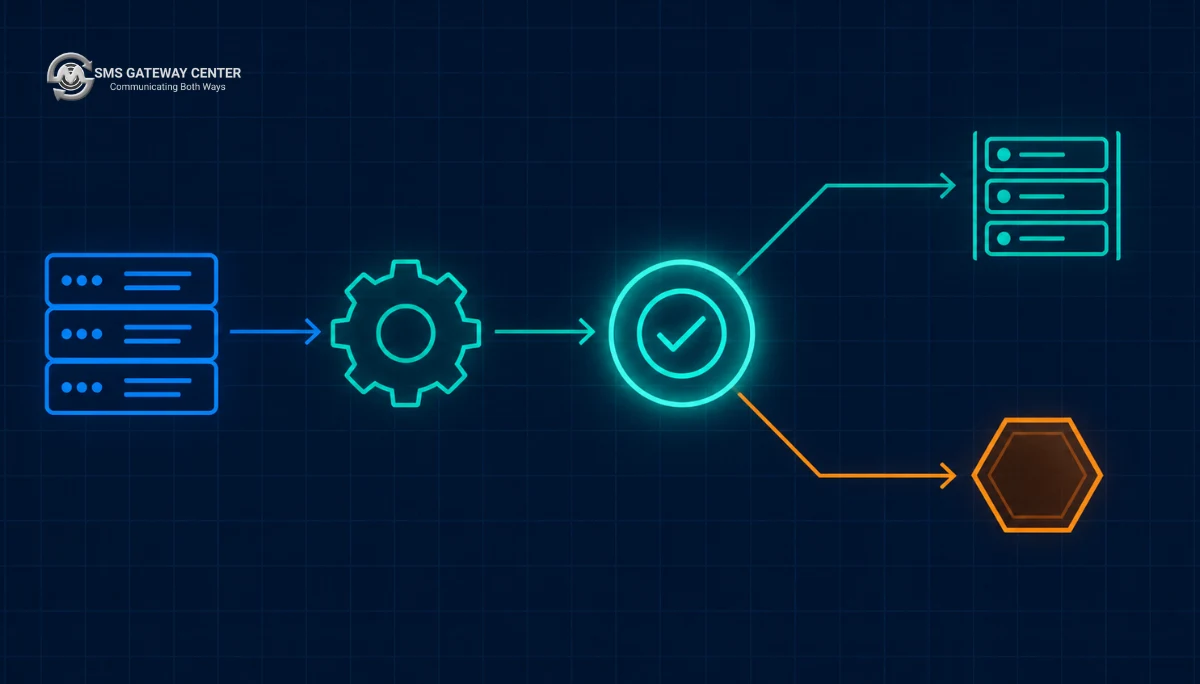
This is the single highest-value practice in this entire guide, and almost nobody does it.
SMSGatewayCenter exposes a validation endpoint that performs the same reconciliation the scrubber will perform, without sending anything and without billing anything. It is documented at Validate Template.
curl -X POST https://unify.smsgateway.center/SMSApi/validateTemplate \
  -H "apikey: YOUR_API_KEY" \
  -H "Content-Type: application/x-www-form-urlencoded" \
  --data-urlencode "senderid=ACMEIN" \
  --data-urlencode "msg=Your ACME verification code is 483920. Valid for 10 minutes. Do not share it. ACME" \
  --data-urlencode "dltTemplateId=1107xxxxxxxxxxxxxx" \
  --data-urlencode "output=json"
A successful validation returns the sender ID, the template ID, a text field, and critically a template field containing the punctuation-normalized registered template. A mismatch returns statusCode 188.
Where to call it
In continuous integration, on every pull request that touches a template string. Not in your production send path.
Calling it inline before every send doubles your latency and your request volume for a check whose answer changes only when someone edits a template. The answer is deterministic per template version. Compute it once, at build time, and fail the build.
import os
import sys
import httpx

API_BASE = "https://unify.smsgateway.center"

# Template strings live in code, reviewed in pull requests, keyed by flow.
# Values are the longest realistic sample for each variable position.
TEMPLATES = {
    "otp_login": {
        "dlt_template_id": os.environ["DLT_TPL_OTP_LOGIN"],
        "senderid": "ACMEIN",
        "body": "Your ACME verification code is {#var#}. Valid for 10 minutes. Do not share it. ACME",
        "sample_vars": ["483920"],
    },
    "order_shipped": {
        "dlt_template_id": os.environ["DLT_TPL_ORDER_SHIPPED"],
        "senderid": "ACMEIN",
        "body": "Hi {#var#}, your ACME order {#var#} has shipped and arrives by {#var#}. Track it in the ACME app. ACME",
        "sample_vars": ["Priya Ramachandran", "AC-90881234", "18 Aug"],
    },
}


def render(body: str, values: list[str]) -> str:
    """Positional substitution, one pass, left to right. See the rendering section."""
    out = []
    cursor = 0
    token = "{#var#}"
    for value in values:
        idx = body.find(token, cursor)
        if idx == -1:
            raise ValueError("more values supplied than placeholders in template")
        out.append(body[cursor:idx])
        out.append(value)
        cursor = idx + len(token)
    if body.find(token, cursor) != -1:
        raise ValueError("fewer values supplied than placeholders in template")
    out.append(body[cursor:])
    return "".join(out)


def main() -> int:
    api_key = os.environ["SGC_API_KEY"]
    failures = []

    with httpx.Client(base_url=API_BASE, timeout=20.0) as client:
        for name, tpl in TEMPLATES.items():
            rendered = render(tpl["body"], tpl["sample_vars"])
            resp = client.post(
                "/SMSApi/validateTemplate",
                headers={"apikey": api_key},
                data={
                    "senderid": tpl["senderid"],
                    "msg": rendered,
                    "dltTemplateId": tpl["dlt_template_id"],
                    "output": "json",
                },
            )
            payload = resp.json()
            code = str(payload.get("statusCode", ""))

            if code == "200":
                print(f"PASS  {name}")
            elif code == "188":
                failures.append(name)
                print(f"FAIL  {name}: template mismatch (188)")
                print(f"      sent:       {rendered!r}")
                print(f"      registered: {payload.get('template')!r}")
            else:
                failures.append(name)
                print(f"FAIL  {name}: {code} {payload.get('reason')}")

    if failures:
        print(f"\n{len(failures)} template(s) failed validation: {', '.join(failures)}")
        return 1
    return 0


if __name__ == "__main__":
    sys.exit(main())
The diagnostic on failure is the point. When it fails, it prints both what you sent and the normalised registered form. Ninety percent of the time the difference is visible immediately: a period, a double space, a curly apostrophe.
The same check in Node.js
import { setTimeout as delay } from 'node:timers/promises';

const API_BASE = 'https://unify.smsgateway.center';
const TOKEN = '{#var#}';

function render(body, values) {
  let out = '';
  let cursor = 0;
  for (const value of values) {
    const idx = body.indexOf(TOKEN, cursor);
    if (idx === -1) throw new Error('more values than placeholders');
    out += body.slice(cursor, idx) + value;
    cursor = idx + TOKEN.length;
  }
  if (body.indexOf(TOKEN, cursor) !== -1) throw new Error('fewer values than placeholders');
  return out + body.slice(cursor);
}

export async function validateTemplate({ apiKey, senderid, dltTemplateId, body, vars }) {
  const rendered = render(body, vars);

  const res = await fetch(`${API_BASE}/SMSApi/validateTemplate`, {
    method: 'POST',
    headers: {
      apikey: apiKey,
      'Content-Type': 'application/x-www-form-urlencoded',
    },
    body: new URLSearchParams({
      senderid,
      msg: rendered,
      dltTemplateId,
      output: 'json',
    }),
    // fetch in Node has no default timeout. Without this a stalled request never settles.
    signal: AbortSignal.timeout(20_000),
  });

  const payload = await res.json();
  const code = String(payload.statusCode ?? '');

  return {
    ok: code === '200',
    code,
    reason: payload.reason,
    sent: rendered,
    registered: payload.template ?? null,
  };
}
The AbortSignal.timeout is not incidental. fetch in Node has no default timeout, so a hung validation call will stall your CI job indefinitely rather than failing it. This and the rest of the Node-specific failure surface are covered in the Node.js integration tutorial.
The same check in PHP
<?php

declare(strict_types=1);

use GuzzleHttp\Client;

final class TemplateValidator
{
    private const TOKEN = '{#var#}';

    public function __construct(
        private readonly Client $http,
        private readonly string $apiKey,
    ) {}

    /** @param list<string> $values */
    public function render(string $body, array $values): string
    {
        $cursor = 0;
        $out = '';
        foreach ($values as $value) {
            $idx = strpos($body, self::TOKEN, $cursor);
            if ($idx === false) {
                throw new RuntimeException('more values than placeholders');
            }
            $out .= substr($body, $cursor, $idx - $cursor) . $value;
            $cursor = $idx + strlen(self::TOKEN);
        }
        if (strpos($body, self::TOKEN, $cursor) !== false) {
            throw new RuntimeException('fewer values than placeholders');
        }

        return $out . substr($body, $cursor);
    }

    /** @param list<string> $values */
    public function validate(string $senderId, string $dltTemplateId, string $body, array $values): array
    {
        $rendered = $this->render($body, $values);

        $response = $this->http->post('https://unify.smsgateway.center/SMSApi/validateTemplate', [
            'headers'     => ['apikey' => $this->apiKey],
            'form_params' => [
                'senderid'      => $senderId,
                'msg'           => $rendered,
                'dltTemplateId' => $dltTemplateId,
                'output'        => 'json',
            ],
            // Keep error bodies. Without this Guzzle throws and the JSON reason is lost.
            'http_errors' => false,
            'timeout'     => 20,
        ]);

        $payload = json_decode((string) $response->getBody(), true, 512, JSON_THROW_ON_ERROR);

        return [
            'ok'         => (string) ($payload['statusCode'] ?? '') === '200',
            'code'       => (string) ($payload['statusCode'] ?? ''),
            'reason'     => $payload['reason'] ?? null,
            'sent'       => $rendered,
            'registered' => $payload['template'] ?? null,
        ];
    }
}
http_errors => false matters. Left at Guzzle’s default, a non-2xx response throws before you can read the JSON body, and the 188 reason string you needed disappears into a generic exception. The PHP integration tutorial goes deeper on this and the surrounding client architecture.
Java
import java.net.URI;
import java.net.http.HttpClient;
import java.net.http.HttpRequest;
import java.net.http.HttpResponse;
import java.net.URLEncoder;
import java.nio.charset.StandardCharsets;
import java.time.Duration;
import java.util.Map;
import java.util.StringJoiner;

public final class TemplateValidator {

    private static final String ENDPOINT =
        "https://unify.smsgateway.center/SMSApi/validateTemplate";

    private final HttpClient client = HttpClient.newBuilder()
        .connectTimeout(Duration.ofSeconds(10))
        .build();

    public HttpResponse<String> validate(String apiKey,
                                         String senderId,
                                         String dltTemplateId,
                                         String renderedMessage) throws Exception {

        Map<String, String> form = Map.of(
            "senderid", senderId,
            "msg", renderedMessage,
            "dltTemplateId", dltTemplateId,
            "output", "json"
        );

        StringJoiner body = new StringJoiner("&");
        form.forEach((k, v) -> body.add(
            URLEncoder.encode(k, StandardCharsets.UTF_8) + "=" +
            URLEncoder.encode(v, StandardCharsets.UTF_8)
        ));

        HttpRequest request = HttpRequest.newBuilder()
            .uri(URI.create(ENDPOINT))
            .timeout(Duration.ofSeconds(20))
            .header("apikey", apiKey)
            .header("Content-Type", "application/x-www-form-urlencoded")
            .POST(HttpRequest.BodyPublishers.ofString(body.toString()))
            .build();

        return client.send(request, HttpResponse.BodyHandlers.ofString());
    }
}
Postman
A ready-made collection covering the send, OTP, template and report endpoints is available from the SMS Postman collection download. Import it, set an environment variable for your API key, and you can validate templates interactively before you write any code. For exploratory work there is also a live API testing surface at SMS Messaging API.
Wiring it into the send call
Once validation passes in CI, the send call carries the entity and template IDs:
curl -X POST https://unify.smsgateway.center/SMSApi/send \
  -H "apikey: YOUR_API_KEY" \
  -d "sendMethod=quick" \
  -d "msgType=text" \
  -d "mobile=91XXXXXXXXXX" \
  -d "senderid=ACMEIN" \
  -d "msg=Your ACME verification code is 483920. Valid for 10 minutes. Do not share it. ACME" \
  -d "dltEntityId=1101XXXXXXXXXXXXXX" \
  -d "dltTemplateId=1107XXXXXXXXXXXXXX" \
  -d "output=json"
Success response:
{
  "status": "success",
  "mobile": "91XXXXXXXXXX",
  "invalidMobile": "",
  "transactionId": "...",
  "statusCode": "200",
  "reason": "success"
}
Full parameter reference at Send SMS, and if you are integrating from scratch start with the SMS API getting started guide.
Rendering DLT Variables Without Corrupting Them
Variable substitution looks trivial and is not. The naive implementations in every language are wrong in ways that produce mismatch failures you will spend a day debugging.
Why regular expression replacement is unsafe
In most languages the replacement argument to a regex substitution is itself a template, not a literal. Backreference sequences inside your data are interpreted:
- Python:
re.sub(r"\{#var#\}", value, body, count=1)interprets\1and\g<0>insidevalue. A customer address containing\1corrupts the output.re.escapeescapes the pattern, not the replacement, so it does not help. - JavaScript:
body.replace(TOKEN, value)interprets$&,$',$`and$1insidevalue. A value containing$&expands to the matched substring, which means a literal{#var#}appears in your output. This is not hypothetical for user-generated content or free-text order notes. - PHP:
preg_replacehas the same backreference exposure through$1and\1.
Why chained literal replacement is unsafe
str.replace(token, value) called once per variable in a loop re-scans the entire string each time, including text you already inserted. If a substituted value happens to contain the literal {#var#}, the next iteration finds it and substitutes into your data rather than into the template. Every subsequent variable then lands in the wrong position, and the message either fails validation or, worse, sends with the recipient’s name where the order number should be.
The correct approach: single-pass positional substitution with a cursor
Walk the template once, left to right. Track a cursor. For each value, find the next token from the cursor, copy the fixed text before it, append the value, and advance the cursor past the token. Never look backwards, never re-scan inserted text, never interpret the replacement.
That is exactly what the render functions in the previous section do, in Python, JavaScript and PHP. They share three properties that matter:
- Inserted text is never re-examined. The cursor only moves forward.
- The replacement is a literal. No template interpretation, no backreference expansion.
- Arity is checked. Supplying too many or too few values raises rather than silently producing a malformed body. A template arity error at render time is a caught bug. The same error uncaught is a scrubbing failure and a wasted credit.
Add one more guard on top: reject empty variable values before rendering. An empty substitution collapses fixed text together and produces a structurally different message that the scrubber will not match.
def render_checked(body: str, values: list[str]) -> str:
    for i, v in enumerate(values):
        if v is None or not str(v).strip():
            raise ValueError(f"variable at position {i} is empty; refusing to render")
    return render(body, [str(v) for v in values])
Symptom to Cause to Fix: Debug Table
| Symptom | Likely cause | Fix |
|---|---|---|
| Template rejected immediately, no reviewer comment | Automated rule check on variable syntax | Check the {#var#} token character for character |
| Rejected with a category comment | Promotional wording in a service template | Strip the incentive or reclassify |
| Rejected mentioning header | Header not approved, wrong entity, or wrong category | Approve the header first, in the matching category |
| Rejected mentioning URL | Domain not whitelisted, or a public shortener | Whitelist the exact domain; move to a branded short domain |
| Rejected as duplicate | Identical body already approved under another ID | Find and reuse the existing ID |
| Template approved, messages fail with 188 | Rendered body no longer matches registered body | Run the CI validator; diff sent against registered |
| 188 only on some recipients | A variable resolves empty or unusually long for those recipients | Guard against empty values; test with maximum-length values |
| Messages worked last month, fail now with no code change | Broken entity to telemarketer binding after a provider or account change | Verify the binding chain |
| Messages cost twice what you modelled | A substituted Unicode character forced the Unicode branch | Audit codepoints; check encoding via the length and cost endpoint |
| Template registered fine, delivery reports show consent failure | Service Explicit without a registered consent template or consent record | Register the consent template and capture consent |
| Everything correct but sender ID reported invalid | Header blocked or not bound on this route | Check header status before touching the template |
| Validation returns 188 but the strings look identical | Invisible whitespace or a curly apostrophe | Print repr() of both strings, not the strings |
How to Resubmit a Rejected Template Without Getting Rejected Again
There is no penalty for resubmission and no cap on attempts, which tempts teams into resubmitting minor variations until something sticks. That is the slow path. Do this instead.
- Read the rejection reason string verbatim and map it to a row in the master table. Do not paraphrase it. The exact wording usually identifies the rule.
- Fix the rule, not the sentence. If the reason is variable misuse, rewriting your marketing copy will not help. Change the variable structure.
- Re-run the local audit. Codepoint check, variable structure check, whitespace check, arity check.
- Re-check the category against the decision matrix. A surprising number of rejections nominally about wording are actually about category.
- Confirm the header is approved, in the same category, under the same entity.
- Whitelist any domain in the body before resubmitting, not after.
- Price the rendered maximum-length version. Make sure you are not about to permanently approve a template that costs two credits per message.
- Search your existing approved templates for a duplicate. If one exists, do not resubmit at all. Use the existing ID.
- Submit from version control, not from a text editor. Either through
SMSApi/template/createor by copying from a plain text file, never by retyping. - When approved, immediately add the template to your CI validation set so the next copy edit fails the build rather than the campaign.
Building a Template Registry You Can Actually Audit
The teams that stop having DLT problems all converge on the same structure: templates become code artefacts rather than portal state.
A workable registry entry holds, per template:
| Field | Why it matters |
|---|---|
Internal flow key, for example order_shipped | Code references the key, never the raw ID |
dltTemplateId | Injected from environment, never hardcoded across environments |
dltEntityId | Same entity for all templates under one principal |
Header, senderid | Must match the header the template was approved against |
| Category | Drives sending window expectations and consent requirements |
| Exact registered body, byte for byte | The source of truth your CI validates against |
| Variable count and semantic label per position | Positional variables have no names; the registry supplies them |
| Maximum realistic value per position | Used for both validation and cost modelling |
| Rendered maximum length and credit count | Catches the two-credit template before approval |
| Language and script | Determines msgType=text versus msgType=unicode |
| Approval date and approval status | Audit trail |
| Supersedes and superseded-by | Migration path when copy changes force a new template |
The last row is the one people skip and later need. Because approved templates are immutable, changing copy means registering a new template and migrating traffic. Without a supersession record, you end up with two live IDs, some traffic on each, and reconciliation reports that split one business flow across two rows with no way to join them.
For reconciliation, the delivery report API returns dltTemplateId on every record alongside cost, length, status and msgType, which means you can group your actual spend and failure rate by template. That endpoint is documented at SMS Delivery Report, and the status vocabulary is explained in Understanding Delivery Reports. Grouping template check failures by dltTemplateId over a week tells you exactly which template drifted, which is a far faster diagnosis than reading application logs.
Pre-Submission Checklist
Run this before every template submission.
Variables
- [ ] Every placeholder is the literal
{#var#}, verified character by character - [ ] No template consists only of variables
- [ ] No two variables are adjacent
- [ ] The template does not start with a variable
- [ ] The template does not end with a variable
- [ ] Every variable carries exactly one data value, with fixed text describing it
- [ ] Variable count is the minimum needed, with static values hardcoded
Category
- [ ] Category chosen using the decision matrix, not by habit
- [ ] No offer, discount, incentive or commercial call to action inside a service or transactional template
- [ ] Service Explicit templates have a registered consent template and real consent records
- [ ] Transactional used only if the entity is eligible
Header
- [ ] Header already approved, not pending
- [ ] Header belongs to the same principal entity
- [ ] Header category matches the template category
- [ ] Entity to telemarketer binding is intact
- [ ] Brand name appears in the fixed text of the body
Content
- [ ] Every domain in the body is whitelisted
- [ ] No public URL shortener
- [ ] The domain sits in fixed text, only the token is a variable
- [ ] Every phone number in the body is registered
- [ ] No emoji, no decorative symbols
- [ ] Codepoint audit run; no character outside basic printable ASCII unless the template is deliberately Unicode
- [ ] Spelling and grammar proofread by someone who did not write it
Structure and cost
- [ ] No leading, trailing or double whitespace
- [ ] Rendered maximum-length version priced with the length and cost endpoint
- [ ] At least fifteen characters of headroom under the segment boundary
- [ ] Language and script registered; regional templates budgeted as Unicode
Governance
- [ ] Existing approved templates searched for a duplicate
- [ ] Template body committed to version control
- [ ] Submitted from the repository, not retyped
- [ ] On approval, added to the CI validation set
- [ ] Registry entry created with variable labels, max values and supersession fields
Ten Mistakes That Keep Costing Teams Approvals
- Editing template copy in an admin panel. The template ID does not change, so nothing warns you. Every message on that flow fails from the moment the edit ships. Template strings belong in version control behind a code review gate.
- Pasting templates from a document editor. Curly apostrophes and en dashes arrive invisibly, force Unicode encoding, and quietly triple your per-message cost.
- Treating registration approval as the end of compliance. Approval means the template is valid. It says nothing about whether the message your code renders still matches it.
- Calling the validation endpoint in the production send path. It doubles latency and request volume to answer a question whose answer only changes at deploy time. Run it in CI.
- Registering everything as Transactional. It is entity-restricted, it will be rejected, and Service Implicit already delivers to preference-registry numbers for genuine service messages.
- Using regex replacement for variable substitution. A
$&or a\1inside customer data corrupts the rendered body and produces a mismatch you will not reproduce locally. - Approving a template eleven characters over a segment boundary. Immutable template plus permanent second credit on every message. Price before you submit.
- Hiding a URL inside a variable. Rejected at registration, and if it somehow passes it makes your scrubbing behaviour unpredictable.
- Registering a second template ID for a body that already exists. Rejected as duplicate, and even when a near-variant passes it splits one business flow across two IDs in every report you will ever run.
- Retrying a template-failed message. A compliance rejection is permanent for that message. Retrying re-submits, which can re-bill, and it will fail identically. Template failures belong in the permanent-failure class, as covered in the SMS API retry strategy guide.
FAQs
Why was my DLT template rejected? Almost always one of six things: the {#var#} token was written incorrectly or overused, the content did not match the declared category, the header was not approved or not bound to your entity, a URL or callback number was not whitelisted, disallowed characters were present, or an identical body already existed. Match your rejection reason against the master table and fix the rule rather than rewording the sentence.
Can I edit an approved DLT template? No. Approved templates are immutable. Changing the copy means registering a new template, receiving a new template ID, and migrating your code and configuration to that ID. Plan for this by recording a supersedes relationship in your template registry so reporting can join the old and new flows.
Is there a limit on how many times I can resubmit a rejected template? There is no cap on resubmissions and no penalty for them. That said, resubmitting variations without identifying the failing rule wastes review cycles. Work the checklist first.
What is the difference between a rejected template and a template mismatch? A rejected template never got approved. A mismatch happens on an approved template when the message your code actually rendered does not reconcile with the registered body at scrubbing time. The second surfaces as statusCode 188 from the validation endpoint and as a template check failure in delivery reports.
What does status code 188 mean? 188 with reason message template mismatch means the message body you supplied does not match the registered template for the dltTemplateId you supplied. The usual causes are an unregistered copy edit, whitespace drift, a punctuation difference, an empty variable, or the wrong template ID for that message.
Why does my template fail even though the text looks identical? Print the repr of both strings rather than the strings themselves. The difference is nearly always invisible: a trailing space, a double space, a line break, or a curly apostrophe where the registered template has a straight one. The validation endpoint returns the punctuation-normalized registered template so you can diff against it directly.
How many variables can I use in one template? There is no single universal number, but the practical constraint is twofold. Portal convention charges a fixed character allowance per variable against the template’s length budget, so more variables leave less room for fixed text. And a high variable-to-fixed-text ratio is itself a rejection cause because the template stops being reviewable. Use the minimum number of variables that carries genuinely per-recipient data.
Can I use emoji in a DLT template? Generally no. Emoji are commonly rejected outright, and even where accepted they force the message into Unicode encoding, which drops per-segment capacity from 160 characters to 70 and multiplies your credit cost.
Do I need a separate template for each language? Yes. Each language variant is a separate registration with its own template ID, and a transliteration into Latin script counts as a different template from the same message in a regional script. Regional-script templates are Unicode-encoded, so budget for higher credit consumption per message.
Why can I not use a URL shortener in my template? Because the destination is unverifiable at review time. Use a branded short domain you control, whitelist that domain, and put it in the fixed text of the template with only the opaque token as a variable.
My template registered fine but messages fail with a consent error. Why? You most likely registered Service Explicit content without a corresponding approved consent template and recorded consent for those recipients. The content template check passes and the consent check then fails at scrubbing. Register the consent template first, capture consent, then send.
Everything worked last month and now nothing does, without any code change. What broke? Check your entity to telemarketer binding before you look at templates. A provider change, an account migration or a lapsed binding breaks delivery for templates that are still perfectly valid. Header status is the second thing to check.
Should I validate every message against the template before sending? No. Validate at build time, once per template version, in continuous integration. The answer is deterministic per template version, so an inline check on every send buys you nothing and costs latency and request volume on your hottest path.
Can I create DLT templates through the API instead of the portal? Yes. POST https://unify.smsgateway.center/SMSApi/template/create submits a template and returns Template created successfully and given for approval. Note that it submits for approval, it does not approve. The advantage is that template bodies live in your repository and get reviewed as code, which eliminates the retyping errors that cause whitespace and character-substitution failures.
Lets onboard you
Stop debugging templates in production. SMSGatewayCenter exposes template creation, pre-send validation and template-level delivery reporting on the same API, so you can catch a mismatch in a pull request instead of a campaign. Create a free account or browse the developer API reference to wire validation into your build today.