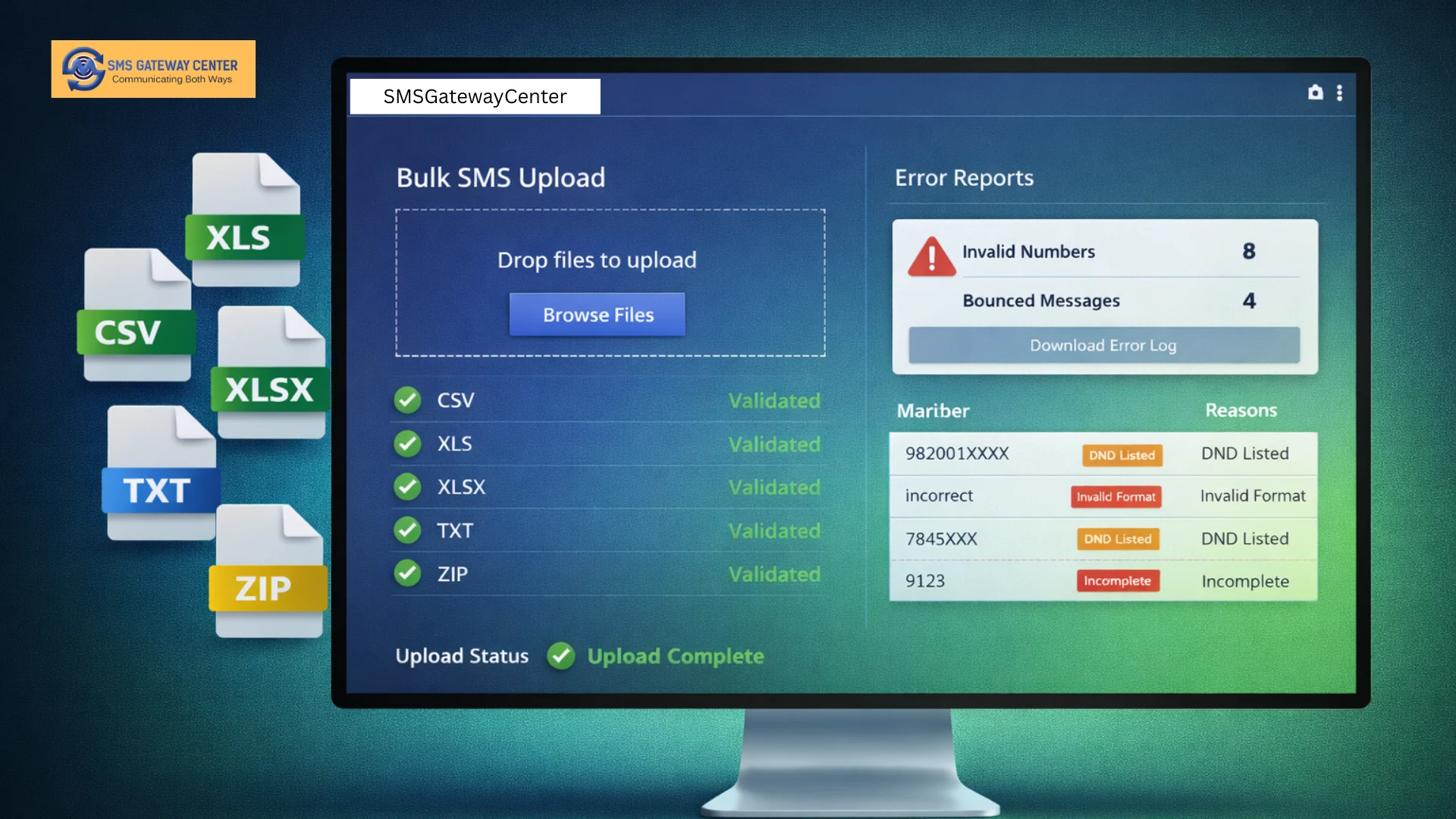
At SMS Gateway Center, we understand that different businesses work with different tools and data formats. That’s why our bulk SMS platform supports multiple file formats, including CSV, XLS, XLSX, TXT, and ZIP files. This comprehensive format support ensures that you can upload your contact lists and message data regardless of the software you use to manage your customer information.
This guide will explore how multiple format support works, the validation and processing mechanisms that ensure data integrity, and the error handling and reporting features that help you identify and resolve issues quickly. Whether you’re sending promotional SMS campaigns or transactional alerts, understanding file upload capabilities will help you streamline your messaging operations.
Understanding Multiple Format Support: Why It Matters
The ability to support multiple file formats is more than just a convenience feature. It’s a critical capability that determines how easily businesses can integrate SMS messaging into their existing workflows. Different organizations use different tools for managing customer data, and forcing them to convert files to a single format creates unnecessary friction and potential for errors.
CSV Format: The Universal Standard
CSV (Comma-Separated Values) files are perhaps the most widely supported format across different platforms and applications. Almost every database system, spreadsheet application, and data management tool can export data to CSV format. This makes CSV an ideal format for bulk SMS uploads because:
- Universal Compatibility: CSV files can be opened and edited in any text editor, spreadsheet application, or database tool
- Simple Structure: The format is straightforward, making it easy to understand and manipulate
- Lightweight: CSV files are typically smaller than Excel files, making uploads faster
- No Formatting Issues: CSV files don’t contain complex formatting that might cause parsing errors
For businesses using CRM systems, customer databases, or simple spreadsheet applications, CSV format provides a reliable way to export contact lists and upload them directly to the SMS platform without conversion.
Excel Formats: XLS and XLSX
Microsoft Excel remains one of the most popular tools for managing business data, and support for both XLS (Excel 97-2003) and XLSX (Excel 2007 and later) formats ensures compatibility with all versions of Excel that businesses might be using.
XLS Format Support:
- Compatible with older Excel versions (97-2003)
- Widely used in legacy systems
- Supports basic spreadsheet features
- Ideal for simple contact lists
XLSX Format Support:
- Modern Excel format with enhanced capabilities
- Better handling of large datasets
- Improved data integrity
- Support for more complex spreadsheet structures
Many businesses maintain their customer databases in Excel, making XLS and XLSX support essential for seamless integration. Whether you’re working with a simple contact list or a complex spreadsheet with multiple columns for personalization variables, Excel format support ensures you can upload your data directly without conversion.
TXT Format: Simple and Flexible
Plain text (TXT) files offer the simplest possible format for bulk SMS uploads. While less structured than CSV or Excel files, TXT format provides flexibility for businesses that need to work with simple contact lists or have data in text format from other systems.
TXT format is particularly useful for:
- Simple contact lists with just phone numbers
- Data exported from legacy systems
- Quick manual edits without specialized software
- Integration with text-based data processing tools
The platform can parse TXT files with various delimiters, including commas, tabs, or line breaks, providing flexibility in how data is structured within the file.
ZIP Format: Handling Multiple Files and Large Datasets
ZIP format support adds another layer of flexibility by allowing businesses to upload compressed files containing multiple data files or large datasets. This capability is particularly valuable for:
- Large Contact Lists: Compressing large files reduces upload time and bandwidth usage
- Multiple Files: Uploading several files at once for batch processing
- Organized Data: Maintaining separate files for different campaign segments
- Storage Efficiency: Reducing file sizes for faster transfers
ZIP support enables businesses to organize their data more effectively and handle larger campaigns more efficiently. The platform automatically extracts ZIP files and processes the contents according to the file types included.
File Validation and Processing: Ensuring Data Integrity
Robust file validation and processing mechanisms are essential for ensuring that uploaded files are processed correctly and that campaigns are executed successfully. Without proper validation, errors in file format, data structure, or content can lead to failed campaigns, wasted credits, and poor delivery rates.
Pre-Upload Validation
Before processing begins, the platform performs several validation checks to ensure the file is suitable for processing:
File Format Validation:
- Verifies that the file extension matches an allowed format (CSV, XLS, XLSX, TXT, ZIP)
- Checks file MIME type to prevent format spoofing
- Validates file structure to ensure it can be parsed correctly
File Size Validation:
- Enforces maximum file size limits (typically 15MB for API uploads, 2MB for web interface)
- Prevents uploads that would cause processing delays or system overload
- Provides clear error messages when files exceed size limits
File Content Validation:
- Checks for required columns (typically phone numbers in the first column)
- Validates data types and formats
- Identifies empty rows or columns that might cause processing issues
- Detects encoding issues that could affect character display
Row and Column Validation
During processing, the platform validates each row and column to ensure data integrity:
Phone Number Validation:
- Checks that phone numbers are in the correct format
- Validates country codes and number lengths
- Removes invalid characters or formatting
- Identifies duplicate numbers for deduplication
Data Type Validation:
- Ensures numeric fields contain valid numbers
- Validates date formats when applicable
- Checks text field lengths and character encoding
- Verifies that required fields are not empty
Personalization Variable Validation:
- For personalized SMS uploads, validates that variable placeholders match column names
- Ensures all variables in the message template have corresponding data columns
- Checks for special characters that might break message formatting
Processing Workflow
Once validation passes, the file undergoes a structured processing workflow:
1. File Parsing:
- The platform reads the file using appropriate parsers for each format
- Extracts data into a structured format for processing
- Handles encoding conversions (UTF-8, ASCII, etc.)
- Manages different delimiter types in CSV and TXT files
2. Data Normalization:
- Standardizes phone number formats
- Normalizes text data (trimming whitespace, handling special characters)
- Converts data types as needed
- Handles missing or null values appropriately
3. Duplicate Detection:
- Identifies duplicate phone numbers within the file
- Provides options to remove duplicates or process them separately
- Helps prevent sending multiple messages to the same recipient
4. NCPR Scrubbing (for Promotional SMS):
- For promotional campaigns, numbers are checked against the DND registry
- Filtered numbers are excluded from sending
- Detailed reports show which numbers were filtered and why
5. Message Personalization:
- For personalized messages, variables are replaced with actual data
- Each row generates a unique message for the recipient
- Variables are validated to ensure proper replacement
6. Campaign Preparation:
- Validated and processed data is prepared for sending
- Messages are queued according to scheduling preferences
- Delivery parameters are set based on message type and content
Real-Time Processing Feedback
Modern bulk SMS platforms provide real-time feedback during file processing:
- Progress Indicators: Show processing status and estimated completion time
- Validation Warnings: Alert users to potential issues before processing completes
- Error Previews: Display sample errors to help users understand and fix issues
- Data Previews: Show how data will be processed before final submission
This real-time feedback helps users identify and resolve issues quickly, reducing the time between file upload and campaign execution.
Error Handling and Reporting: Identifying and Resolving Issues
Effective error handling and reporting are crucial for successful bulk SMS campaigns. When issues occur during file upload or processing, clear error messages and comprehensive reports help users understand what went wrong and how to fix it.
Common File Upload Errors
Format-Related Errors:
- “Invalid file extension” – File type not supported
- “Unsupported file format” – File structure doesn’t match expected format
- “File corrupted” – File cannot be read or parsed
- “Encoding error” – Character encoding issues preventing proper reading
Size-Related Errors:
- “File size exceeds limit” – File is too large for processing
- “Too many rows” – Number of rows exceeds platform limits
- “Empty file” – File contains no data or only headers
Content-Related Errors:
- “Missing required columns” – Required data columns not found
- “Invalid phone number format” – Phone numbers don’t match expected format
- “Empty phone numbers” – Some rows have missing phone numbers
- “Invalid data types” – Data doesn’t match expected format
Validation Error Reporting
When validation errors are detected, the platform provides detailed reports that help users identify and fix issues:
Error Summary Reports:
- Total number of errors found
- Error types and frequencies
- Affected row numbers
- Sample error messages
Detailed Error Lists:
- Row-by-row error listings
- Specific error messages for each issue
- Column-level error identification
- Suggestions for fixing common errors
Error Export Functionality:
- Download error reports in various formats
- Export problematic rows for correction
- Generate corrected file templates
- Share error reports with team members
Processing Error Handling
During processing, the platform handles errors gracefully to ensure maximum data processing:
Partial Processing:
- Valid rows are processed even if some rows have errors
- Invalid rows are skipped and reported separately
- Users can fix errors and re-upload only problematic data
Error Recovery:
- Automatic retry mechanisms for transient errors
- Graceful handling of network issues during upload
- Data preservation if processing is interrupted
Error Categorization:
- Critical errors that prevent processing
- Warnings that don’t stop processing but should be reviewed
- Informational messages about data quality
Delivery Error Reporting
After messages are sent, delivery reports provide insights into campaign performance:
Delivery Status Reports:
- Successfully delivered messages
- Failed deliveries with reasons
- Pending messages
- Filtered numbers (DND, invalid, etc.)
Error Analysis:
- Common failure reasons
- Patterns in delivery failures
- Recommendations for improving delivery rates
- Network and carrier-specific issues
Credit Management:
- Credits deducted for successful deliveries
- Credits not deducted for filtered numbers (depending on provider policy)
- Detailed cost breakdown by delivery status
- Refund or credit adjustment information when applicable
Best Practices for Error Prevention
To minimize errors and ensure smooth file processing, follow these best practices:
1. Prepare Files Correctly:
- Use the correct file format for your data structure
- Ensure phone numbers are in the first column
- Remove unnecessary formatting or special characters
- Use UTF-8 encoding for international characters
2. Validate Data Before Upload:
- Check phone number formats
- Verify required columns are present
- Remove duplicate entries
- Test with a small sample file first
3. Follow Format Guidelines:
- Use recommended column headers
- Follow delimiter conventions for CSV files
- Maintain consistent data formats across rows
- Avoid merged cells in Excel files
4. Monitor Processing:
- Review validation warnings before final submission
- Check error reports promptly
- Fix and re-upload corrected data
- Keep error logs for future reference
Advanced Features: Beyond Basic File Upload
Modern bulk SMS platforms offer advanced features that enhance file upload capabilities:
Personalized Message Variables
For personalized SMS campaigns, file upload supports dynamic variable replacement:
- Multiple Variables: Include names, purchase details, dates, and other personalized information
- Variable Syntax: Use placeholders like {Name}, {OrderID}, or {Date} in messages
- Column Mapping: Automatically map spreadsheet columns to message variables
- Dynamic Content: Each recipient receives a unique message based on their data row
Batch Processing
For large files or multiple files:
- Automatic Batching: Large files are automatically split into manageable batches
- Parallel Processing: Multiple batches processed simultaneously for faster execution
- Progress Tracking: Monitor batch processing status in real-time
- Resume Capability: Resume processing if interrupted
Scheduled Uploads
Advanced scheduling capabilities:
- Future Scheduling: Upload files now, schedule sending for later
- Recurring Campaigns: Set up regular file uploads for ongoing campaigns
- Time Zone Handling: Schedule according to recipient time zones
- Campaign Management: Organize and manage multiple scheduled uploads
Integration Capabilities
For businesses using APIs:
- REST API Support: Upload files programmatically via API
- Webhook Notifications: Receive notifications when processing completes
- Status Polling: Check processing status via API calls
- Result Retrieval: Download reports and results programmatically
Choosing the Right Format for Your Needs
Different file formats suit different use cases:
CSV Format Best For:
- Simple contact lists
- Data exported from databases
- Quick manual edits
- Universal compatibility needs
Excel Formats (XLS/XLSX) Best For:
- Complex data with multiple columns
- Personalized messages with many variables
- Data that requires spreadsheet editing
- Integration with Excel-based workflows
TXT Format Best For:
- Simple phone number lists
- Legacy system exports
- Quick text-based edits
- Minimal data requirements
ZIP Format Best For:
- Large contact lists
- Multiple related files
- Organized campaign data
- Reduced upload times
Conclusion: Maximizing Flexibility with Multiple Format Support
Supporting multiple file formats for bulk SMS uploads provides businesses with the flexibility they need to integrate SMS messaging into their existing workflows seamlessly. Whether you’re working with CSV files from a CRM system, Excel spreadsheets from your marketing team, or TXT files from legacy systems, format support ensures you can upload your data without conversion or manual entry.
Robust file validation and processing mechanisms ensure data integrity, while comprehensive error handling and reporting help you identify and resolve issues quickly. By understanding how different formats work, following best practices for file preparation, and leveraging advanced features like personalization and scheduling, you can maximize the effectiveness of your bulk SMS campaigns.
At SMS Gateway Center, we’re committed to providing flexible, reliable bulk SMS solutions that work with the tools and formats your business already uses. Our multi-format support, combined with robust validation and error handling, ensures that your file uploads are processed smoothly and your campaigns are executed successfully.
For more information about bulk SMS services, personalized messaging, or SMS API integration, visit our website or contact our support team. We’re here to help you leverage the power of bulk SMS messaging with maximum flexibility and efficiency.
Recent Articles:
NCPR Scrubbing & Spam Filtering: Staying Compliant in India’s SMS Ecosystem
Take Control of Your Account Security: Manage All Your Connected Devices