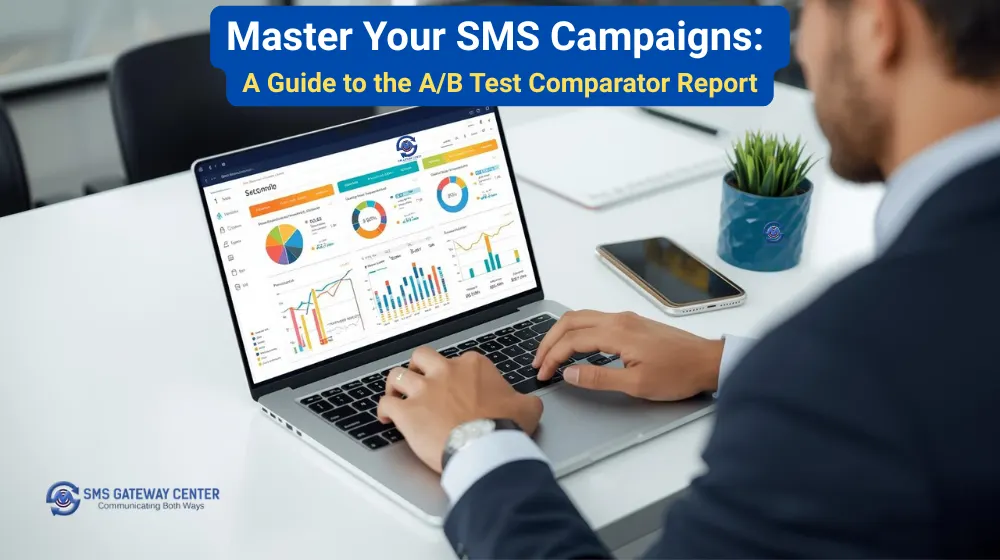
Have you ever wondered which SMS campaign performed better? Whether a different sender ID improved delivery? Or if changing your message content increased engagement? The A/B Test Comparator Report helps you answer these questions.
Why compare SMS campaigns?
Comparing campaigns helps you:
- Identify what works and what doesn’t
- Understand why some messages perform better
- Optimize sender IDs, templates, and content
- Improve delivery rates and reduce costs
- Make informed decisions for future campaigns
What is the A/B Test Comparator Report?
A tool that lets you compare two SMS campaigns using their Transaction IDs. Enter two UUIDs and get a side-by-side comparison with metrics, visualizations, and recommendations.
Getting started: how to use the A/B Test Comparator
Step 1: Access the tool
Log in to your SMSGatewayCenter account and open the A/B Test Comparator from your dashboard.
Step 2: Enter your Transaction IDs
- Campaign A: First Transaction ID
- Campaign B: Second Transaction ID
Both Transaction IDs must exist in your account and have sent messages.
Step 3: Click Compare
The system validates both IDs and generates the comparison report.
Step 4: Analyze your results
Review the side-by-side metrics, charts, and recommendations.
Understanding your comparison dashboard
Campaign summary cards
Each campaign shows:
- Total messages sent
- Delivery rates (delivered vs failed)
- DND hits and blocked/spam rates
- Average delivery time
- Total cost
Campaign details include:
- Sender ID used
- Sample message content
- DLT Template ID
- Campaign name (if available)
Timeline comparison chart
An interactive line chart shows delivered vs failed messages over time for both campaigns. Use it to:
- Spot delivery patterns
- Identify peak performance times
- Compare trends across campaigns
- Understand delivery consistency
The chart automatically adjusts granularity:
- Hourly for campaigns under 48 hours
- Daily for longer campaigns
Channel performance analysis
Compare how each channel (SMPP, API, UI) performs with:
- Tabular data with delivery rates
- Donut charts showing message distribution
- Channel-specific insights
Use this to:
- Identify the most reliable channel
- Optimize channel selection
- Understand channel-specific performance
Operator performance statistics
Compare top 20 operators with:
- Delivery rates per operator
- Total messages per operator
- Visual donut charts
- Operator-specific performance data
Use this to:
- Identify operator-specific issues
- Optimize routing
- Understand regional performance
Circle performance analysis
Geographic insights showing:
- Top 20 circles by performance
- Circle-wise delivery rates
- Visual distribution charts
- Regional performance patterns
Use this to:
- Understand geographic performance
- Optimize targeting
- Identify regional trends
AI-powered recommendations
Get automated insights that:
- Identify the winning campaign
- Explain why one performed better
- Highlight key differentiators
- Suggest optimization strategies
Real-world use cases
Use case 1: Testing different sender IDs
Scenario: You want to test if a branded sender ID improves delivery.
How to do it:
- Send Campaign A with your regular sender ID
- Send Campaign B with a branded sender ID
- Compare both campaigns using the A/B Test Comparator
- Analyze which sender ID had better delivery rates
What to look for:
- Higher delivery rates
- Lower failure rates
- Better operator performance
- Cost efficiency
Use case 2: Message content optimization
Scenario: You want to test different message variations.
How to do it:
- Send Campaign A with your original message
- Send Campaign B with a modified message (shorter, different CTA, etc.)
- Compare both campaigns
- Identify which message performed better
What to look for:
- Delivery rates
- Message length impact
- Content effectiveness
- Engagement patterns
Use case 3: DLT template performance
Scenario: You want to compare different DLT templates.
How to do it:
- Send Campaign A with Template ID 1
- Send Campaign B with Template ID 2
- Compare both campaigns
- See which template performs better
What to look for:
- Delivery rates by template
- Operator acceptance
- Regional performance
- Cost efficiency
Use case 4: Channel selection
Scenario: You want to determine the most reliable channel.
How to do it:
- Send Campaign A via SMPP
- Send Campaign B via API
- Compare both campaigns
- Analyze channel performance
What to look for:
- Channel-specific delivery rates
- Reliability metrics
- Performance consistency
- Cost comparison
Use case 5: Time-based optimization
Scenario: You want to find the best sending time.
How to do it:
- Send Campaign A in the morning
- Send Campaign B in the evening
- Compare both campaigns
- Identify optimal sending windows
What to look for:
- Delivery rates by time
- Peak performance periods
- Operator availability
- User engagement patterns
Best practices for A/B testing
1. Test one variable at a time
- Sender ID
- Message content
- DLT template
- Sending time
- Channel
2. Use similar sample sizes
Ensure both campaigns have comparable volumes for fair comparison.
3. Consider timing
Account for sending time differences and external factors.
4. Review all metrics
Look beyond delivery rates:
- Operator performance
- Circle performance
- Channel performance
- Cost efficiency
5. Use recommendations wisely
AI recommendations are a starting point; combine with your business context.
Common mistakes to avoid
Mistake 1: Comparing dissimilar campaigns
Problem: Comparing campaigns with different audiences, volumes, or purposes.
Solution: Compare campaigns with similar characteristics for meaningful insights.
Mistake 2: Ignoring operator performance
Problem: Focusing only on overall delivery rates.
Solution: Review operator-specific data to identify issues and opportunities.
Mistake 3: Not considering costs
Problem: Focusing only on delivery rates without cost analysis.
Solution: Consider cost per message and total campaign cost.
Mistake 4: Rushing to conclusions
Problem: Making decisions based on limited data.
Solution: Gather sufficient data and consider multiple factors.
Interpreting your results
What makes a campaign successful?
A successful campaign typically shows:
- High delivery rates (90%+)
- Low failure rates (<5%)
- Consistent performance across operators
- Reasonable cost per message
- Good geographic coverage
Red flags to watch for
- Very low delivery rates (<70%)
- High failure rates (>10%)
- Poor operator performance
- Inconsistent delivery patterns
- High cost per message
Tips for optimization
1. Start with sender ID
A recognizable sender ID often improves delivery rates.
2. Optimize message content
- Keep messages concise
- Use clear CTAs
- Avoid spam trigger words
- Personalize when possible
3. Choose the right DLT template
Select templates that are:
- Approved and active
- Relevant to your content
- Accepted by major operators
4. Select optimal channels
Test different channels to find the most reliable for your use case.
5. Time your campaigns
Send during optimal hours for your audience and operators.
Advanced features
JSON API endpoint
Access comparison data programmatically for:
- Automated reporting
- Integration with other tools
- Custom analytics
- Bulk comparisons
Export capabilities
Export comparison data for:
- Further analysis
- Reporting
- Documentation
- Sharing with your team
Security and privacy
- Your data is secure: only you can access your campaigns
- Transaction ID validation: ensures accurate comparisons
- Rate limiting: prevents abuse and ensures system stability
- User isolation: compare only your own campaigns
Getting help
If you need assistance:
- Check the help documentation
- Contact support
- Review our knowledge base
Conclusion
The A/B Test Comparator Report helps you make data-driven decisions, optimize campaigns, and improve ROI. Use it to:
- Compare campaigns side-by-side
- Identify what works best
- Optimize your messaging strategy
- Improve delivery rates
- Reduce costs
Start comparing your campaigns today and see the difference data-driven decisions can make.
About SMSGatewayCenter
SMSGatewayCenter is a trusted bulk SMS service provider helping businesses communicate effectively. Our platform offers tools and features to optimize your SMS campaigns and achieve better results.
Recent articles:
- How to Block Phone Numbers and Avoid TRAI Penalties: Complete Guide
- Turn Google Sheets Into a Voice-Call Powerhouse with SMS Gateway Center
- How to Send a Voice Call Using Your SMSGatewayCenter Voice Library
- Never Miss a Campaign Again: Introducing Store and Forward OWH for Automated SMS Compliance