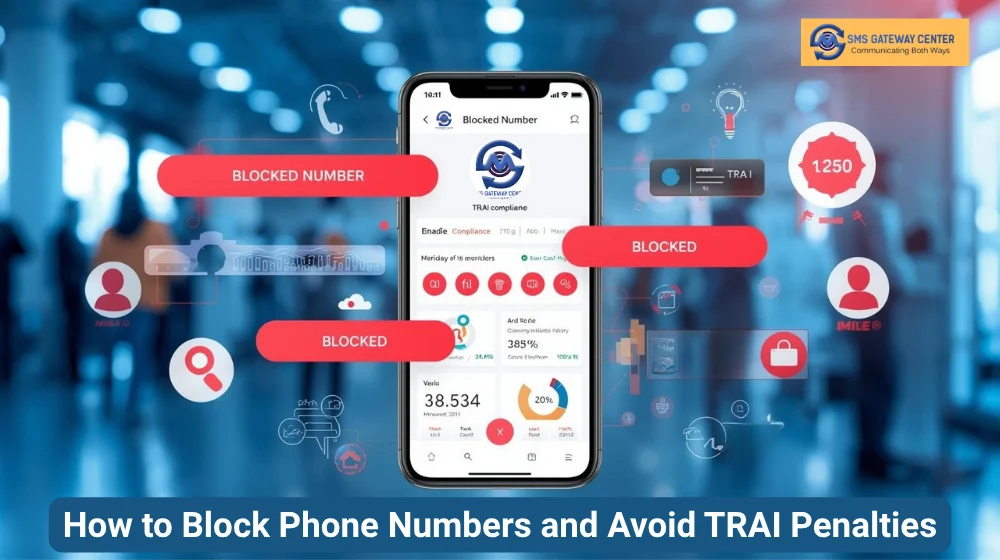
In today’s digital communication landscape, maintaining compliance with TRAI (Telecom Regulatory Authority of India) regulations is crucial for businesses sending SMS, WhatsApp, and Voice messages. One of the most effective ways to protect your sender reputation and avoid penalties is by proactively blocking problematic phone numbers.
We’re excited to announce our new Blocked Numbers feature that empowers you to take complete control over your messaging campaigns. This powerful tool allows you to block specific phone numbers at the system level, ensuring that no messages are sent to these numbers across SMS, WhatsApp, and Voice channels.
Why Block Phone Numbers?
Protect Your Sender Reputation
Every failed message delivery or complaint can negatively impact your sender reputation. By blocking problematic numbers proactively, you maintain a clean delivery record and improve your overall campaign performance.
TRAI Compliance Made Easy
TRAI regulations require businesses to respect user preferences and avoid sending messages to numbers that have opted out or reported spam. Our Blocked Numbers feature helps you stay compliant automatically, reducing the risk of penalties and account suspension.
Cost Optimization
Sending messages to invalid, inactive, or blocked numbers wastes your credits and budget. By blocking these numbers, you ensure your messaging budget is spent only on valid, engaged recipients.
Multi-Channel Protection
Whether you’re sending SMS, WhatsApp messages, or Voice calls, the blocked numbers list applies across all channels. This unified approach ensures consistent compliance and protection.
Understanding the Blocked Numbers Feature
Our Blocked Numbers feature allows you to:
- Block at System Level: Once a number is blocked, it’s prevented from receiving messages across all your campaigns
- Multi-Product Support: Block numbers for SMS, WhatsApp, Voice, or any combination
- User-Specific Blocking: Block numbers for specific user accounts or apply globally
Step-by-Step Guide: Managing Blocked Numbers
Adding a Blocked Number
Step 1: Access the Blocked Numbers Section
- Log in to your SMS Gateway Center account
- Navigate to the Blocked Numbers section from your dashboard
- Click on the “Add” button or the “Add Blocked Number” option
Step 2: Enter Phone Number Details
In the mobile number field, enter the phone number you want to block
- Use international format (e.g., +919876543210)
- You can add multiple numbers separated by commas or line breaks
Step 3: Configure Product Selection
Select which products should be blocked:
- SMS: Block SMS messages
- WhatsApp: Block WhatsApp messages
- Voice: Block voice calls
- Select All: Block across all products
You can select multiple products if needed
Step 5: Set Status and Save
- Set the Status to “Enabled” to activate the block
- Click “Save” to add the number to your blocked list
Pro Tip: You can bulk import numbers by pasting multiple numbers separated by commas or line breaks in the mobile number field.
Updating a Blocked Number
Step 1: Locate the Number
- Go to the Blocked Numbers management page
- Use the search or filter options to find the number you want to update
- Click the “Edit” icon next to the number
Step 2: Modify Details
- Update the mobile number if needed (ensure it’s in correct format)
- Modify product selections (add or remove products from blocking)
- Change status (Enable/Disable) or force enable settings
Step 3: Save Changes
- Review all changes
- Click “Save Changes” to update the blocked number entry
Note: If you update a number to match an existing blocked entry, the system will automatically merge the product selections to avoid duplicates.
Viewing Blocked Numbers
Step 1: Access the List
- Navigate to Blocked Numbers → Manage
- The page displays all blocked numbers in a searchable table
Step 2: Use Filters
- Search: Use the search box to find specific numbers
- Date Range: Filter by date range using the date picker
- Product Filter: Filter by blocked products (SMS, WhatsApp, Voice)
- Status Filter: Show only enabled or disabled blocks
Step 3: View Details
The table shows:
- Mobile Number: The blocked phone number
- Products: Which products are blocked
- Status: Enabled or Disabled
- Date Added: When the number was blocked
- Action: Edit & Delete buttons
Pro Tip: Use the export feature to download your blocked numbers list for reporting or backup purposes.
Deleting a Blocked Number
Step 1: Select the Number
- Go to the Blocked Numbers management page
- Find the number you want to remove from the blocked list
- Click the “Delete” icon (trash icon) next to the entry
Step 2: Confirm Deletion
- A confirmation dialog will appear
- Review the number details
- Click “Confirm” or “Yes” to proceed with deletion
Step 3: Bulk Delete (Optional)
- Select multiple numbers using checkboxes
- Click the “Bulk Delete” button
- Confirm the bulk deletion
Important: Once deleted, messages can be sent to these numbers again. Ensure you’re certain before removing a number from the blocked list.
Best Practices for Blocked Numbers Management
1. Regular Maintenance
- Review your blocked numbers list monthly
- Remove numbers that are no longer relevant
- Update error codes as needed for accurate reporting
2. Proactive Blocking
- Block numbers immediately after receiving spam complaints
- Block invalid numbers detected during campaigns
- Block numbers that have opted out through DLT registration
3. Documentation
- Maintain clear records of why numbers were blocked
- Use appropriate error codes for better analytics
- Document any force-enabled exceptions
4. Integration with Campaigns
- Check blocked numbers before launching campaigns
- Use the blocked list to clean your contact database
- Monitor blocked number statistics for insights
TRAI Compliance Benefits
Our Blocked Numbers feature directly supports TRAI compliance by:
- Respecting Opt-Outs: Automatically prevent messages to opted-out numbers
- Spam Prevention: Block numbers that have reported spam
- Audit Trail: Maintain records of blocked numbers with error codes
- Multi-Channel Compliance: Ensure compliance across SMS, WhatsApp, and Voice
For more information about TRAI compliance and DLT registration, check our TRAI Compliance Guide.
Advanced Features
Product-Specific Blocking
Block numbers for specific products only. For example, block SMS but allow WhatsApp, or vice versa, giving you granular control over your messaging strategy.
Troubleshooting Common Issues
Number Not Blocking
- Verify the number is in correct international format
- Check if the status is set to “Enabled”
- Ensure the correct products are selected
- Verify user association matches your campaign
Duplicate Entries
- The system automatically merges duplicate entries
- If you see duplicates, they may have different product selections
- Use the merge feature to combine entries
Bulk Import Issues
- Ensure numbers are separated by commas or line breaks
- Verify all numbers are in international format
- Check for special characters that may cause issues
Conclusion
The Blocked Numbers feature is a powerful tool for maintaining TRAI compliance, protecting your sender reputation, and optimizing your messaging campaigns. By proactively managing your blocked numbers list, you can:
- Avoid TRAI penalties and account suspension
- Improve delivery rates and sender reputation
- Optimize costs by avoiding invalid numbers
- Maintain compliance across all messaging channels
Start using the Blocked Numbers feature today and take control of your messaging compliance. For more information about our messaging solutions, explore our SMS API documentation and WhatsApp Business API guide.
Related Articles:
- Complete Guide to TRAI DLT Registration
- Recurring SMS: A Complete Guide to Automating Your Business Messages
- WhatsApp Business API Best Practices for Customer Privacy
- Bulk Voice Calls: Your Tool for Instant and Personalized Marketing
About SMS Gateway Center
SMS Gateway Center is a leading provider of bulk SMS services, WhatsApp Business API, and Voice Call solutions for businesses worldwide. Our platform ensures TRAI compliance, high delivery rates, and reliable messaging infrastructure.