Introduction: Stop Wasting Time on Repetitive Messaging
If you run a business, you already know the struggle. Every week, you’re sending the same promotional SMS. Every month, the same payment reminders. Every year, the same birthday wishes. And it’s eating up hours of your valuable time.
What if I told you there’s a way to set it up once and never worry about it again?
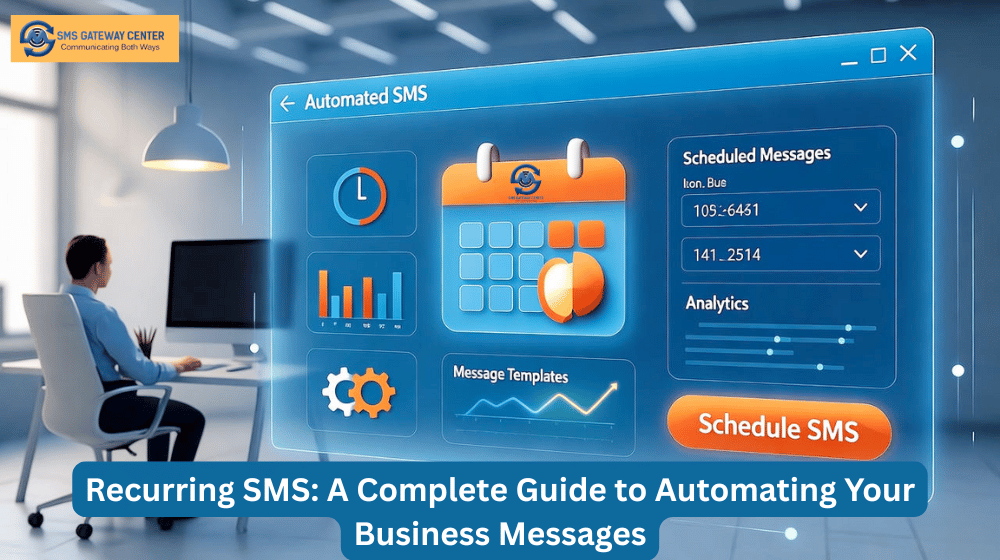
That’s exactly what Recurring SMS does. It’s an automation feature that sends your SMS messages automatically at regular intervals. You define the message, set the schedule, and the system handles everything else while you focus on growing your business.
What is Recurring SMS?
Think of Recurring SMS as your personal messaging assistant that never sleeps, never forgets, and never takes a day off.
Instead of manually scheduling the same message every week or month, you create a recurring campaign once. The system then automatically sends your messages at exactly the right time – whether that’s daily, weekly, monthly, quarterly, or yearly.
It’s like setting an alarm, but instead of waking you up, it sends SMS messages to your customers.
Why Should You Care About SMS Automation?
Let me be honest with you – if you’re still sending repetitive messages manually, you’re doing it the hard way.
Here’s what automation gives you:
Time Savings: Set up a campaign in 5 minutes, save hours every month
Consistency: Never miss a send date or forget to send important reminders
Scalability: Handle 10 customers or 10,000 with the same effort
Reliability: Messages go out even when you’re sleeping, traveling, or busy
Professionalism: Your customers get timely, consistent communication
How Recurring SMS Works: The Simple Version
The concept is straightforward:
- You create a campaign with your message and schedule
- The system waits for the scheduled time
- Messages go out automatically to your contact list
- The system calculates the next send date based on your frequency
- Repeat forever (or until your specified end date)
No manual intervention. No remembering. No forgetting. It just works.
Three Types of Scheduling: Choose What Works for You
Recurring SMS gives you three ways to schedule messages, each perfect for different scenarios:
1. Interval-Based Scheduling
This is the most flexible option. You choose a number and a unit (days, weeks, months, years).
Examples:
- Every 1 day = Daily messages
- Every 7 days or Every 1 week = Weekly messages
- Every 15 days = Fortnightly messages
- Every 1 month = Monthly messages
- Every 3 months = Quarterly messages
- Every 1 year = Yearly messages
Best for: Regular intervals that don’t need to align with calendar dates.
2. Monthly Date Scheduling
Send messages on the same day of every month, regardless of when the last message was sent.
Examples:
- 1st of every month = Rent reminders, salary notifications
- 7th of every month = Weekly check-ins
- 15th of every month = Mid-month reports
- 31st of every month = Month-end summaries (automatically adjusts for months with fewer days)
Best for: Monthly obligations tied to specific dates like rent, bills, or payroll.
3. Yearly Date Scheduling
Send messages on the same date every year, perfect for annual events.
Examples:
- January 1st = New Year greetings
- February 14th = Valentine’s Day promotions
- December 25th = Christmas wishes
- Any custom date = Company anniversaries, product launches
Best for: Annual celebrations, holidays, and anniversary campaigns.
Real-World Use Cases: How Businesses Are Using This
Let me share some real examples of how businesses are saving time and increasing engagement:
E-commerce Store: Weekly Promotions
The Old Way: Marketing manager spends 30 minutes every Monday morning composing and sending promotional SMS to 5,000 customers.
The New Way: Set up once with “Every 1 Week” frequency. Messages go out automatically every Monday at 9 AM. Marketing manager spends those 30 minutes on strategy instead.
Result: Same engagement, zero ongoing effort.
Gym: Monthly Membership Reminders
The Old Way: Front desk staff manually sends payment reminders to 200 members every month. Some get forgotten. Late payments increase.
The New Way: Recurring SMS set to “1st of every month” with personalized messages: “Hi {{NAME}}, your gym membership of $50 is due today. Pay online: [link]”
Result: 70% reduction in late payments, zero manual work.
Clinic: Health Checkup Reminders
The Old Way: Receptionist maintains a spreadsheet and manually calls or texts patients every 6 months. Time-consuming and error-prone.
The New Way: Set up “Every 6 Months” recurring SMS when patient registers. Automatic reminders go out without any manual tracking.
Result: 90% improvement in follow-up compliance, happier patients.
Restaurant: Birthday Wishes with Discounts
The Old Way: Birthday offers were rarely sent because tracking customer birthdays was too much work.
The New Way: Yearly recurring SMS for each customer’s birthday: “Happy Birthday {{NAME}}! 🎉 Get 25% OFF today with code BDAY25”
Result: 45% redemption rate, significant boost in customer loyalty.
Key Features That Make It Powerful
1. Personalization with Placeholders
When sending to groups, you can personalize messages with:
{{NAME}}– Replaced with each contact’s name{{MOBILE}}– Replaced with their mobile number
So “Hi {{NAME}}, your payment is due” becomes “Hi John, your payment is due” for John and “Hi Sarah, your payment is due” for Sarah.
2. Dual Sending Modes
Batch Numbers: Enter up to 100 phone numbers directly. Perfect for small, one-time lists.
Groups: Select from your contact groups. Perfect for larger lists and personalized messages.
3. Comprehensive Reporting
Every execution is tracked with detailed reports showing:
- Total messages sent
- Success and failure counts
- Credits used
- Transaction IDs
- Error messages (if any)
- Complete execution history
4. Easy Control
- Pause campaigns anytime with one click
- Resume whenever you’re ready
- Edit message content or schedule
- Delete campaigns you no longer need
5. Full SMS Feature Support
Your recurring messages support everything you’re used to:
- Text and Unicode (for regional languages)
- Flash SMS (appears immediately on screen)
- Link tracking (measure engagement)
- DLT template integration (for Indian businesses)
- Duplicate number filtering
- Custom sender IDs
How to Set Up Your First Recurring SMS Campaign
Let me walk you through it step by step:
Step 1: Navigate and Create
Go to Send SMS → Recurring SMS and click Create New.
Step 2: Name Your Campaign
Give it a descriptive name like “Monthly Payment Reminders” or “Weekly Promotional Offers”. You’ll thank yourself later when you have multiple campaigns running.
Step 3: Choose Your Frequency
Select how often messages should go out:
- Interval-based: Every X days/weeks/months/years
- Monthly date: Same day each month (1st, 15th, etc.)
- Yearly date: Same date each year (Jan 1, Dec 25, etc.)
Step 4: Select Your Audience
Choose between:
- Batch Numbers: Type or paste up to 100 numbers
- Groups: Select one or more contact groups (recommended for personalization)
Step 5: Compose Your Message
- Select your approved sender ID
- Choose text or Unicode
- Write your message (use {{NAME}} for personalization)
- Preview character count and SMS parts
Step 6: Set Your Schedule
- Start Date: When should the first message go out?
- End Date: (Optional) When should it stop? Leave blank for no end date
- Time: What time should messages be sent? (e.g., 09:00 AM)
Step 7: Configure Optional Settings
- Select DLT template (if applicable)
- Enable link tracking
- Enable duplicate filtering
- Choose Flash SMS if needed
Step 8: Save and Activate
Click Save Recurring SMS and you’re done! The system takes over from here.
Managing Your Campaigns: Pause, Resume, Edit, Delete
Pausing a Campaign
Need to temporarily stop messages? Click the Disable button. Status changes to “Disabled” and messages stop going out.
Use case: Pause seasonal campaigns during off-season.
Resuming a Campaign
Ready to start again? Click the Enable button. Messages resume according to the schedule.
Editing a Campaign
Click Edit to modify:
- Campaign name or description
- Frequency settings
- Recipients (numbers or groups)
- Message content
- Schedule dates and times
- Any optional settings
Important: Changes only affect future messages, not already-sent ones.
Deleting a Campaign
Click Delete to permanently remove a campaign. Historical reports remain available for your records.
Pro tip: Consider pausing instead of deleting if you might need it later.
Understanding Reports: Track Your Performance
The reporting system gives you complete visibility:
Campaign Overview
The main page shows:
- Campaign name and frequency
- Next trigger date and time
- Last sent date
- Status (Enabled/Disabled)
- Total executions count
Detailed Execution History
Click Reports on any campaign to see:
Statistics:
- Total executions
- Overall success rate
- Total credits used
Execution Records:
- Execution timestamp
- Status (Success/Failed/Partial)
- Total recipients
- Success/failure breakdown
- Credits consumed
- Transaction ID for tracking
- Error messages (if any)
Export Capabilities
Download reports in CSV format for analysis in Excel or other tools. Perfect for monthly reviews or sharing with stakeholders.
Best Practices: Learn from Those Who Got It Right
Do These Things:
✅ Use descriptive campaign names – “VIP Customer Monthly Newsletter” beats “Campaign 1”
✅ Test with yourself first – Create a test campaign with your own number before rolling out
✅ Personalize messages – Use {{NAME}} placeholder for better engagement
✅ Set end dates for time-limited campaigns – Black Friday sale? Set an end date
✅ Monitor reports regularly – Check weekly to catch issues early
✅ Keep groups updated – Regularly refresh your contact groups
✅ Choose appropriate send times – 9 AM – 9 PM for best engagement
✅ Match DLT templates – Ensure your template matches your message
Don’t Do These Things:
❌ Don’t spam – Respect frequency preferences (weekly is usually max)
❌ Don’t use excessive special characters – They can cause encoding issues
❌ Don’t ignore time zones – If your customers are in different zones, plan accordingly
❌ Don’t ignore failed messages – Consistent failures = something needs fixing
❌ Don’t delete active campaigns – Pause instead if you might need them later
❌ Don’t send at odd hours – 3 AM messages = angry customers
Common Questions Answered
Q: What if I run out of credits?
A: Messages will fail with an “Insufficient Credits” error. The campaign continues trying on the next scheduled execution once you add credits.
Q: Can I send to both groups and batch numbers in the same campaign?
A: No, choose one per campaign. Create separate campaigns if you need both.
Q: What if a contact exists in multiple groups?
A: The system automatically removes duplicates. Each contact receives only one message per execution.
Q: Can I use placeholders with batch numbers?
A: No, placeholders only work with groups because batch numbers don’t have associated contact data.
Q: What happens when the end date is reached?
A: The system stops sending automatically. The campaign stays “Enabled” but sends no more messages.
Q: How accurate is the scheduled time?
A: Messages are sent within a few minutes of the scheduled time (system checks every few minutes).
Q: What’s the difference between “Every 1 Month” and “Monthly Date – 1st”?
A: “Every 1 Month” sends 30 days after the last send (Jan 15 → Feb 14 → Mar 16). “Monthly Date – 1st” sends on the 1st every month regardless of last send (Jan 1 → Feb 1 → Mar 1).
Real Success Stories
Online Education Platform
Challenge: Students missing monthly payments, causing service interruptions
Solution: Monthly recurring SMS 3 days before due date
Results:
- 70% reduction in missed payments
- 85% reduction in follow-up time
- Improved student satisfaction
Retail Chain
Challenge: Low customer engagement, need for loyalty building
Solution: Yearly birthday SMS with discount codes
Results:
- 45% redemption rate on birthday offers
- 60% increase in customer engagement
- Higher customer lifetime value
Restaurant
Challenge: Inconsistent foot traffic, especially on weekdays
Solution: Weekly SMS every Tuesday with weekend special offers
Results:
- 35% increase in weekend bookings
- Consistent customer engagement
- 80% reduction in marketing effort
Security and Compliance: Your Data is Safe
We take security seriously:
- CSRF Protection: All forms protected against attacks
- Data Isolation: You can only see your own campaigns
- Input Validation: All data validated and sanitized
- Secure Execution: Cron jobs use token-based authentication
- Audit Trails: All actions are logged
- DLT Compliance: Full support for Indian businesses
Pricing: No Hidden Costs
Recurring SMS uses your existing SMS credits. Each message sent deducts credits based on your standard rates. There are no additional charges for using the recurring feature – it’s included in your plan.
Getting Started Today
Here’s your action plan:
- Identify repetitive messages you’re currently sending manually
- Create your first test campaign with your own number
- Verify it works by checking the execution report
- Roll out to customers once you’re confident
- Monitor performance and optimize based on reports
- Scale up by creating more campaigns for different purposes
The Bottom Line
Time is your most valuable resource. Every hour spent on repetitive tasks is an hour not spent growing your business.
Recurring SMS isn’t just about automation – it’s about giving you back your time while ensuring your customers receive timely, consistent communication.
Whether you’re sending payment reminders, birthday wishes, promotional offers, or appointment notifications, automation ensures it happens on time, every time, without you lifting a finger after the initial setup.
The businesses that thrive in 2025 are those that embrace intelligent automation. Recurring SMS is your tool to join them.
Ready to Automate?
Stop wasting time on repetitive messaging. Set up your first recurring campaign today and experience the freedom of automated communication.
Your future self will thank you.
Recent Articles:
- WhatsApp Business API Media Management: Images, Videos, and Documents
- WhatsApp Business API Webhooks: Real-time Integration Guide
- Banking & Finance WhatsApp Business API: Secure Customer Communication
- API Rate Limiting and Throttling: Best Practices for SMS Services