
To configure sandbox parameters for new sign-ups:
- In the Set Feature section, select SMS Sandbox Configuration from the dropdown.
- Configure the following options:
- Allow Sandbox (SMS): Toggle to Yes to enable sandbox.
- Default Credit/Wallet Amount: Enter the initial test balance for new users.
- Set Default Sender ID: Assign a default sender ID (must align with DLT template content for Indian users).
- Maximum Permissible Sandbox Mobile Numbers: Define how many mobile numbers can be used for testing. Only whitelisted numbers will work.
- Whitelisting Mobile Numbers: Choose between:
- Manual – Add numbers directly yourself.
- SMS via OTP – Allow users to add and verify their numbers via OTP.
- Click Save Changes to apply the configuration.
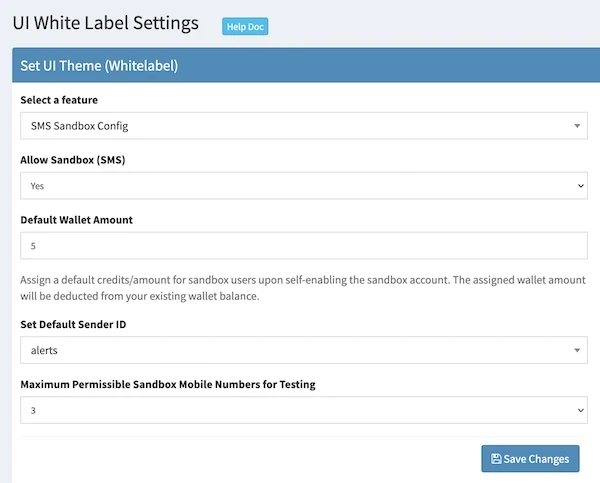
This ensures that every new user signing up gets sandbox access with controlled credits, sender IDs, and testing numbers.
Found this useful?Add as Preferred Source on Google